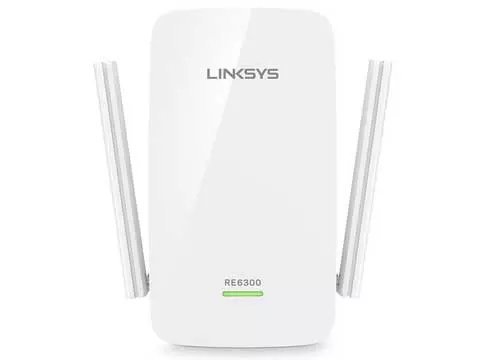
Linksys Wifi Extender RE6300 Setup Guide
Linksys RE6300 wifi range extender is the perfect networking device for eliminating all connectivity issues from dead zones to slow wifi speeds. It is a dual band range extender that offers high wifi speeds of up to 750Mbps. Further it features both spot finder as well as beamforming technology.
The spot finder technology lets you find the perfect placement spot for the extender within seconds. Whereas the beamforming technology doesn't deviate the wifi signals from connected devices. Next up, the availability of the WPS button lets you complete the Linksys wifi extender re6300 setup in less than five minutes. The device also inhibits one Gigabit ethernet port. So connecting wired devices is extremely easy. Now let's get to the main point which is the installation process.
Read: How to Reset Netgear Extender via Mywifiext.net?
There are two ways through which the Linksys wifi extender RE6300 setup can be done. One is via the WPS button and the other one is through a web browser. Both the options have their own advantages and cons. So check out the process and then decide one that aligns with your needs and devices.
Web Browser Method For RE6300 Setup
If you choose to conduct Linksys wifi extender RE6300 setup using a web browser then first you need to do a little preparation which is collecting a few components. So here's what you need:
- A smart device is crucial. You can pick out any smart gadget from cellphone to laptop.
- Up next, you need access to an up-to-date web browser. It can be any browser from Chrome, firefox, safari, edge to internet explorer.
- Then you need access to a vacant power outlet.
- We recommend you to also pick an Ethernet wire.
- Then you must have access to the router and its network details. In detail you just need an SSID and the passkey.
Installation Steps
The Linksys wifi extender RE6300 setup process when done using a web browser is simple and also offers better security and hold on default settings.
- Firstly, bring the RE6300 extender as close as possible to the router.
- Now locate the vacant power outlet near to the router and plug the extender into it.
- The extender will take up to a few moments to boot up and will turn green when it's ready for the further configuration.
- Next up take your smart device. Pair it up with the extender's local network “Linksys Extender Setup-XXXX” by enabling wifi. You can also pair the devices up using ethernet wire.
- Once the pairing completes, launch a web browser. Go to the address bar. Into it type http://extender.linksys.com. Thereafter press enter key.
- Now you'll have access to the Linksys wifi extender re6300 setup page. Tap on the start setup option. Pick repeater mode.
- Finally the interface will list down your current network's SSID. Click on it and then fill in its passkey. Then assign new credentials to the extender's network and with that also choose the security type. Tap on Save/Apply. And with that the setup completes. Now all you have to do is use the spot finder technology for proper repositioning of the RE6300 extender.
- Once the deployment is done, connect to the RE6300 network and test the connection. You'll surely enjoy uninterrupted, super fast and dependable connectivity in every nook of your place.
Quick Installation Using WPS Button
Do you know a very little about technology? If yes, no worries as Linksys wifi extender RE6300 setup when done using WPS is child’s play. With just a simple push of a button you'll get rid of all wifi dead zones and other wifi problems like that of slow wifi speeds, sudden connection drop and more. So here's the step-by-step installation guidance for your reference:
- Plug the RE6300 repeater in an electrical outlet which is closest to the router. Make sure the router is all booted up and has its link to the internet source.
- Now turn on the extender. Wait for its smart light to show a stable green light.
- Next, hunt out the WPS button on the router. Upon finding, press it and then check the WPS indicator, it must be flickering.
- Thereafter, on your RE6300’s side panel you'll find the WPS button. Immediately press it and with this its smart light will also start blinking. Make sure you do this step within 120 seconds after activating the router's WPS function.
- Now hold on for a couple of minutes. Eventually the smart lights will turn stable green. It is a clear indication that the Linksys wifi extender re6300 setup is done successfully.
- If you want to extend the 5Ghz network of your router then repeat the above steps once again.
- At last, for better coverage move the extender in between the router and the wifi dead spot.
Read: Easy Fixes for Macard WiFi Extender Not Working
Still have queries or any concern? Feel free to connect to the customer support team.