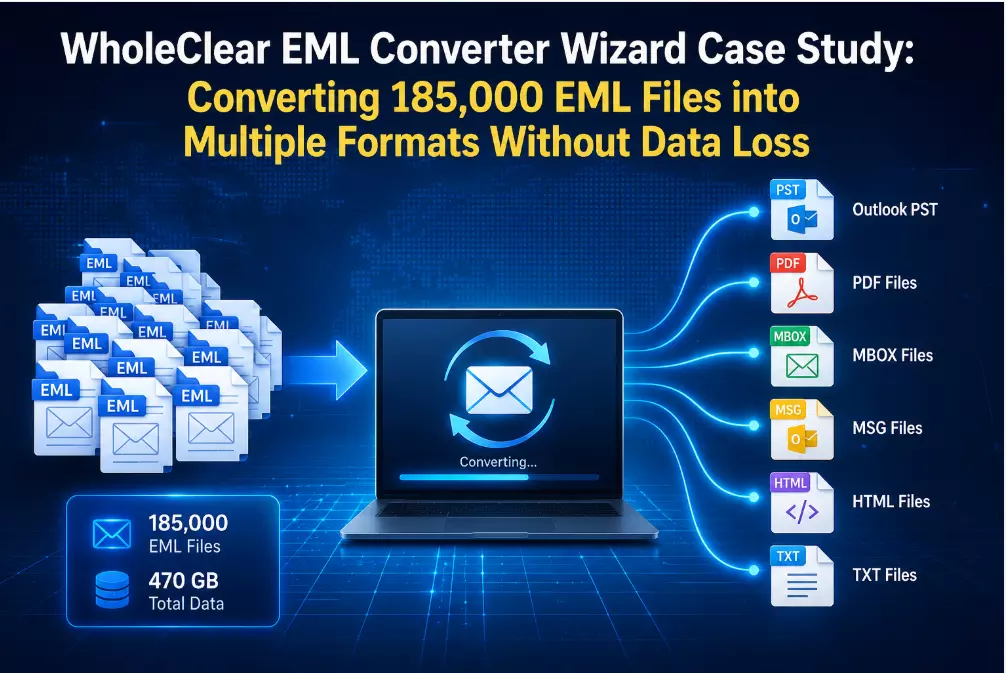
WholeClear EML Converter Case: Converting 185,000 EML Files into Multiple Formats Without Data Loss
Introduction: Handling Huge EML Email Archives Can Be Difficult
Over the course of eight years, a global consulting firm with operations across North America, Europe and Asia amassed 185,000 EML files, or around 470 GB. These emails came from a number of outdated email programs, Mozilla Thunderbird, eM Client and Windows Live Mail.
Every department needed the archived emails in various forms as the business updated its email infrastructure. IT planned to migrate Outlook using PST files, Legal needed PDF copies for compliance, Finance needed HTML files for audits, Customer Support wanted MBOX archives for Thunderbird and management needed MSG files for Outlook compatibility.
In order to finish the project within five days, the IT staff required a solution that could convert the whole email archive without losing folder hierarchy, attachments or information.
Overview of the Organization
Details of the item
Description
Industry
Business consulting
Workforce
620 workers
Total EML files
185,000
Total data size
470 GB
Source format
EML
Required output formats
PST, PDF, MBOX, MSG, HTML and TXT
Project Deadline
Five Working Days
Business Needs
The converted data was necessary for the organization to support several business operations:
- PST files for the deployment of Outlook.
- PDF files for documentation and legal compliance.
- MBOX files for users of Thunderbird.
- MSG files for keeping records with Outlook.
- Internal auditing HTML files.
- TXT files for searching and indexing documents.
Maintaining data integrity across all output formats was the key concern.
Techniques Assessed Throughout the Project
Method 1: Manual Conversion
Using distinct email programs and export tools for every necessary file format, the IT staff first assessed manual conversion.
Manual Procedure
- EML files were imported into desktop email client.
- Individual emails were exported into compatible formats.
- Separate programs were used to create PDFs.
- Manually checked the folder hierarchy.
- After each export, attachments were examined.
- Repeated the procedure for every output format that was needed.
Manual Outcomes
In two working days, 12,000 EML files (31 GB) were converted as part of a trial project. The group noticed:
- Different output formats required different applications.
- Manual checking was necessary for folder organization.
- Bulk processing was incredibly slow.
- Additional verification was needed for the attachments.
- Following multiple exporting, duplicate emails surfaced.
- A significant amount of administrative work was required.
According to the pilot, it would take more than three weeks to do the entire project, making the manual technique unfeasible.
Difficulties with Manual Conversion
- The complexity of the project expanded with multiple applications.
- A large amount of administrative time was spent on repeated shipments.
- The chances of error increased with each conversion step.
- Processing was significantly hindered by large email collections.
- Manual validation was necessary to maintain a consistent folder structure.
- Because administrators were busy during the project, business operations were impacted.
Method 2: Conversion Based on Tools
The organization used WholeClear EML Converter Wizard to streamline the migration, enabling the IT staff to transform the entire archive into several output formats using a single interface.
Included in the conversion were:
- 185,000 EML files
- 470 gigabytes of email data
- Resultant formats: PST, PDF, MSG, MBOX, HTML, TXT
Read: Best Email Service to Use for Business in 2026
Tool-Based Outcomes
It took about eight hours and twenty minutes to complete the change.
Verification following confirmation of completion:
- 185,000 EML files were successfully converted. 470 GB were processed.
- Complete maintenance of the attachment.
- The entire folder hierarchy is preserved.
- The original metadata was kept.
- No duplicate emails were found.
- Operational downtime of less than thirty minutes.
The IT department randomly examined 600 emails from 20 converted folders to verify accuracy, making sure that the attachments, timestamps, sender details and folder structure matched the original EML files.
Manual vs. Automated
Feature
Manual Approach
Tool-Based Approach
185,000 total files
Over three weeks
8 hours and 20 minutes
Output formats
Different Applications
Several Formats in a Single Process
Folder Hierarchy
Manual Verification
Automatically preserved
Attachments
Manually Verifying
Completely preserved
Metadata
Partial Verification
Completely Retained
Possible Duplicate Emails
Yes
None Found
Administrative Effort
High
Low
Business Downtime
High
Minimal
Business Result
After the conversion project:
- More than 52,000 emails were saved by Legal as searchable PDF files.
- For compliance reviews, 41,000 HTML email records were indexed by finance.
- IT used PST files to move 78 Outlook users.
- Customer support used MBOX files to import old correspondence into Thunderbird.
- Key communications were kept in MSG format by management.
- TXT copies were kept by compliance teams for document indexing.
The project reduced administrative effort by almost 90% and was completed four days ahead of schedule.
FAQs
1. Why did the business convert EML files into more than merely PST?
The operating needs of several departments varied. Finance and Compliance used HTML and TXT formats, Customer Support used MBOX, IT needed PST for Outlook and Legal wanted PDF.
2. Why wasn't the manual conversion approach chosen?
The trial experiment demonstrated that manual conversion was inappropriate for a 470 GB email archive because it needed numerous apps, substantial administrator labor and an estimated completion time of more than three weeks.
3. After conversion, were attachments and folder hierarchy maintained?
Indeed, post-conversion verification verified that all converted formats correctly retained attachments, folder structure, email attributes and metadata.
4. How long did it take to finish the conversion project?
With less than 30 minutes of operational interruption, the project, which involved 185,000 EML files (470 GB), was finished in around 8 hours and 20 minutes.
5. How did the IT staff confirm that the transformed data was accurate?
Following the conversion, 600 emails from 20 folders were randomly examined by the IT staff to ensure that the email content, attachments, timestamps, sender information and folder structure matched the original EML files.
6. Which businesses stand to gain from this kind of EML conversion project?
Businesses that need to move or store big collections of EML files into various formats while maintaining data integrity, such as legal firms, consulting firms, healthcare organizations, financial institutions, educational institutions and government agencies, would find this method ideal.
Conclusion
This case study demonstrated that it was impractical to convert 185,000 EML files (470 GB) into various formats using different manual techniques because it required numerous apps, a significant amount of administrator input and a significant amount of project time.
While preserving attachments, metadata, folder organization and email integrity across all necessary output formats, the automatic method finished the conversion in 8 hours and 20 minutes.
Organizations moving from outdated email clients, setting up compliance archives, using Microsoft Outlook or keeping email records in various formats for several business divisions found the service to be especially helpful.