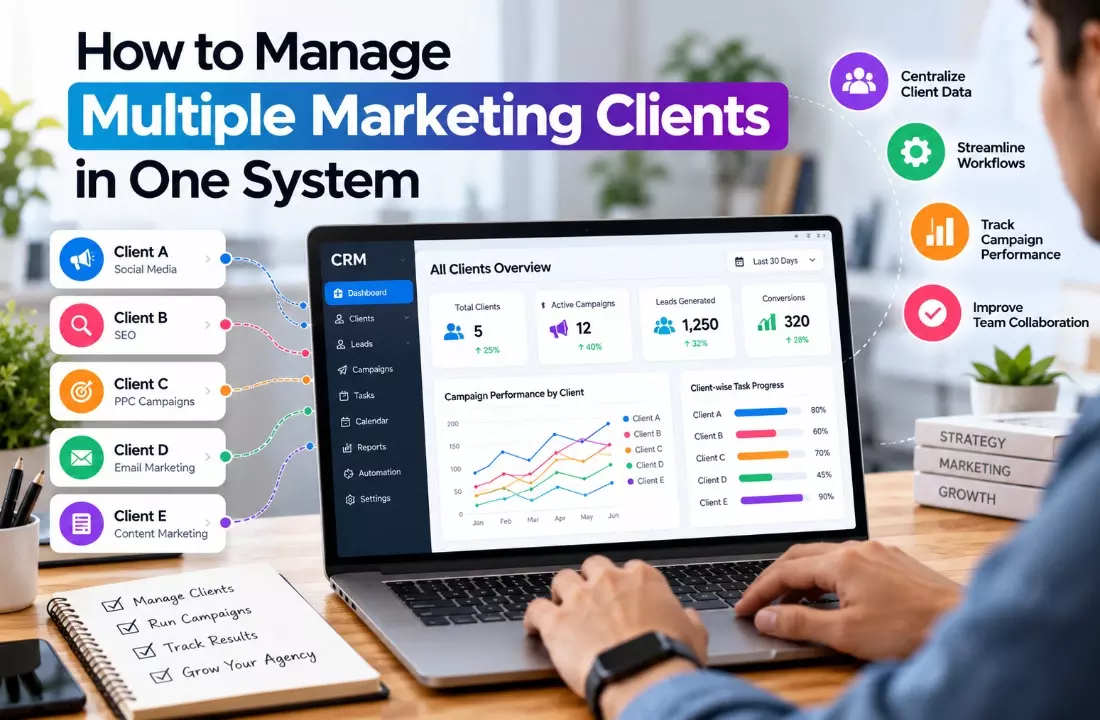
How to Manage Multiple Marketing Clients in One System
Managing multiple marketing clients can become challenging as an agency grows. Each client has different campaign goals, deadlines, budgets, communication preferences, and reporting requirements.
When information is spread across spreadsheets, emails, messaging apps, and project management tools, teams may struggle to track progress and deliver consistent results.
A centralized system helps marketing agencies organize client information, manage campaigns, assign tasks, and monitor performance from one place.
Zoho for Marketing Agencies provides a way to streamline these activities by connecting client relationship management, workflow automation, and team collaboration.
Instead of switching between disconnected applications, teams can follow a structured workflow and maintain better visibility into their daily operations.
Using tools such as Zoho CRM and other Zoho applications, agencies can manage client relationships, automate repetitive tasks, track campaign activities, and improve collaboration as their client portfolio expands.
Why Is Managing Multiple Marketing Clients Difficult?
Marketing agencies often handle several activities simultaneously, including SEO, social media marketing, paid advertising, email campaigns, and lead generation.
Each client requires individual attention, making it difficult to maintain consistent processes without a centralized system.
Disorganized Client Information
Client contact details, campaign briefs, brand guidelines, contracts, and communication records may be stored in different locations.
Team members can waste time searching for information or accidentally use outdated documents. A centralized client database keeps essential information accessible and makes it easier to understand each client's requirements.
Missed Deadlines and Campaign Updates
Marketing campaigns involve content approvals, scheduled publications, advertising launches, and regular performance reviews.
When these activities are managed manually, important tasks can be overlooked. A shared task management system helps teams assign responsibilities, establish deadlines, and monitor project progress.
Limited Visibility Into Campaign Performance
Every client may have different marketing objectives. One business might prioritize website traffic, while another focuses on qualified leads or sales conversions.
Tracking these metrics separately without a consistent reporting process makes performance comparisons difficult. Centralized dashboards and client-specific reports help agencies evaluate progress more effectively.
How Can You Manage Multiple Marketing Clients in One System?
A centralized CRM and workflow management platform can bring client records, campaign activities, communication, and reporting into a more organized environment. The following steps help agencies build a manageable process.
1. Create a Separate Profile for Every Client
Start by creating a dedicated record for each client. Include business information, key contacts, marketing objectives, service agreements, campaign details, and communication history.
Organize records using client categories, service types, or account owners. This structure allows team members to find relevant information without searching through multiple spreadsheets.
For example, an agency managing 15 clients can maintain separate records for SEO, PPC, and social media accounts while keeping each client's overall requirements accessible to authorized employees.
2. Organize Campaigns and Tasks
Break each client's marketing activities into projects, tasks, and milestones. Assign every task to a responsible team member and establish a realistic deadline.
A standardized workflow might include campaign planning, content creation, internal review, client approval, publication, and performance analysis.
Reusable task templates help agencies follow the same process for similar projects without rebuilding everything from scratch.
Project management tools can also help managers identify overdue tasks, review workloads, and allocate resources more effectively.
3. Automate Client Follow-Ups
Manual reminders and repetitive administrative tasks consume valuable time. Workflow automation can trigger notifications when a task approaches its deadline, a lead enters the system, or a client approval is pending.
Agencies can automate activities such as:
- Sending reminders for upcoming campaign reviews.
- Assigning new leads to the appropriate account manager.
- Creating follow-up tasks after client meetings.
- Notifying team members when content requires approval.
- Scheduling recurring reporting activities.
Automation rules should reflect actual business processes. Agencies should also monitor them regularly to prevent unnecessary notifications or incorrect task assignments.
4. Track Leads and Campaign Results
A marketing agency needs to understand whether its campaigns are producing meaningful business outcomes. Connect lead management processes with campaign activities wherever suitable integrations are available.
Track relevant metrics such as qualified leads, conversion rates, cost per lead, website traffic, and campaign engagement. The specific metrics should reflect each client's goals rather than applying the same measurements to every account.
Connecting marketing data with CRM records can help agencies understand how prospects move from their first interaction to a sales opportunity. This makes campaign reviews more useful for both account managers and clients.
5. Generate Client-Specific Reports
Reporting becomes more manageable when campaign data follows a consistent structure.
Create separate dashboards or reports for each client, highlighting key performance indicators, completed activities, ongoing work, and recommended improvements.
Automated reporting can reduce repetitive data preparation when the necessary integrations and reporting features are configured. However, reports should still be reviewed for accuracy and explained in business terms.
Instead of simply listing website visits or clicks, explain what the results indicate, which activities performed well, and what the team plans to improve during the next reporting period.
Read: Grow Your Brand, Leads & Sales with Communicadence India
What Features Should a CRM for Marketing Agencies Include?
Choosing the right CRM for marketing agencies requires more than checking contact management capabilities. The platform should support the agency's daily operations and connect important business activities.
Consider these essential features:
- Centralized client database: Stores contact information, account details, and communication history in an organized structure.
- Task and project management: Helps teams coordinate campaign deliverables, deadlines, approvals, and responsibilities.
- Workflow automation: Reduces repetitive work through reminders, task assignments, and notifications.
- Reporting and analytics: Provides visibility into client-specific performance metrics and campaign outcomes.
- Integration capabilities: Connects relevant email, advertising, marketing, and project management applications.
- Access permissions: Helps restrict sensitive client information to authorized users.
- Scalability: Supports additional clients, users, and workflows as the agency grows.
Before selecting a platform, evaluate its pricing, usability, integration options, security controls, and available features. The best system is one that solves current operational problems without introducing unnecessary complexity.
How Can Zoho Help Marketing Agencies Manage Multiple Clients?
Zoho for Marketing Agencies offers a range of applications that agencies can configure to support client management, marketing activities, project coordination, and reporting.
Rather than relying on a single tool for every task, agencies can select suitable applications based on their requirements.
Use Zoho CRM to Manage Client Relationships
Zoho CRM can help agencies organize contact records, manage leads, track sales opportunities, and maintain customer interaction histories.
Custom fields, layouts, and workflow rules can be configured to support processes such as client onboarding and lead assignment.
For example, an agency can use CRM records to track incoming prospects, schedule follow-ups, and monitor opportunities before a new client engagement begins.
Coordinate Campaigns With Zoho Projects
Zoho Projects can support project planning, task assignment, milestone tracking, and deadline management. Marketing teams can use these capabilities to coordinate activities across SEO, content marketing, advertising, and other services.
With reusable project templates, agencies can establish repeatable workflows for recurring campaigns and reduce the time required to organize new client projects.
Manage Email Marketing With Zoho Campaigns
Zoho Campaigns supports email marketing activities such as campaign creation, audience segmentation, and performance tracking. Agencies can use it to organize email communication and evaluate engagement across relevant campaigns.
Client-specific audience lists and campaign processes should be maintained carefully to ensure that the correct messages reach the intended recipients.
Analyze Results With Zoho Analytics
Zoho Analytics can help agencies analyze data and create dashboards using supported data sources and integrations.
Depending on the configuration, teams can combine relevant business metrics to understand campaign performance and prepare reports for clients.
These insights can support more informed decisions about marketing priorities, budget allocation, and future campaign improvements.
The applications and capabilities required will depend on the agency's needs, subscription plans, and integration setup.
When Should You Consider Zoho Consulting Services?
Some agencies can configure basic tools independently. However, professional implementation support may be useful when client information is scattered across several platforms, workflows require customization, or reporting depends on multiple data sources.
Zoho Consulting Services can help agencies assess existing processes, select suitable applications, configure workflows, and plan integrations according to their operational requirements.
A structured implementation typically involves reviewing current processes, identifying automation opportunities, organizing client data, configuring dashboards, and testing workflows before broader adoption.
For agencies using multiple marketing applications, integration planning is particularly important. The goal is to reduce duplicate data entry, improve information consistency, and make essential business information easier to access.
Vision Infotech helps businesses evaluate and implement digital solutions according to their operational needs.
Marketing agencies exploring Zoho applications can consider Zoho for Marketing Agencies and Zoho Consulting Services to understand how tailored CRM configurations, automation, and integrations may support their workflows.
Conclusion
Managing multiple marketing clients becomes easier when client information, campaign tasks, communication, and reporting follow a consistent process.
A centralized system helps agencies reduce manual work, improve team coordination, track deadlines, and understand campaign performance.
The right CRM and workflow platform should match the agency's size, services, reporting needs, and existing technology.
Applications such as Zoho CRM, Zoho Projects, Zoho Campaigns, and Zoho Analytics can support different parts of this process when configured appropriately.
By combining suitable technology with standardized workflows and clear responsibilities, marketing agencies can manage their growing client portfolios more efficiently while maintaining a consistent client experience.