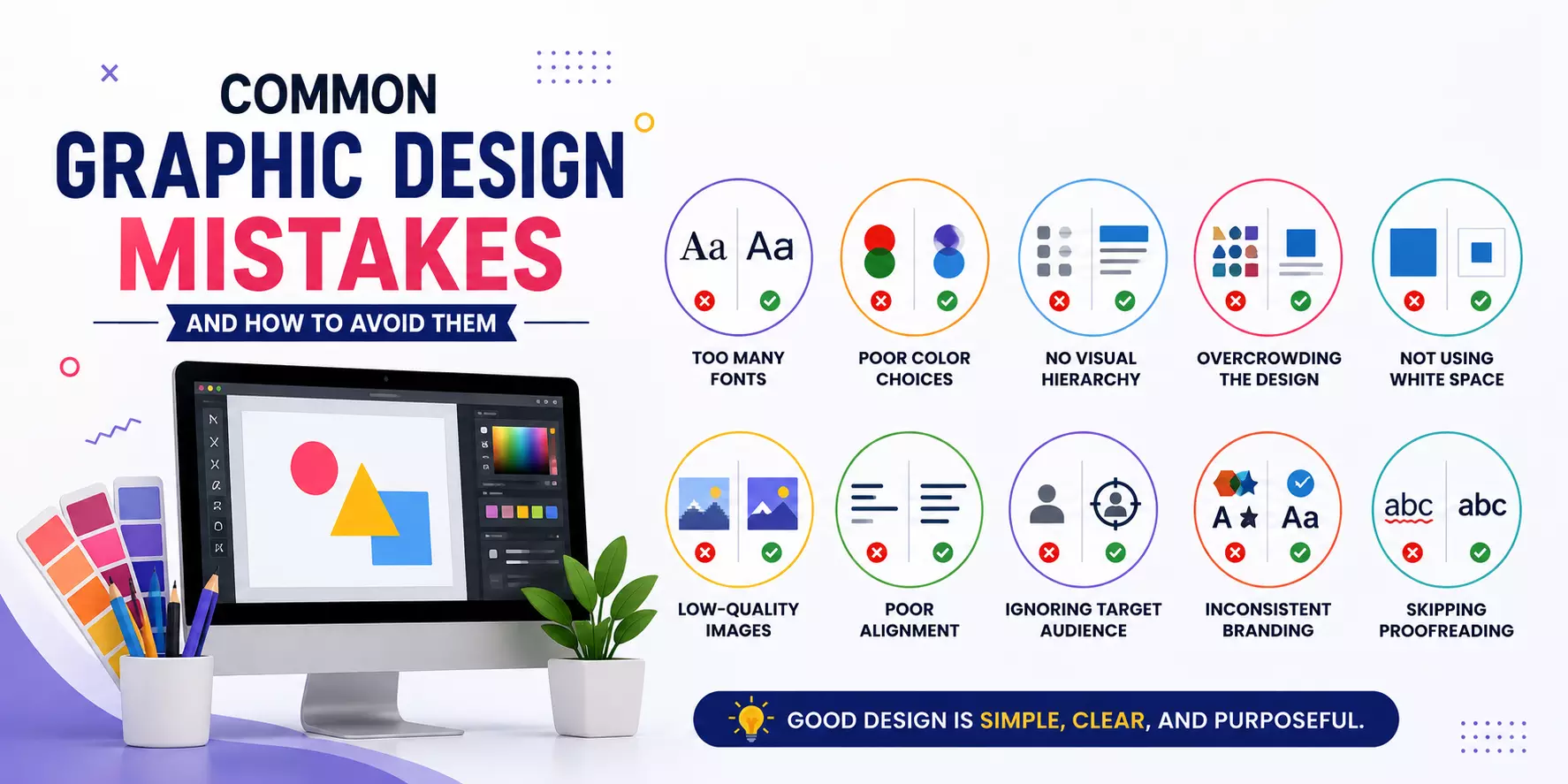
Common Graphic Design Mistakes and How to Avoid Them
Graphic design plays a vital role in creating a strong visual identity for businesses, brands, and individuals.
Whether you're designing a logo, social media post, website, or marketing brochure, good design helps communicate your message effectively. However, many beginners—and even experienced designers—make common mistakes that reduce the impact of their work.
Understanding these mistakes and learning how to avoid them can significantly improve your designs and help you create professional, visually appealing content.
1. Using Too Many Fonts
One of the most common graphic design mistakes is using multiple font styles in a single design. While different fonts can add variety, too many create confusion and make the design look unprofessional.
How to avoid it:
- Limit your design to two or three complementary fonts.
- Use one font for headings and another for body text.
- Maintain consistency throughout the design.
A clean and consistent typography style improves readability and gives your design a polished appearance.
2. Poor Colour Selection
Colours have a powerful influence on emotions and brand recognition. Choosing random or clashing colors can distract viewers and weaken your message.
How to avoid it:
- Use a consistent colour palette.
- Follow basic colour theory.
- Ensure there is enough contrast between text and background.
- Use brand colours whenever possible.
Selecting the right colours creates harmony and strengthens your visual communication.
3. Ignoring Visual Hierarchy
Visual hierarchy guides viewers through the content in the correct order. Without it, users may struggle to understand what information is most important.
How to avoid it:
- Make headlines larger and bolder.
- Highlight important elements using size, colour, or spacing.
- Organize content logically.
A clear hierarchy helps viewers quickly absorb your message.
4. Overcrowding the Design
Trying to fit too much information into one design makes it look cluttered and overwhelming.
How to avoid it:
- Keep your message simple.
- Remove unnecessary elements.
- Focus on one primary objective.
Minimalist designs are often more attractive and easier to understand.
Read: Why You Should Outsource Shopify Development Services
5. Not Using White Space
White space, also known as negative space, is the empty area between design elements. Many beginners believe every inch should be filled, but this often makes designs look messy.
How to avoid it:
- Leave enough spacing between text, images, and graphics.
- Avoid placing elements too close together.
- Use margins consistently.
White space improves readability and gives your design a clean, modern appearance.
6. Using Low-Quality Images
Blurry or pixelated images reduce the credibility of your design and make it appear unprofessional.
How to avoid it:
- Use high-resolution images.
- Avoid stretching small images.
- Choose visuals that match your message.
High-quality visuals create a stronger first impression.
7. Poor Alignment
Misaligned text and graphics make designs look disorganized and difficult to read.
How to avoid it:
- Use alignment guides and grids.
- Keep margins consistent.
- Ensure all elements are evenly positioned.
Proper alignment creates balance and professionalism.
8. Forgetting the Target Audience
A design that appeals to one audience may not work for another. Ignoring your audience often leads to ineffective communication.
How to avoid it:
- Understand your audience before designing.
- Choose colours, fonts, and images that match their preferences.
- Consider the purpose of the design.
Audience-focused designs are more engaging and successful.
9. Inconsistent Branding
Using different colours, fonts, or styles across marketing materials can confuse customers and weaken your brand identity.
How to avoid it:
- Follow brand guidelines.
- Use consistent logos, typography, and colours.
- Maintain the same design style across all platforms.
Consistency helps build trust and improves brand recognition.
10. Skipping Proofreading
Even a beautifully designed project can lose credibility if it contains spelling or grammar mistakes.
How to avoid it:
- Proofread all text carefully.
- Double-check names, dates, and contact information.
- Ask someone else to review your design before publishing.
Accurate content reflects professionalism and attention to detail.
Tips for Better Graphic Design
To create more effective designs, remember these best practices:
- Keep your layouts simple and uncluttered.
- Maintain consistent fonts and colours.
- Use high-quality visuals.
- Prioritize readability.
- Follow alignment and spacing principles.
- Design with your audience in mind.
- Review and refine your work before publishing.
Practicing these habits will help you produce designs that are both visually appealing and effective.
Frequently Asked Questions (FAQs)
1. What is the biggest mistake beginners make in graphic design?
The most common mistake is overcrowding the design with too much text, too many colours, and excessive visual elements. Simplicity usually produces better results.
2. How can I improve my graphic design skills?
Practice regularly, study professional designs, learn design principles, seek feedback, and become proficient with tools like Adobe Photoshop, Illustrator, Figma, or Canvas.
Conclusion
Graphic design is more than creating attractive visuals—it's about communicating ideas clearly and effectively.
Avoiding common mistakes such as poor typography, inconsistent branding, cluttered layouts, weak colour choices, and low-quality images can dramatically improve the quality of your work.
By focusing on simplicity, consistency, and user experience, you can create professional designs that capture attention and leave a lasting impression.
Whether you're a beginner or an experienced designer, continuously refining your design skills will help you produce visuals that are both beautiful and impactful.