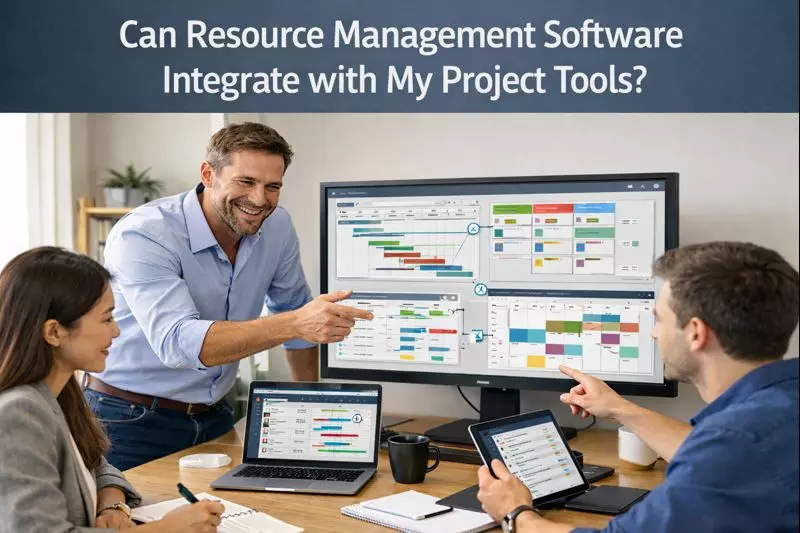
Can Resource Management Software Integrate with My Project Tools?
Most managers are like Voldemort, confident in their ability to do everything flawlessly, until a golden trio starts hunting down their horcruxes. They don’t wake up till an issue surfaces, and carefully unravel their scattered ecosystem.
One team is updating timelines on Jira. Another team is tracking availability through spreadsheets. And another is updating budgets on Payhawk. Suddenly, no one can reach a common point on what is working out.
This is the point leaders start exploring resource management integration options, which can bring order to the brewing chaos. The level of integration depends on the requirements of organizations and the tools they work with.
For establishments juggling multiple platforms, integration is about visibility, alignment, and fewer surprises at quarter-end. Many of them adapt to resource management software like eResource Scheduler to bridge these gaps as soon as possible.
What does Integration mean for Resource and Project Tools?
Contrary to popular belief, integration is not a fancy way of saying ‘connection’. In realistic terms, it means your planning, scheduling, and execution tools are sharing information without involving manual labor.
For managers, this usually materializes as:
- Less duplicate updates
- Rare manual reconciliation between systems
- More confidence in strategy meetings
Leaders can now focus on decisions that actually propel work forward, rather than fishing for updates across tools and coming up empty-handed.
How Integration Goes Beyond Basic Sync?
Not every connection is equal.
Some platforms only fetch task names. Others share timelines, assignments, and availability. The difference becomes significant when you’re managing multiple teams or handling long-term initiatives.
Why do Managers Care About Project Management Tool Integrations?
Disconnected tools give rise to scattered teams. When a project populates one system and capacity planning lives in another, the gaps appear at the most inconvenient times.
With stable project management tool integrations, leaders can:
- See real-time workload across teams
- Spot conflicts before they impact delivery
- Balance short-term deadlines with long-term capacity
This isn’t about micromanagement. It’s about having enough context to say yes or no optimistically.
How does Project Tool Compatibility Affect Planning?
Compatibility is the final step, which determines whether the integration will actually yield results or add another dead weight to complexity.
Some tools gel well together. Others connect technically, but don’t share meaningful data. For this sole reason, project tool compatibility should be evaluated early, especially if teams are already relying on specific platforms.
What Compatibility Looks Like in Practice
Compatible tools tend to:
- Use consistent project structures
- Share timelines and ownership cleanly
- Update without delays or data conflicts
When compatibility is weak, managers often revert to spreadsheets ‘just to be safe,’ which defeats the whole point.
How can Cross-Platform Project Planning reduce Silos?
Most organizations use more than one project tool. IT, operations, and marketing departments often display different preferences. Cross-platform project planning acknowledges this reality.
When planning covers multiple tools:
- Teams keep working in familiar systems
- Leadership gains a unified view
- Resource conflicts surface earlier
You can compare it to air traffic control. Pilots fly different planes, but someone still needs the full radar screen to keep tabs.
What is Centralized Planning Across Tools?
Centralization does not replace the existing systems. It serves as a unified room to understand capacity, availability, and future commitments. With centralized planning across tools, managers can:
- Compare demand vs capacity across departments
- Plan hiring or contractors with better data
- Reduce last-minute reshuffling
This approach works well for scaling organizations where informal coordination is no longer viable.
How does Data Sync between Project Tools Work?
Fundamentally, data sync between project tools ensures updates automatically rather than relying on reminders or meetings. Most integrations focus on:
- Project timelines
- Resource assignments
- Status changes
The endgame isn’t perfection. It’s reducing friction.
Even partial syncing can save hours each week and reduce planning errors.
Read: Best Resource Management Software for Construction and
When should Organizations Invest in Integration?
Integration tends to yield when:
- Teams use multiple project tools
- Resource conflicts are frequent
- Planning cycles feel reactive
Smaller teams can manage without it for a while.
But as organizations scale, integration shifts from ‘leisure’ to ‘necessity’.
Some leaders explore project resource management software later in this process, once they realize planning issues are no longer about tasks, but also concern resources and capacity.
Who Benefits Most from Integrated Resource Planning?
Integration isn't just for PMOs. It also benefits:
- Department heads balancing shared resources
- Operations leaders planning quarters ahead
- Executives needing high-level visibility
The common thread is accountability. When outcomes are the subject, clarity matters.
Interaction is not a ‘Repairo’, which can magically fix things, but it can remove many obstacles that can make good planning difficult. The right resource management integration helps teams stay aligned, reduce surprises, and make healthier decisions with the tools they already use.
If you’re curious how this could integrate into your environment, a FREE TRIAL of eResource Scheduler can offer a low-risk way to explore what integrated planning feels like in practice.
Frequently Asked Questions
- Can resource management tools integrate with multiple project platforms?
- Yes, many resource management tools support multiple connections, though the depth of integration varies depending on the platform you are using.
- Do integrations replace the need for spreadsheets?
- For many teams, integrations significantly reduce the need for spreadsheets, though some still keep them for ad-hoc analysis.
- Is integration difficult to maintain over time?
- It depends on the tools involved. Well-designed integrations typically require minimal ongoing effort.
- Will integration slow down my project tools?
- No. Modern integrations are designed to run in the background without affecting performance.
- How do I know if my tools are compatible?
- You can start by reviewing supported integrations and testing with a small project before rolling out more broadly. eResource Scheduler offers a free trial to explore.