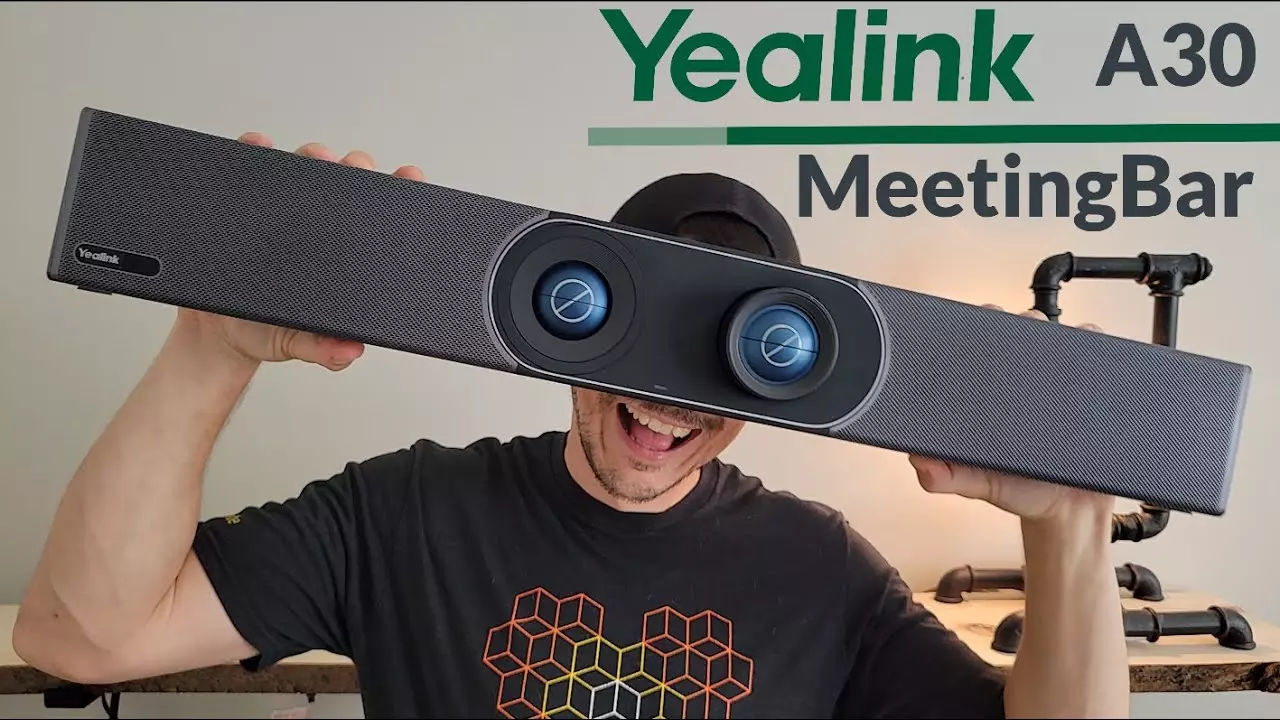
Yealink a30 meetingbar Review: Specs, Features & Setup
As hybrid meetings become the new workplace norm, the demand for intelligent, compact, and high-performance video conferencing solutions continues to grow. The yealink a30 meetingbar is one such innovation—an all-in-one video collaboration system designed specifically for medium-sized meeting rooms.
In this comprehensive review, we’ll explore the features, technical specifications, setup process, and practical benefits of the yealink a30 meetingbar. If you’re considering upgrading your conferencing setup, read on to see why trusted providers like Spoglink recommend this powerful device.
What is the Yealink A30 MeetingBar?
The yealink a30 meetingbar is a high-end, dual-camera video conferencing bar that combines computing, camera, microphones, and speakers into one elegant package. Designed for Microsoft Teams and Zoom, it removes the need for a separate PC or complex AV setup.
With advanced AI features, seamless integration, and native app support, this device is the perfect fit for modern meeting environments that require high video and audio quality.
Key Specs of yealink a30 meetingbar
Component
Specification
Cameras
Dual-camera system: 8MP wide-angle + 10x optical zoom PTZ
Video Resolution
4K at 30fps
Field of View
120° diagonal (main camera)
Audio
8 MEMS microphone array, full-duplex speaker
AI Features
Auto-framing, speaker tracking, noise cancellation
Operating System
Android 10
Platform Support
Microsoft Teams, Zoom Rooms (native)
Connectivity
USB, Ethernet, Wi-Fi, HDMI
Mounting
TV mount, wall mount included
Remote Control
Yealink VCR11 or MTouch II (optional)
Top Features of the Yealink A30 MeetingBar
Dual-Camera Intelligence
The yealink a30 meetingbar features a dual-camera design with wide-angle and PTZ capabilities. This means the system can switch between room-wide and close-up views automatically, offering a dynamic meeting experience without any manual adjustments.
AI-Powered Meeting Optimization
With advanced AI capabilities like auto-framing and speaker tracking, the device identifies who’s speaking and frames them accurately. This ensures all participants, whether remote or on-site, enjoy a more personal and interactive session.
Crystal Clear Audio
With eight microphones in a beamforming array, full-duplex communication, and noise-proof technology, the yealink a30 meetingbar ensures voices are picked up clearly while eliminating echo and background chatter.
Native Teams and Zoom Support
You don’t need an external PC to run meetings. The A30 runs Teams or Zoom natively, enabling users to join or host meetings directly from the unit—ideal for simplified workflows and reduced hardware requirements.
Simple Setup and Installation
Setting up the A30 is a breeze. Whether wall-mounted or installed atop a display, it requires minimal cabling and supports plug-and-play functionality. You’ll be conference-ready in under 10 minutes.
Use Cases and Ideal Environments
The yealink a30 meetingbar is best suited for:
- Medium-sized conference rooms
- Hybrid team collaboration
- Education and training environments
- Remote interviews and executive meetings
Its intelligent features ensure inclusivity and clarity, whether hosting a client call or an internal strategy session.
Why Buy from Spoglink?
When you purchase the yealink a30 meetingbar from Spoglink, you receive not just a product, but a complete support experience. Here’s why Spoglink is a trusted source:
- Authorized Yealink reseller
- Competitive pricing and exclusive bundles
- Free pre-sales consultation
- Technical support for setup and integration
- Fast nationwide delivery and warranty assistance
Spoglink helps you transform your meeting space with expert guidance and reliable service.
Yealink a30 vs. Other Meeting Bars
Feature
Yealink A30
Logitech Rally Bar
Poly Studio X50
Camera System
Dual Camera
Single Camera
Single Camera
AI Features
Auto-framing, speaker tracking
Auto-framing
Auto-framing
Platform Support
Native Teams & Zoom
Native Teams & Zoom
Native Teams & Zoom
Mic Array
8 MEMS mics
6 mics
3 beamforming mics
Audio
Full-duplex, noise-proof
Stereo speakers
Stereo speakers
Setup Time
<10 mins
Moderate
Moderate
How to Set Up the Yealink A30 MeetingBar
Step-by-Step Guide:
- Unbox the device and included accessories (mount, power adapter, remote).
- Mount the bar on the display or wall using provided brackets.
- Connect Ethernet or Wi-Fi for network setup.
- Plug in power and HDMI to your display.
- Log into your Zoom or Teams account on the device interface.
- Test camera, microphone, and speaker.
- Ready to use within minutes.
Conclusion
The yealink a30 meetingbar is a well-rounded, future-proof solution for businesses aiming to improve their conferencing experience. With AI-driven features, dual-camera clarity, and plug-and-play simplicity, it stands out as a top-tier solution for mid-sized meeting rooms.
Spoglink offers this product with full warranty, setup support, and competitive pricing—making it the ideal choice for smart teams that prioritize quality communication tools.
Frequently Asked Questions (FAQs)
1. Can the Yealink A30 be used without a PC?
Yes, it has built-in Android 10 OS and supports native Zoom Rooms and Microsoft Teams.
2. What’s the recommended room size?
It’s best suited for rooms of 6 to 12 participants—medium-sized spaces.
3. Can I use it with third-party control panels?
Yes, but Yealink recommends MTouch II for full functionality.
4. Does it support wireless content sharing?
Yes, via Miracast, Apple AirPlay, or Yealink WPP30 (sold separately).
5. Is Spoglink an official reseller of Yealink?
Absolutely. Spoglink offers only authentic Yealink products with warranty and support.
6. Can I integrate it with calendar and room booking systems?
Yes, Yealink A30 supports Outlook and Google Workspace integrations.