Why Remote Participants Often Feel Left Out of Hybrid Meetings
Hybrid meetings have made it easier for teams to work from different locations, but bringing everyone into the same meeting does not always mean everyone feels included.
While employees in the conference room can interact naturally, remote participants may struggle to follow conversations, find opportunities to speak, or feel connected to the discussion.
These challenges can affect collaboration, employee engagement, and the quality of decisions. In many cases, the problem is not the hybrid meeting format itself. It is how the meeting room, technology, and communication practices work together.
Businesses looking to improve their hybrid meeting experience should evaluate their meeting room setup, camera coverage, and audio quality.
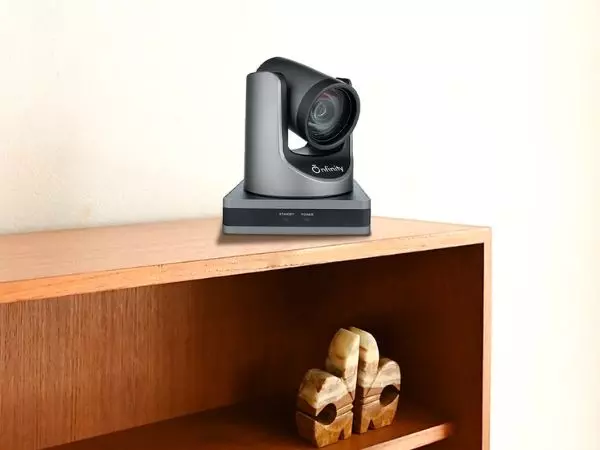
Choosing suitable video conferencing camera solutions can help improve participant visibility and support more effective communication between in-room and remote attendees.
1. Important Conversations Happen Outside the Camera’s View
One common problem in hybrid meetings is that not every interaction is visible to remote participants. Employees sitting together may exchange quick comments, gestures, or reactions that are easy to understand in person but difficult to notice on a screen.
For example, two colleagues might discuss a point quietly before sharing their conclusion with the group. Someone joining remotely may miss that context and find it harder to contribute meaningfully.
Camera placement plays an important role here. If a conference room camera captures only the main speaker or a small part of the table, remote attendees may not be able to see who is speaking or how others are responding.
Businesses should consider room layout, seating arrangements, and camera coverage when planning hybrid meetings. The goal is to help remote participants follow the discussion without constantly asking for clarification.
2. Poor Audio Makes Participation Difficult
Audio quality can be just as important as video quality. Remote participants may struggle when voices sound distant, several people speak at once, or background noise makes conversations difficult to understand.
A person joining from home might have a clear internet connection but still miss important information because the meeting room microphone does not capture everyone equally.
These problems can make remote employees hesitant to ask questions or interrupt the discussion. Over time, they may contribute less simply because participating requires extra effort.
Businesses should evaluate their complete audio-video setup rather than focusing only on image quality. Suitable microphones, speaker placement, and reliable conferencing equipment can help make conversations easier to follow.
Meeting participants can also help by speaking clearly, avoiding unnecessary interruptions, and repeating important points when needed.
3. In-Room Participants Can Dominate the Discussion
People sharing the same physical space often find it easier to communicate. They can read body language, make eye contact, and respond quickly to each other. Remote attendees do not always have the same opportunities.
For instance, someone joining through a laptop may attempt to speak just as two people in the room begin a conversation. By the time the remote participant finds an opening, the topic may have changed.
This can create an unintentional imbalance in which office-based employees influence the discussion more than colleagues joining online.
A simple solution is to make participation part of the meeting process. Meeting leaders can invite remote attendees to share their views, pause between topics, and monitor the chat for questions. These small habits can help ensure that people are heard regardless of where they are working.
4. Camera Placement and Framing Affect the Experience
The way a meeting room camera captures participants can influence how connected remote attendees feel. A camera positioned too far from the table may make faces difficult to recognise, while a narrow field of view can leave some speakers outside the frame.
When remote participants cannot clearly identify the person speaking, following the conversation becomes more challenging. They may also miss facial expressions and visual cues that support natural communication.
Businesses should choose camera arrangements based on the size and layout of the meeting room. Wider coverage may suit collaborative spaces, while other rooms may benefit from a camera that can adjust its view to focus on active speakers.
The aim is to ensure that everyone can see the people contributing to the conversation, without requiring remote participants to guess who is speaking or ask others to repeat themselves.
Read: Guide to BIS Registration and CRS for CCTV Camera Importers
5. Remote Participants Are Not Always Given Equal Attention
Even when the technology works well, meeting habits can leave remote employees feeling disconnected.
In-room participants may direct their comments towards colleagues sitting beside them instead of addressing the entire group.
Presenters may point to information on a physical whiteboard without sharing it with online attendees. Questions from remote participants can also be overlooked when everyone is focused on the people in the room.
These situations are often unintentional, but they can make hybrid meetings feel like in-person meetings with remote observers added as an afterthought.
To improve the experience, presenters should share digital versions of important documents, explain visual references, and address the camera or screen when speaking to remote colleagues. Meeting organisers should also check that everyone can access presentations, shared notes, and collaboration tools.
6. Meeting Technology Should Support Collaboration, Not Complicate It
Technology cannot solve every communication problem, but an unsuitable setup can make existing challenges worse.
A poorly positioned camera, inconsistent audio, or complicated meeting controls can distract participants from the discussion. Employees may spend valuable time troubleshooting equipment instead of sharing ideas.
Before investing in new meeting room technology, businesses should identify the problems their teams experience most frequently. Consider the room size, number of participants, typical meeting format, conferencing platform, and need for flexible collaboration.
A practical setup should make it easy for people to join meetings, see participants clearly, hear conversations, and share information. Testing the room before important meetings can also help identify technical issues early.
7. Make Inclusion Part of Every Hybrid Meeting
Creating inclusive hybrid meetings requires a combination of suitable technology and thoughtful meeting practices. Businesses do not necessarily need to redesign every meeting room or introduce complicated processes. Small, consistent improvements can make a meaningful difference.
Here are a few practical steps organisations can take:
- Check audio and video before meetings: Make sure remote participants can see and hear the people in the room.
- Set clear participation expectations: Encourage everyone to contribute and avoid allowing in-room conversations to dominate.
- Share meeting materials digitally: Ensure that presentations, documents, and whiteboard content are accessible to online attendees.
- Invite remote employees to speak: Pause at appropriate moments and actively ask for their input.
- Review the room setup regularly: Check whether the camera captures participants clearly and whether microphones pick up voices across the room.
- Ask for feedback: Find out what remote attendees struggle with and use their responses to improve future meetings.
These practices help create a more balanced environment in which employees can participate based on their ideas rather than their physical location.
Final Thoughts
Remote participants often feel left out of hybrid meetings because of a combination of limited camera coverage, poor audio, unequal participation, and meeting habits that favour people in the room. Addressing these issues requires more than simply connecting a video call.
Businesses should focus on clear communication, appropriate meeting room technology, and inclusive collaboration practices. When participants can see, hear, and contribute to discussions comfortably, hybrid meetings become more useful for everyone.
For organisations improving their meeting spaces, the goal should be straightforward: create an environment where remote and in-room participants have an equal opportunity to be involved, share ideas, and contribute to better decisions.