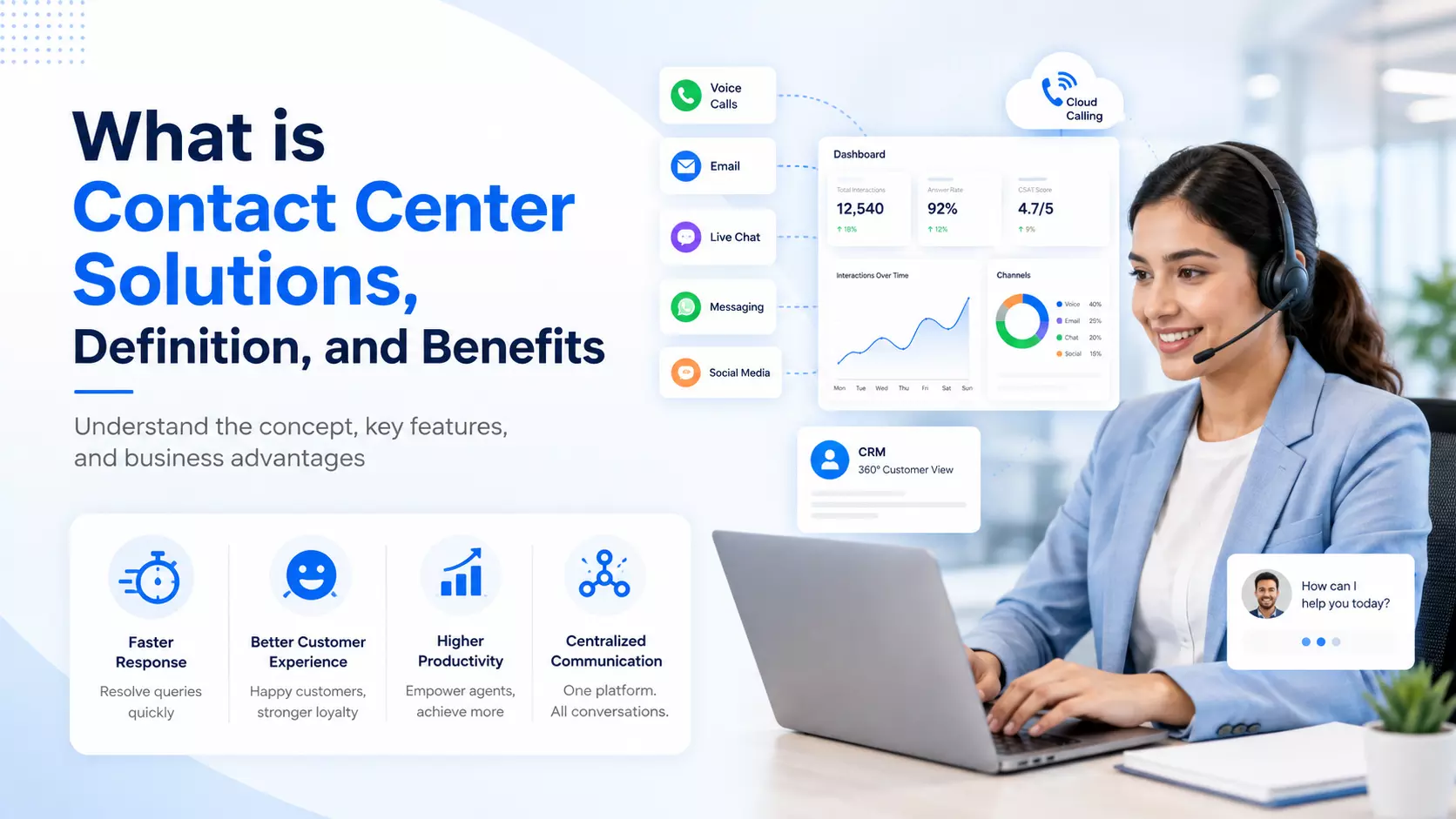
What is Contact Center Solutions, Definition, and Benefits
Every business talks to customers every day. Phone calls, emails, live chats, and social media messages all come in at once.
Handling all of that without a proper system leads to missed calls, angry customers, and lost sales. This is where a good system for managing customer conversations becomes important for any growing company.
A business that wants to grow needs a way to manage all these conversations in one place. That's exactly what a contact center is built for. It brings order to what would otherwise be chaos, and it helps teams respond faster and serve people better.
What is a Contact Center Solution?
A contact center solution is a set of tools that helps businesses manage all customer interactions in one place.
This includes phone calls, emails, chats, and messages from apps like WhatsApp or Facebook. Unlike a simple phone line, a full contact center solution connects every channel so agents can see the whole picture of a customer's history.
Many companies still confuse this with basic call center software. The difference is scope. Basic call center software mostly handles voice calls.
A full contact center covers voice, text, and digital channels together. Agents don't need to switch between five different screens to find one customer's past orders or complaints.
Here's what a typical contact center setup includes:
- Tools to route calls and messages to the right agent
- A shared dashboard where agents view all customer data
- Reports that show call volume, wait times, and agent performance
- Options to record calls for training and quality checks
- Ways to connect with other business software already in use
Why Businesses Are Moving to the Cloud
Old phone systems needed heavy equipment, wires, and a dedicated room just for machines. Today, most companies are shifting to cloud call center solutions instead. These systems run over the internet, so there's no need for bulky hardware sitting in an office closet.
With a cloud setup, agents can log in from anywhere with a laptop and internet connection. This matters a lot now that remote and hybrid work are common. A support agent working from home can take calls just as easily as one sitting in a company office.
Cloud systems also update automatically. There's no need to call a technician every time a new feature comes out. The provider handles updates on their end, and businesses simply get the new tools without extra cost or downtime.
Key advantages of moving to the cloud:
- Lower setup costs since there's no heavy hardware to buy
- Easy to add or remove agent seats as the team grows or shrinks
- Access from any location with a stable internet connection
- Automatic software updates without extra IT work
- Better uptime since most providers offer strong backup systems
Read: Enhanced Customer Engagement Inside CoreMedia's Cloud
Choosing the Right Cloud Telephony Provider
Picking a good cloud telephony provider is one of the biggest decisions a business will make in this process.
Not every provider offers the same call quality, support, or pricing. Some focus only on small businesses, while others build for large teams with hundreds of agents.
Before signing up with any provider, it helps to test their service with a trial period. Check call clarity, delay issues, and how fast their support team responds when something breaks. A provider might look great on paper but fail during actual use if their servers are overloaded or poorly maintained.
Price matters too, but it shouldn't be the only factor. A cheap plan that drops calls constantly will cost more in lost business than a slightly pricier plan that works well. Look for a provider with clear pricing, no hidden fees, and a track record of good uptime.
Things worth checking before choosing a provider:
- Call quality during peak hours, not just quiet testing times
- Customer support response time and available hours
- Pricing structure, including any hidden charges
- Uptime guarantees and past service history
- Scalability options for future growth
Automated Calling Systems Save Time
One of the biggest time-savers in modern customer service is the automated calling system. Instead of agents manually dialing every number on a list, the system does it for them.
This is especially useful for sales teams making outbound calls to leads or for reminder calls to customers about appointments or payments.
An automated calling system can also route calls to available agents only when someone picks up.
This cuts down on the time agents spend listening to busy tones or unanswered rings. Some systems even use pre-recorded messages for simple updates, like delivery status or payment confirmations, without needing a live agent at all.
Businesses handling large call volumes benefit the most from this. A team that used to make 100 calls a day by hand might reach 300 or more with automation handling the dialing and filtering.
Common uses for automated calling systems:
- Reminder calls for bills, appointments, or deliveries
- Outbound sales calls to a list of leads
- Survey calls to collect customer feedback
- Emergency alerts sent to many people at once
- Follow-up calls after a purchase or service visit
Call Recording Software and Its Role in Training
Good customer service isn't built overnight. It takes practice, feedback, and real examples to teach new agents how to handle tough situations. This is where call recording software plays a big part. Every conversation gets saved and can be reviewed later by managers or trainers.
New agents often learn faster by listening to real calls instead of reading a manual. A manager can pull up a recorded call where an agent handled an angry customer well and use it as a training example. The same goes for calls that didn't go well, which can show what to avoid.
Recording calls also protects the business. If there's ever a dispute about what was said during a call, having a recorded copy settles the argument quickly. Many industries, like finance and healthcare, actually require call recording for legal reasons.
Reasons call recording helps a business:
- Trains new agents using real conversation examples
- Settles disputes about what was said or promised
- Helps meet legal or industry recording requirements
- Identifies patterns in customer complaints over time
- Improves overall call quality through regular review
CRM Integration Makes Everything Work Together
None of these tools work at their best alone. A contact center becomes far more useful when it connects with a business's existing customer database. This is where CRM integration comes in.
It links the contact center directly with the software that stores customer names, order history, and past support tickets.
Without this link, agents waste time asking customers to repeat information they already gave before. With CRM integration, an agent can see a customer's full history the moment the call connects.
This makes conversations faster and more personal, since the agent already knows what the customer bought or complained about last time.
Sales teams also benefit from this connection. When a call ends, the system can automatically log notes into the CRM. This saves agents from typing the same information twice and keeps records accurate for the whole team to see.
Benefits of connecting CRM with a contact center:
- Agents see full customer history during every call
- Notes and call details save automatically after each interaction
- Sales and support teams share the same customer data
- Reduces repeated questions and speeds up service
- Improves accuracy of customer records across departments
Final Thoughts
A strong contact center solution changes how a business handles customer conversations.
It brings phone calls, chats, and emails into one place instead of scattered tools that don't talk to each other. Moving to a cloud-based setup cuts costs and adds flexibility that older phone systems simply can't match.
Adding features like automated calling system, call recording, and CRM connections turns a basic setup into a complete system that helps both agents and customers.
Businesses that invest time in choosing the right tools and provider usually see faster response times, happier customers, and a team that works better together.
Getting started doesn't require a complete overhaul overnight. Many companies begin with basic call handling and slowly add more features as their needs grow. The important part is choosing tools that fit the size and goals of the business today, while leaving room to grow later.