Website Feedback: Why It Matters and How to Collect It Without Annoying Visitors
Picture a small online furniture store with a strange problem. Traffic was healthy, people were adding items to their carts, and then a large share of them disappeared at the delivery step. The analytics dashboard showed exactly where people left. It said nothing about why.
The answer could come from a single line of text a customer types into a feedback box: "I can't tell if the delivery price includes carrying it upstairs." One added sentence explaining what delivery covers could fix a problem the dashboard was never able to explain.
That is website feedback in its simplest form. It is information people give you, in their own words, about their experience on your site. Numbers tell you what happened. Feedback tells you why.
What Website Feedback Actually Includes
Website feedback is a broad term, and it helps to separate the main types because each one answers a different question.
Visitor feedback
This comes from people using your live site: customers, prospects, readers. It covers confusion ("where do I find the size chart?"), frustration ("the form keeps clearing when I hit back"), and sometimes praise. Website user feedback of this kind is the closest you will get to watching over someone's shoulder.
Customer feedback for websites
Customers who have already bought something see your site differently. They know the product, so their comments often point to gaps between what the site promised and what they received. That makes this feedback useful for fixing product pages, FAQs, and onboarding content.
Internal and client feedback
Designers, developers, marketers, and clients also give feedback on websites, usually before launch or during a redesign.
This tends to be more technical and more specific: a button that sits too close to the edge on mobile, a headline that doesn't match the brand voice, a link that goes nowhere.
A good website feedback system makes room for all three without mixing them into one messy inbox.
Why Analytics Isn't Enough
Analytics tools are excellent at counting. They will tell you bounce rates, scroll depth, time on page, and which button gets the most clicks. What they can't tell you is intent or emotion.
A visitor who spends four minutes on your pricing page might be carefully comparing plans. They might also be completely lost. The number looks the same in both cases.
Feedback fills that gap. When you combine the two, you get a much clearer picture: analytics shows you where to look, and feedback tells you what you will find there.
Common Ways to Collect Website Feedback
There's no single right method. Most sites benefit from using two or three of these together.
On page surveys
Short surveys that appear on a specific page, usually asking one or two questions. They work best when the question relates to what the visitor is doing right now.
"Did you find what you were looking for?" on a help article makes sense. "How likely are you to recommend us?" on the homepage, five seconds after arrival, does not.
Feedback widgets
A small tab or button that stays on the page and lets visitors leave a comment whenever they want. Because it's always available but never forced, it tends to catch people at the exact moment something bothers them. That timing produces specific, useful comments.
Exit surveys
A question shown when someone is about to leave, often on checkout or signup pages. These need a light touch. One question is plenty, and it should be easy to dismiss.
Visual and annotated feedback
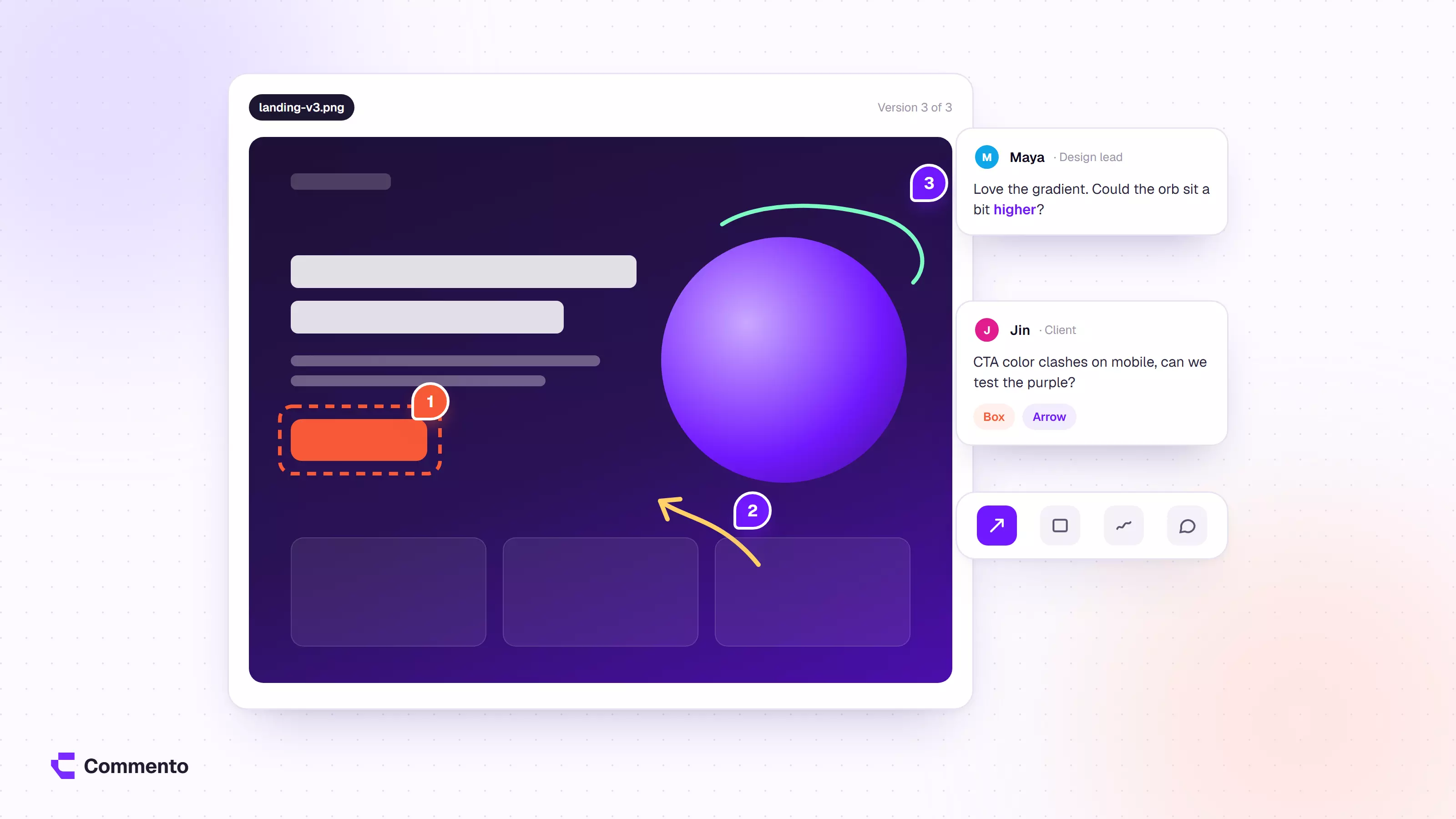
Instead of typing a description, the person clicks on the exact part of the page they want to comment on and leaves a note there.
This is especially helpful for design and layout issues, which are hard to describe in words. If you haven't tried it before, this step by step guide on how to annotate a live website shows how the process works.
Tools like Commento let people place comments directly on a live page, so the feedback arrives already attached to the element it's about.
Email follow ups and interviews
For deeper questions, nothing beats a short conversation. A handful of 20 minute calls with recent customers will often surface more insight than hundreds of survey responses. The trade off is that interviews take time and don't scale.
Read: Best Web Development Services In Jaipur for Business Growth
How to Ask Questions People Will Answer
The quality of your feedback depends heavily on how you ask. A few habits make a big difference.
Ask about one thing at a time. "How was your experience with our site and checkout process?" combines two topics. Split it, or pick the one you care about more.
Prefer specific questions over general ones. "Was anything on this page unclear?" gets better answers than "Any feedback?" because it gives people a frame.
Keep it short. Every extra question lowers your completion rate. If you need ten answers, you probably need an interview, not a survey.
Leave room for open text. Rating scales are easy to analyze, but the most useful insights usually come from the optional comment box underneath.
Respect the visitor's time. Don't show a survey to someone who has been on the site for three seconds. Wait until they have done something meaningful, like reading most of an article or reaching a key step.
Building a Simple Website Feedback System
Collecting feedback is the easy part. The harder part is making sure it leads somewhere. A basic system needs four pieces, and this longer walkthrough on turning website feedback into real fixes covers each one in more depth.
- A clear place where feedback lands. Whether it's a dashboard, a shared inbox, or a project board, everyone should know where to look.
- Context attached to every piece of feedback. Which page was the person on? What device were they using? A comment like "the button doesn't work" is almost useless without this. Some tools capture this context automatically, which saves a lot of back and forth.
- A regular review habit. Set aside time each week or fortnight to read through what came in. Group similar comments together so patterns stand out.
- A way to close the loop. When you fix something based on feedback, note it. If the person left contact details, tell them. People who see their feedback acted on are much more likely to give it again.
Mistakes That Waste Good Feedback
Some patterns come up again and again on sites that collect plenty of feedback but improve very little.
- Treating every comment as a request. One person disliking your colour scheme is an opinion. Twenty people saying they can't find the contact page is a problem. Look for repetition.
- Only reading the scores. Average ratings hide the reasons behind them. Read the text.
- Asking and never acting. If visitors keep reporting the same issue for months, they will stop reporting anything.
- Collecting feedback in too many places. Comments scattered across email, chat, spreadsheets, and screenshots get lost. Consolidate where you can.
Frequently Asked Questions
How much website feedback do I need before acting on it?
It depends on the issue. A broken link reported once is worth fixing immediately. A design preference needs more voices before it justifies a change. As a rough rule, act quickly on clear bugs and look for patterns on subjective issues.
Will feedback widgets slow down my site?
Most modern widgets load asynchronously and have a small footprint, but it's worth testing your page speed before and after adding one.
Should I offer incentives for feedback?
Small incentives can raise response rates for longer surveys. For quick on page questions, they usually aren't needed and can attract low quality answers from people who only want the reward.
Start Small and Listen Closely
You don't need a complicated setup to start learning from your visitors. Pick one important page, add a single well chosen question or a simple way to leave comments, and read every response for a month. You will almost certainly find something you didn't expect.
If you want an easier way to collect website feedback with the page context already attached, a visual commenting tool is a good place to start.
Whatever method you choose, the goal stays the same: understand what your visitors are experiencing, and make their next visit a little easier than the last.