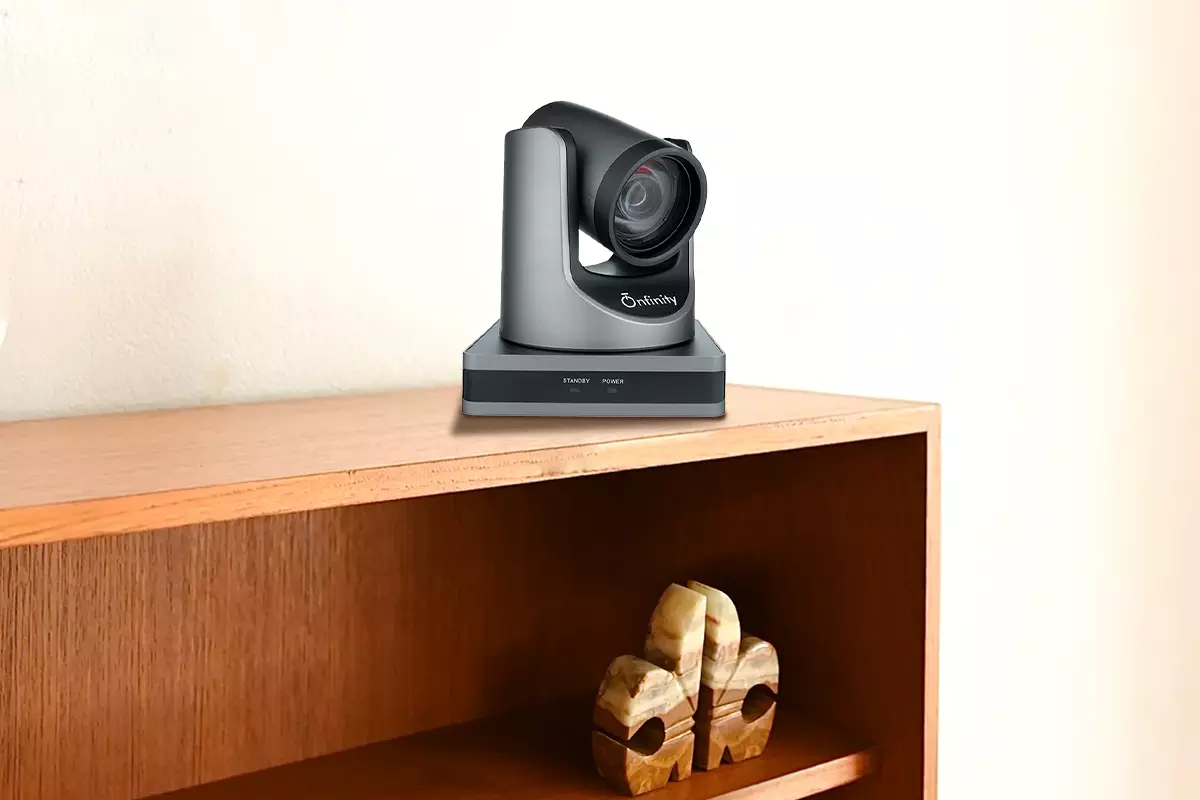
Video Conferencing Camera for Business: Features That Actually Matter
Business meetings have changed significantly with the growth of remote and hybrid work. Teams now connect with clients, employees, partners, and offices across different locations. In this environment, having reliable meeting technology is important for clear communication and professional collaboration.
A video conferencing camera plays an important role in creating a smooth online meeting experience. However, choosing the right camera is not simply about looking at the highest resolution or the newest specifications.
Businesses should consider room size, viewing angle, camera movement, connectivity, audio support, and ease of use before making a decision.
For businesses looking for professional meeting-room solutions, Onfinity Technologies Pvt. Ltd. offers a range of conferencing products designed for different business and collaboration environments.
1. Clear and High-Quality Video
Image quality is one of the first things businesses should consider when selecting a conferencing camera. Participants need to see faces, presentations, documents, and other important details clearly.
A 4K or Full HD camera can provide sharper and more detailed video, depending on the meeting setup, display, lighting, and conferencing platform.
However, resolution should not be the only deciding factor. Good optics and image processing are equally important.
Onfinity offers Full HD as well as 4K/UHD conferencing camera options, including PTZ and fixed-lens models designed for different meeting requirements.
2. Wide Field of View
The camera should be able to capture everyone in the meeting room without requiring participants to sit directly in front of it.
A wide field of view is particularly useful in smaller meeting rooms and huddle spaces where people may sit close to the camera. It helps remote participants see the entire group instead of only the person sitting in the centre.
Onfinity provides wide-angle and huddle-room camera solutions that can help cover different meeting environments.
3. PTZ and Optical Zoom
For larger boardrooms, a fixed camera may not provide enough flexibility. A PTZ camera can be a better choice because it allows the camera to pan, tilt, and zoom to focus on different participants.
Optical zoom is also valuable when people are seated farther away from the camera. Instead of relying only on digital enlargement, optical zoom can help maintain better image clarity.
Onfinity’s conferencing range includes PTZ cameras with powerful zoom capabilities for professional meeting environments.
4. Auto-Framing and Auto-Tracking
Modern businesses often want meetings to feel more natural without someone constantly adjusting the camera.
Auto-framing can help keep participants within the frame, while auto-tracking can follow a speaker or presenter as they move. These features can be especially useful for presentations, training sessions, classrooms, and larger meeting rooms.
Onfinity offers auto-tracking camera solutions as part of its video conferencing product range, helping businesses create more flexible meeting setups.
Read: Elevate Your Workspace with Logitech Video Conferencing
5. Easy Connectivity
A professional camera should be simple to connect with the equipment and software already used by a business.
USB and HDMI connectivity can make installation and integration easier, while compatibility with third-party or cloud-based conferencing platforms gives organizations more flexibility.
Onfinity’s conferencing solutions include USB and HDMI connectivity options and are designed to work with third-party and cloud-based video conferencing solutions.
6. Audio Support
Video is only one part of a successful online meeting. Participants also need to hear conversations clearly.
Some conferencing solutions combine camera and audio functions, while others can be connected with dedicated microphones or speakerphones.
Businesses should consider room size, seating arrangement, background noise, and the number of participants when planning their audio setup.
Onfinity’s conferencing portfolio includes all-in-one camera and audio solutions, as well as speakerphones with omnidirectional microphones.
7. Camera Placement and Mounting
Even a high-quality camera may not perform well if it is positioned incorrectly. Businesses should consider whether the camera will be placed above or below a meeting display, mounted on a wall, or positioned elsewhere in the room.
The correct placement can improve participant visibility and create a more natural eye-level experience for remote attendees.
Onfinity’s conferencing solutions include cameras designed for flexible placement around meeting-room displays.
8. Choosing the Camera According to the Room
There is no single camera that is perfect for every business.
A small huddle room may benefit from a wide-angle camera, while a boardroom may require a PTZ model with zoom. A training room or classroom may benefit from auto-tracking or lecture-recording capabilities.
Onfinity offers different categories, including 4K/UHD PTZ and fixed-lens cameras, wide-angle cameras, huddle-room cameras, auto-tracking cameras, lecture-recording cameras, and endpoint conferencing cameras.
Why Choose Onfinity Technologies?
Choosing conferencing equipment becomes easier when a business can find solutions for different room sizes and communication requirements from one technology provider.
Onfinity Technologies focuses on practical AV solutions for businesses, including video conferencing cameras, meeting-room displays, digital signage, and other collaboration technologies. Its solutions are designed to support modern communication and teamwork across different environments.
The right video conferencing camera can make meetings clearer, more professional, and easier to manage. Instead of focusing only on resolution, businesses should look at the complete meeting experience, including camera coverage, movement, tracking, connectivity, audio, and room requirements.
Final Thoughts
A good conferencing setup should work quietly in the background and allow employees to focus on the conversation.
Whether your organization needs a camera for a small huddle room, a boardroom, training space, or a hybrid meeting environment, selecting the right features can make a significant difference.
Onfinity Technologies offers a range of video conferencing solutions designed for different professional environments.
By choosing equipment according to your room size, meeting style, and collaboration needs, your business can build a more reliable and effective communication setup.