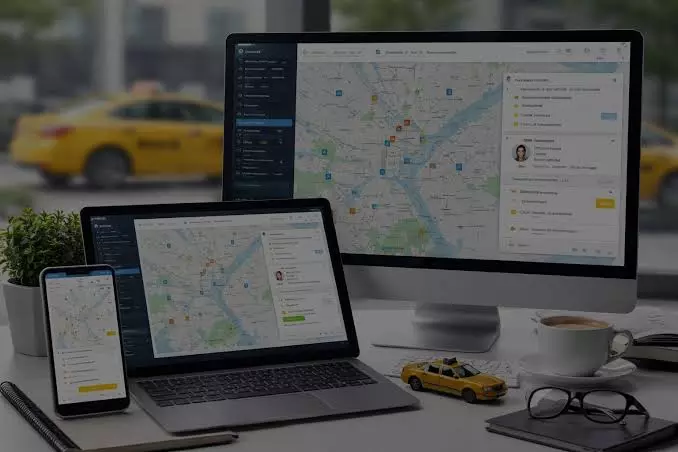
Tour Operator CRM: Manage Leads, Bookings & Customer Relations
Running a tour operation involves much more than creating itineraries and confirming trips. Tour operators must respond to enquiries, coordinate reservations, track payments, manage customer preferences, and maintain communication before and after every journey.
When these activities are handled through separate spreadsheets, emails, and messaging apps, important details can easily get overlooked.
A Tour Operator CRM brings customer information, sales opportunities, and communication records into one organized system.
Instead of searching through multiple tools to understand a traveller's requirements, your team can access relevant information from a central location. This makes it easier to follow up on potential customers, monitor booking progress, and provide a consistent service experience.
Understanding how this software works can help tour operators decide which features they need, how to introduce the system into daily operations, and whether it suits their business model.
What Is a Tour Operator CRM?
A tour operator customer relationship management (CRM) system is software designed to organize interactions with prospective and existing customers.
It helps businesses maintain customer records, monitor enquiries, manage sales activities, and keep track of conversations throughout the booking journey.
For example, a customer might enquire about a family holiday package, request different hotel options, and return several days later to confirm the trip.
A CRM allows your team to record the original enquiry, note the customer's preferences, schedule follow-ups, and maintain a clear history of the conversation.
Depending on the software, a CRM may also connect with booking systems, payment tools, email platforms, and other travel business applications.
The main purpose is to give your team a clearer understanding of every customer relationship while reducing the need for repetitive administrative work.
Why Tour Operators Need a More Organized Customer Management Process
Travel enquiries often involve several conversations before a booking is finalized. Customers may compare destinations, ask about accommodation, request changes to itineraries, or need additional time to make a decision.
Without a consistent process, staff members can lose track of outstanding requests or contact customers at the wrong stage of their decision-making journey.
A structured CRM process helps address these challenges in several ways.
Keep every enquiry visible
Each new enquiry can be recorded with essential information, including the customer's name, contact details, destination, travel dates, group size, and budget. Team members can then review incoming opportunities without relying entirely on individual inboxes.
Improve follow-up management
A CRM can help staff identify enquiries that need a response, quotations awaiting approval, and customers who have not confirmed their travel plans. Follow-up reminders make these tasks easier to manage.
Maintain consistent customer communication
When previous conversations and customer preferences are available in one place, staff can respond with better context. Customers are less likely to need to explain the same requirements repeatedly.
Reduce administrative duplication
Recording customer details once and updating them when necessary can reduce repeated data entry. This is particularly helpful for businesses handling multiple tours, seasonal packages, and group bookings.
Essential Features to Look for in a Tour Operator CRM
Not every travel business requires the same software. A small operator managing private excursions may need a straightforward enquiry tracker, while a larger company coordinating group tours may require more advanced workflows and integrations.
The right feature set should reflect how your business actually operates.
Lead capture and sales pipeline
Lead management helps tour operators track potential customers from their first enquiry to the final booking decision. A sales pipeline displays each opportunity according to its current stage, such as new enquiry, quotation sent, follow-up required, confirmed booking, or lost opportunity.
This visibility helps managers understand where enquiries are progressing and where additional attention may be needed.
Customer profiles and interaction history
Customer profiles should provide a practical record of contact information, previous bookings, travel preferences, special requests, and relevant conversations.
For instance, if a returning customer prefers private transfers and family-friendly accommodation, your team can use that information when preparing a new proposal. Access to customer history supports more relevant service without requiring staff to reconstruct previous discussions.
Booking and quotation tracking
A CRM can help organize quotations, proposed itineraries, booking statuses, and outstanding customer decisions. However, a CRM does not always replace a dedicated reservation platform. Confirm whether the software supports actual inventory management, booking confirmations, and payment processing or simply records these activities.
Task reminders and workflow automation
Automated reminders can prompt staff to send quotations, request missing information, confirm travel documents, or follow up after a completed trip. Some systems also support automatic notifications when an enquiry changes status.
Automation works best when the underlying process is clear. Before introducing it, define who handles each task, when it should happen, and what information is required.
How a Tour Operator CRM Fits Into Your Daily Workflow
A CRM becomes more useful when it follows the complete customer journey rather than functioning as a simple contact database.
Consider a traveller enquiring about a seven-day guided tour. The team records the enquiry, checks availability through its booking process, prepares a quotation, and schedules a follow-up.
Once the traveller approves the proposal, staff update the opportunity and coordinate the next booking steps.
The same record can support later communication, including pre-departure reminders and post-trip feedback requests.
Operators comparing different travel technology options can also explore this guide to travel CRM software to understand how customer relationship management fits into broader travel operations.
For businesses working with travel agencies or other distribution partners, a B2B travel portal may complement CRM processes by providing access to travel services and supporting partner-facing booking activities.
The exact capabilities depend on the platform, so operators should check how customer records, reservations, and partner transactions are connected.
Read: Top Aviation Software Development Companies
Choosing the Right CRM for Your Tour Business
Selecting software based only on the number of features can lead to unnecessary complexity. A better approach is to identify your current operational problems and evaluate whether a system can solve them without creating additional work.
Start with your booking volume and business model
Think about the number of enquiries you receive, the types of tours you sell, and how many employees manage customer communication.
Businesses handling private tours may prioritize flexible itineraries, whereas group-tour operators may need clearer coordination between sales, operations, and customer service.
Your CRM should support these requirements without making routine tasks unnecessarily complicated.
Check integrations with existing tools
Review whether the system works with your existing booking engine, email service, payment workflow, and reporting tools. Integrations can reduce duplicate data entry, but only when information moves accurately between connected systems.
Ask providers to demonstrate how a customer enquiry becomes a confirmed booking and how updates are reflected across the workflow.
Review reporting and visibility
Useful CRM reports may show the number of incoming leads, quotation conversion rates, outstanding follow-ups, and the sources generating enquiries. These reports help managers identify operational bottlenecks and assess where the team should focus its efforts.
Make sure the system defines its metrics clearly so that staff and management interpret the results consistently.
Consider ease of use and training
Even capable software can create problems if employees find it difficult to use. Look for a clear interface, practical onboarding support, and permissions that allow employees to access the information they need.
A short trial using real business scenarios can reveal whether the CRM fits your team's daily responsibilities.
Implementing a Tour Operator CRM Without Disrupting Operations
Introducing a new system requires planning. Moving every record into a CRM immediately, without defining a process, can create confusion and inconsistent data.
A gradual implementation is often easier to manage.
Start by deciding which information must be recorded for every enquiry. This might include contact details, destination, departure dates, number of travellers, quotation status, and the next follow-up date.
Next, assign responsibility for keeping records accurate. Decide who enters new enquiries, who updates booking stages, and who closes completed opportunities. Consistent ownership helps prevent multiple employees from maintaining conflicting versions of the same information.
Import existing customer records only after reviewing them for duplicates, outdated contact details, and missing fields. Test the system with a small group of employees before extending access to the entire team.
During the first few weeks, monitor whether staff are recording enquiries consistently and completing follow-up tasks. Collect feedback and adjust fields, reminders, and workflows where necessary.
Businesses evaluating travel technology providers, including Synch Travel, should assess the available functionality against their specific operational needs rather than assuming every platform includes the same CRM, booking, or integration features.
Common CRM Mistakes Tour Operators Should Avoid
A CRM is only as effective as the processes and information behind it. Several avoidable mistakes can limit its usefulness.
- Collecting too much information: Excessive fields make data entry slower. Record the information necessary to serve customers and manage bookings, and collect additional details only when they have a clear purpose.
- Ignoring follow-up responsibilities: A reminder system cannot replace clear accountability. Assign each enquiry to a responsible employee and establish reasonable response and follow-up expectations.
- Treating the CRM as a booking engine: Customer management and reservation management are related but different functions. Confirm whether your chosen software handles availability, inventory, payments, and confirmations or requires separate tools.
- Neglecting customer data security: Travel businesses may store contact details, booking histories, and other personal information. Use appropriate access permissions, secure authentication, reliable backups, and documented data-handling procedures. Collect only the personal information needed for legitimate business purposes.
- Failing to review performance: Check whether the CRM is helping reduce missed follow-ups, improve record accuracy, and make sales activity easier to monitor. Use these findings to refine the workflow rather than adding automation without a clear objective.
Measuring Whether Your CRM Is Delivering Value
Tour operators should evaluate a CRM through practical operational outcomes rather than relying on the number of features it offers.
Useful measures include the average time taken to respond to enquiries, the proportion of quotations that become bookings, the number of overdue follow-ups, and the accuracy of customer records.
For example, if quotation requests frequently remain unanswered, reviewing follow-up completion rates may reveal whether the problem comes from unclear task ownership, insufficient staff capacity, or an ineffective workflow.
Compare performance over consistent periods and account for seasonal changes in travel demand. A CRM can make activity easier to measure, but improvements depend on how the business uses the information.
Customer feedback also matters. Fewer repeated questions, clearer communication, and more reliable updates can indicate that customer management processes are becoming more consistent.
Conclusion
A well-chosen Tour Operator CRM helps travel businesses organize enquiries, track sales opportunities, maintain customer histories, and coordinate follow-ups from one central system. Its value comes from making everyday work more visible and manageable, not simply from adding more software features.
Before choosing a platform, identify your operational challenges, confirm the required integrations, assess data security, and test the system against realistic booking scenarios. Introduce the CRM gradually, establish clear responsibilities, and measure results using meaningful business indicators.
With the right processes in place, tour operators can spend less time searching for information and more time helping customers plan and enjoy their journeys.