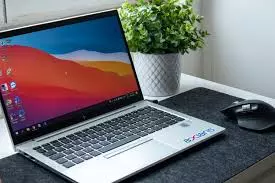
The Complete Laptop Guide – Choosing, Using, and Maximizing Your Portable Computer
Introduction
In today’s fast-paced digital age, laptops have become essential tools for work, study, entertainment, and creativity. Their portability and versatility make them an ideal choice for people who need computing power on the go. From students attending online classes to professionals working remotely, laptops have transformed how we interact with technology.
This comprehensive guide will explore the types of laptops, important specifications, buying considerations, usage tips, and maintenance practices, along with a glimpse into the future of portable computing.
Understanding What a Laptop Is
A laptop is a portable personal computer with an integrated screen, keyboard, and battery. Unlike desktop computers, laptops are designed for mobility, allowing users to work from virtually anywhere. They range from lightweight models built for everyday tasks to powerful machines capable of advanced computing and gaming.
Types of Laptops
Ultrabooks
Ultrabooks are slim, lightweight laptops designed for portability without sacrificing performance. They often feature high-resolution displays, fast processors, and extended battery life, making them ideal for professionals and frequent travelers.
Business Laptops
Built for reliability and productivity, business laptops prioritize durability, security, and strong performance. They often include features like fingerprint scanners, TPM chips, and robust keyboards to withstand heavy usage.
Gaming Laptops
Gaming laptops are equipped with high-performance graphics cards, powerful processors, and advanced cooling systems. They are designed to handle graphics-intensive games and demanding software like video editing tools.
Convertible and 2-in-1 Laptops
These devices combine the functionality of a laptop and a tablet. The screen can either detach or rotate fully to switch into tablet mode, offering versatility for both work and entertainment.
Budget Laptops
Budget laptops focus on affordability and basic functionality. They are perfect for everyday computing tasks such as browsing the internet, writing documents, and streaming videos.
Key Specifications to Consider
Processor
The processor, often called the CPU, is the brain of the laptop. It determines how quickly and efficiently the device can handle tasks. Popular choices include Intel Core and AMD Ryzen processors.
RAM
Random Access Memory (RAM) affects how many tasks a laptop can perform simultaneously. More RAM ensures smoother performance when running multiple applications.
Storage
Storage capacity and type affect speed and data space. Solid State Drives (SSDs) are faster and more reliable than Hard Disk Drives (HDDs), making them ideal for modern laptops.
Graphics Card
A dedicated graphics card is important for gaming, video editing, and 3D design. Integrated graphics are sufficient for basic tasks and everyday use.
Battery Life
Battery life varies greatly depending on the laptop’s size, performance level, and usage. For maximum portability, choose a model that can last an entire workday on a single charge.
Display Quality
Screen resolution, brightness, color accuracy, and refresh rate all impact the viewing experience. A Full HD display is standard, but higher resolutions like 4K are available for more detailed visuals.
Choosing the Right Laptop for Your Needs
For Students
Students should prioritize portability, battery life, and affordability. A lightweight laptop with sufficient RAM and storage can handle online classes, research, and assignments.
For Professionals
Professionals often need powerful processors, ample RAM, and high-resolution displays for tasks like presentations, document creation, and video conferencing.
For Gamers
Gamers require laptops with advanced graphics cards, fast refresh rates, and strong cooling systems to ensure smooth gameplay.
For Creatives
Designers, video editors, and artists should look for laptops with color-accurate displays, powerful CPUs, and plenty of storage for large media files.
Laptop Maintenance and Care
Keeping the Laptop Clean
Dust and debris can affect performance. Regularly clean the keyboard, screen, and ventilation ports using soft cloths and compressed air.
Software Updates
Install updates for the operating system and applications to maintain security and performance.
Battery Health
Avoid keeping the laptop plugged in constantly. Allowing the battery to discharge partially before recharging can extend its lifespan.
Data Backup
Use cloud storage or external drives to back up important files and prevent data loss.
Common Laptop Issues and Solutions
Overheating
Overheating can be caused by blocked ventilation or demanding applications. Cleaning vents and using a cooling pad can help manage temperature.
Slow Performance
Unnecessary background processes, insufficient RAM, and fragmented storage can slow a laptop down. Closing unused applications and upgrading components can improve speed.
Battery Drain
Running multiple high-power applications or having outdated drivers can drain the battery quickly. Adjusting power settings and keeping drivers updated can improve battery life.
Future Trends in Laptop Technology
Foldable Displays
Emerging technologies are making foldable and flexible screens possible, offering new ways to interact with laptops.
Enhanced AI Integration
Artificial Intelligence will help laptops learn user habits and optimize performance automatically.
Improved Battery Technology
Advances in battery materials will lead to longer-lasting and faster-charging devices.
Cloud-Based Computing
With stronger internet connectivity, more tasks will shift to cloud platforms, reducing hardware demands on laptops.
Tips for Getting the Most Out of Your Laptop
Optimize Storage
Remove unused files and applications to keep the laptop running smoothly.
Use Protective Accessories
Laptop sleeves, cooling pads, and screen protectors can extend your device’s life.
Secure Your Device
Use strong passwords, encryption, and antivirus software to protect sensitive data.
Conclusion
Laptops have become an indispensable part of modern life, offering the flexibility to work, learn, and create anywhere. Choosing the right laptop depends on understanding your needs, comparing specifications, and investing in features that will serve you well over time. With proper care and maintenance, your laptop can remain a reliable partner for years.
Whether you need a powerful workstation, a gaming powerhouse, or a budget-friendly option for daily tasks, there is a laptop designed to fit your requirements. As technology evolves, laptops will continue to offer new possibilities, shaping the way we live and work.