The Benefits of Merging Google Shopping and Local Inventory Data
The Benefits of Merging Google Shopping and Local Inventory Data
In today’s fast-paced e-commerce landscape, businesses are constantly looking for ways to streamline their operations, improve customer experiences, and boost sales. One powerful strategy that’s gaining traction is merging Google Shopping data with local inventory data.
By combining these two data sources, businesses can create a seamless shopping experience that bridges the gap between online and in-store purchases. In this blog, we’ll explore the benefits of integrating your Google Shopping Feed with your local inventory feed, and how it can help you maximize your reach and revenue.
What Are Google Shopping Feeds and Local Inventory Feeds?
Before diving into the benefits, let’s break down what these terms mean.
- Google Shopping Feed: A Google Shopping product feed is a file that contains detailed information about the products you sell online. It includes attributes like product title, description, price, availability, and images. This feed is used to populate your Google Shopping ads, ensuring your products appear in relevant search results.
- Local Inventory Feed: A local inventory feed is a file that provides real-time information about the products available in your physical stores. It includes details like stock levels, store location, and pickup options. This data powers Google local inventory ads, which show users which products are available at nearby stores.
When you merge these two feeds, you create a unified system that connects your online and offline inventory, giving customers a complete view of your offerings.
The Benefits of Merging Google Shopping and Local Inventory Data
1. Enhanced Customer Experience
One of the biggest advantages of combining your Google Shopping data feed with your local inventory feed is the improved shopping experience it offers customers. Shoppers today expect convenience and flexibility. They want to know if a product is available online, in-store, or both. By merging these feeds, you can provide real-time information about product availability, pricing, and pickup options.
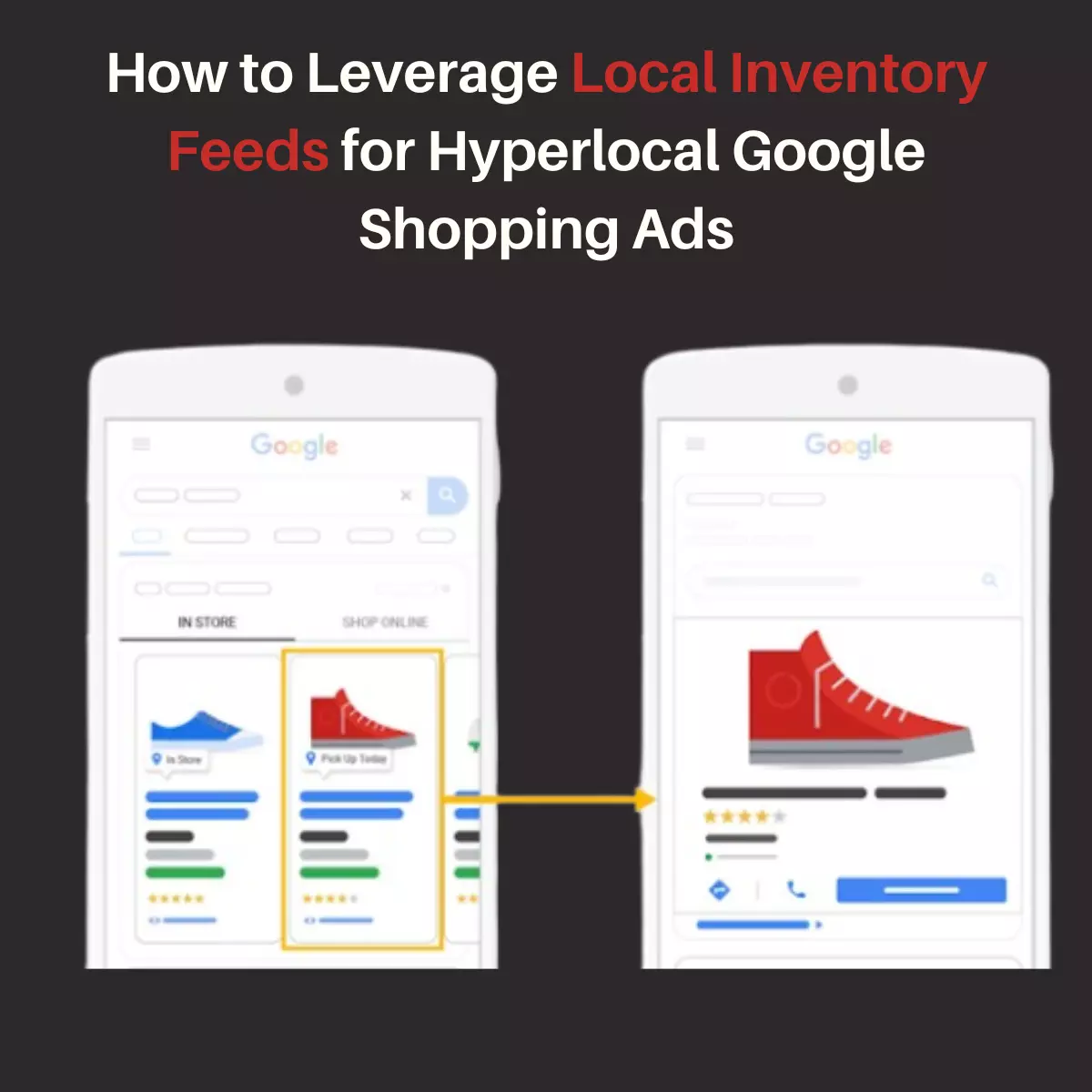
For example, a customer searching for a specific pair of shoes can see Google local inventory ads that show the item is available at a store just a few miles away. They can then choose to buy it online for home delivery or reserve it for in-store pickup. This level of transparency builds trust and encourages customers to complete their purchases.
2. Increased Visibility in Local Searches
When you integrate your Google Shopping feed with your local inventory feed, your products are more likely to appear in local search results. Google local inventory ads are designed to target users who are searching for products near them. By including local inventory data in your shopping feeds, you can ensure your ads are shown to potential customers in your area.
This is particularly advantageous for businesses that have brick-and-mortar locations. For instance, if someone searches for “blue jeans near me,” your ad can appear with a message like “Available at [Store Name] – 2 miles away.” This localized approach increases the chances of driving foot traffic to your store.
3. Better Inventory Management
Merging your Google Shopping product feed with your local inventory feed also helps you manage your inventory more effectively. When your online and offline inventory systems are connected, you can avoid overselling or stockouts. For example,
if a product is running low in-store, your Google Shopping ads can automatically update to reflect its availability, preventing customer disappointment.
Additionally, this integration allows you to track which products are popular in specific locations. You can use this data to optimize your stock levels and ensure you’re meeting local demand.
4. Higher Conversion Rates
Combining your shopping feeds with your local inventory feed can lead to higher conversion rates. Customers are more likely to make a purchase when they know exactly where and how they can get a product. Google local inventory ads provide this clarity by showing real-time availability and store locations.
Moreover, the ability to offer multiple fulfillment options—such as home delivery, in-store pickup, or same-day delivery—appeals to a wider range of customers. This flexibility reduces cart abandonment and increases sales.
5. Cost-Effective Advertising
Running separate campaigns for your online and offline inventory can be costly and time-consuming. By merging your Google Shopping feeds with your local inventory feed, you can create more targeted and efficient campaigns. For example, you can use Google local product feed data to show ads only to users within a certain radius of your stores. This reduces wasted ad spend and ensures your budget is focused on reaching the right audience.
6. Competitive Advantage
In a competitive market, it's essential to differentiate yourself from others. By leveraging both Google Shopping data feed and local inventory feed, you can offer a shopping experience that many competitors may not provide. Customers appreciate the convenience of knowing exactly where to find a product and how quickly they can get it. This can give you a significant edge over businesses that only focus on online or offline sales.
7. Improved Analytics and Insights
When you merge your Google Shopping feed with your local inventory feed, you gain access to valuable data that can inform your business decisions. For example, you can analyze which products are driving the most foot traffic to your stores or which locations are performing best. This information can help you refine your marketing strategies, optimize your product offerings, and allocate resources more effectively.
How to Get Started
If you’re ready to take advantage of these benefits, here’s how you can start merging your Google Shopping feed and local inventory feed:
- Set Up Google Merchant Center: This is where you’ll upload your Google Shopping product feed and local inventory feed. Make sure your product data is accurate and up-to-date.
- Enable Local Inventory Ads: In your Google Merchant Center account, enable Google local inventory ads and provide the necessary information about your stores, such as addresses and business hours.
- Sync Your Inventory: Use an inventory management system that integrates with both your online and offline sales channels. This ensures your shopping feeds and local inventory feed are always in sync.
- Optimize Your Feeds: Regularly review and optimize your Google Shopping feeds and local inventory feed to ensure they meet Google’s requirements and reflect your current inventory.
- Monitor Performance: Use Google Analytics and other tools to track the performance of your ads and make data-driven adjustments.
Conclusion
Merging your Google Shopping feed with your local inventory feed is a game-changer for businesses looking to thrive in today’s competitive market. It enhances the customer experience, increases visibility in local searches, improves inventory management, and boosts conversion rates. By leveraging the power of Google local inventory ads and Google Shopping data feed, you can create a seamless shopping journey that meets the needs of modern consumers.
Whether you’re a small retailer or a large enterprise, integrating these two data sources can help you stay ahead of the curve and drive meaningful results. So, take the first step today and unlock the full potential of your online and offline inventory!