SysTools Secure File Deletion Software: Permanently Delete Files Beyond Recovery
Deleting a file from a computer does not always mean that the data is gone forever. When you normally delete a file and empty the Recycle Bin, the operating system mainly removes the file reference. The actual data may still remain on the storage drive until new data uses that space.
This can create a problem when a computer contains private documents, office records, financial files, personal photos, or other sensitive information.
If the computer is shared, sold, recycled, or given to another person, deleted files may still be recovered with data recovery software.
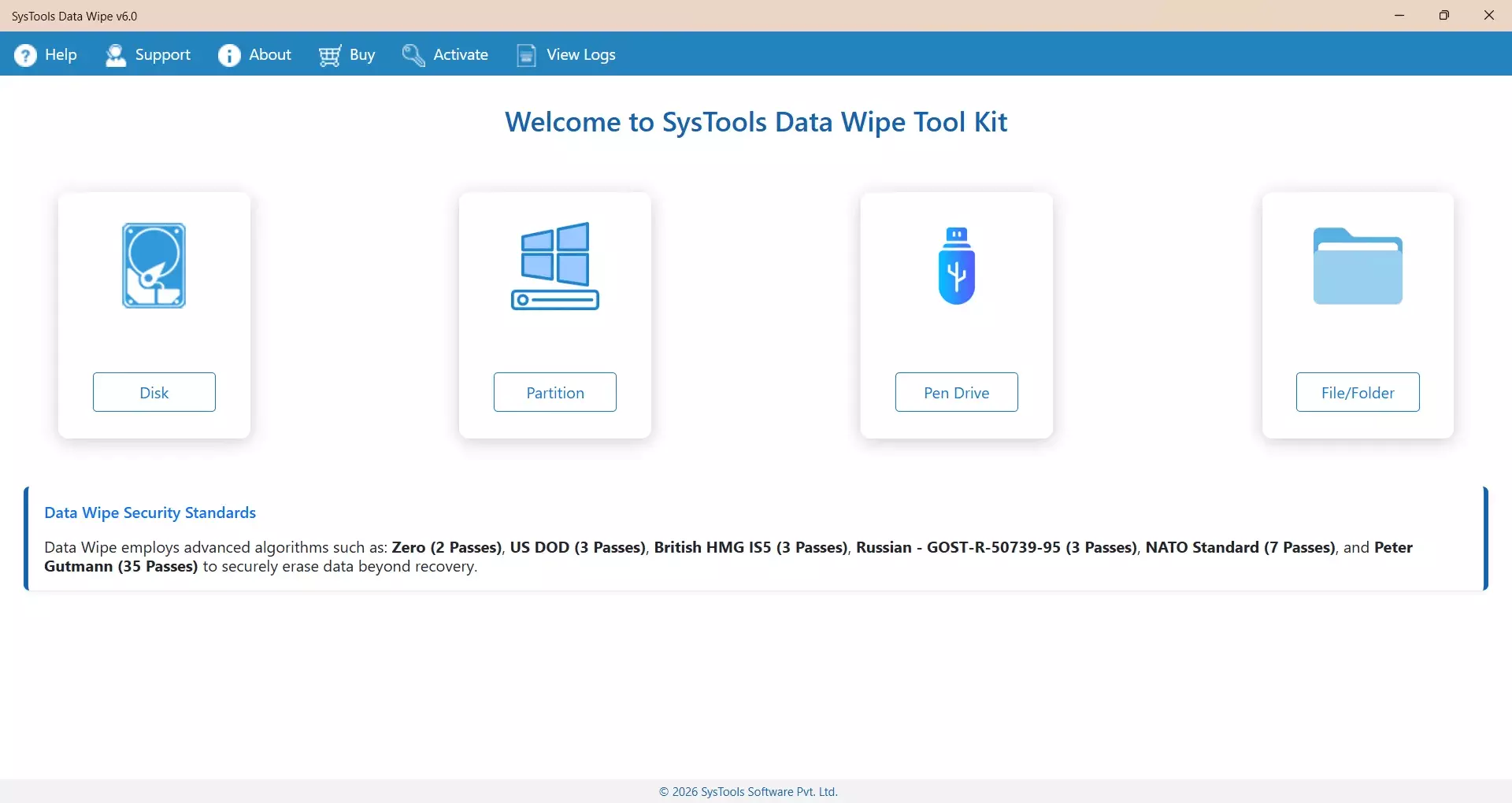
SysTools Secure File Deletion Software is designed for users who need to remove selected files and folders beyond normal deletion.
It provides a focused way to securely delete unwanted data from a computer without depending on the standard Delete option.
Why Normal File Deletion Is Not Enough
Windows provides a simple way to delete files. However, normal deletion is mainly intended to remove files from everyday use, not to make their old data impossible to recover.
For example, suppose you delete an old PDF containing financial information. After removing it from the Recycle Bin, the file may no longer appear in File Explorer. But parts of its data can remain on the storage drive.
A file recovery program may scan unused disk space and find information related to previously deleted files.
This is why secure file deletion is useful when the data should not be recovered later.
What Is Secure File Deletion Software?
Secure file deletion software is a tool that removes selected data using a more controlled deletion process than the standard operating system option.
Instead of simply removing the file entry, the software can process the storage area where the selected data exists. The goal is to make the original file content difficult or impossible to recover using normal recovery methods.
This type of software can be useful for:
- Removing confidential office documents
- Deleting private photos and videos
- Clearing old financial records
- Removing personal files from a work computer
- Deleting files before giving away a computer
- Removing sensitive folders from an old drive
- Cleaning unwanted data from storage media
How SysTools Secure File Deletion Software Works
The software is intended to provide a direct process for secure file deletion.
Select Files or Folders
First, identify the files or folders that should be permanently removed. Users can select specific data instead of deleting the entire drive.
This is useful when only certain files contain sensitive information.
Add the Data to the Software
Add the selected files or folders to the software interface. Review the selected data carefully before starting the deletion process.
This step helps prevent accidental removal of important files.
Start Secure Deletion
Start the secure deletion process after confirming the selected data. The software processes the selected files according to its secure deletion method rather than using the standard Windows Delete command.
Verify the Result
After completion, check the selected location and confirm that the unwanted files are no longer available. If the data was important, keep a separate backup before starting the deletion process.
Read: Why Is Yahoo Mail So Slow? Real Reasons and Practical
Where Secure File Deletion Is Helpful
Before Selling an Old Computer
When selling or giving away a computer, simply deleting personal files may not provide enough protection. Old documents, browser downloads, photos, and other files can potentially be recovered.
Secure file deletion can be used to remove selected private data before the computer changes hands.
Removing Confidential Work Files
Employees and IT teams may need to remove confidential files from computers after a project ends. Secure deletion provides a more suitable option than ordinary deletion when the old file content should not remain recoverable.
Deleting Personal Information
Computers can contain scanned IDs, tax documents, bank statements, passwords stored in files, and private photographs. When these files are no longer required, secure file deletion can help reduce the chance of their recovery.
Cleaning Old Data
Old files may remain on a computer for years. Removing them securely can help when the data is no longer needed and should not be restored later.
Secure File Deletion vs Normal Deletion
Feature
Normal Deletion
Secure File Deletion
Removes file from normal view
Yes
Yes
Uses Recycle Bin
Usually
Depends on tool/process
Designed to prevent recovery
No
Yes
Useful for sensitive data
Limited
Yes
Suitable before device transfer
Not by itself
More suitable
Allows selected file deletion
Yes
Yes
The main difference is the purpose. Normal deletion focuses on removing files from everyday access, while secure deletion focuses on reducing the possibility of recovering the old file data.
Why Use SysTools Secure File Deletion Software?
SysTools provides a software-based approach for users who need to securely delete selected files instead of relying only on Windows deletion.
The tool can be useful when you need to:
- Delete sensitive files permanently
- Remove selected folders
- Secure private information before disposal
- Clean confidential work data
- Reduce the risk of deleted-file recovery
- Delete files without manually checking disk locations
- Handle sensitive data through a dedicated deletion tool
The exact deletion result can depend on the storage technology, operating system, and other technical factors. Therefore, users should always review the software options and keep required backups before deleting important information.
Important Things to Check Before Deleting
Secure deletion is intended to make data difficult or impossible to recover. Because of this, the process should be treated carefully.
Before starting:
- Create a backup of files that may be needed later.
- Check the selected files and folders before deletion.
- Close files and applications using the selected data.
- Confirm the storage location carefully.
- Do not delete system files unless you know they are safe to remove.
- Review the software settings before starting the deletion process.
Once securely deleted, recovering the original data may not be possible.
Final Thoughts
Normal file deletion is convenient for everyday use, but it is not designed to securely remove sensitive information beyond recovery.
When confidential files need to be removed from a computer, a dedicated secure file deletion software can provide a more suitable approach.
SysTools Secure File Deletion Software can help users select unwanted files and folders and securely remove them from a computer.
It can be useful before selling or transferring a computer, cleaning confidential work data, or permanently removing private files that are no longer required.
For any important data, the safest practice is simple: backup first, verify the selected files, and then start the secure deletion process.