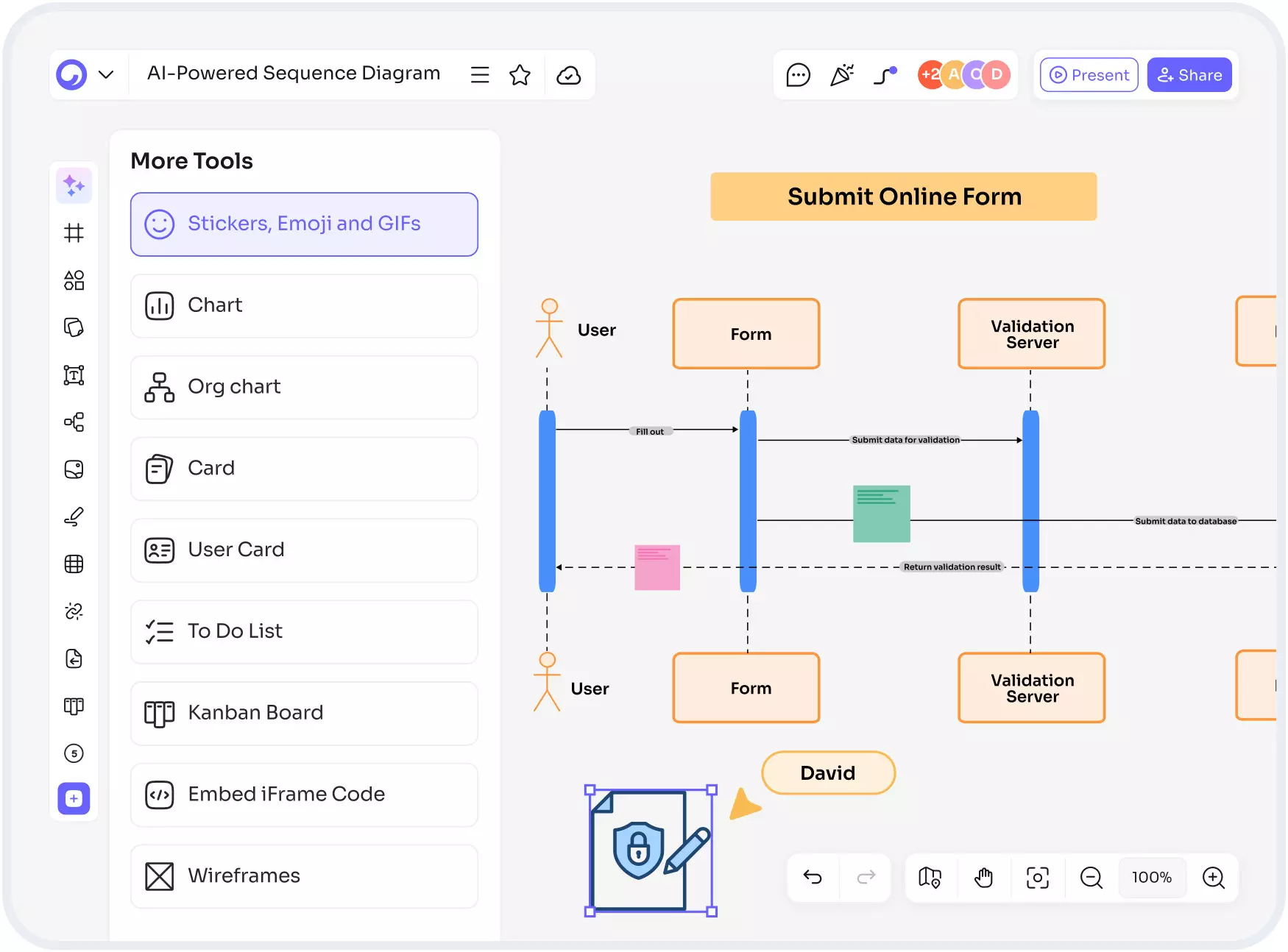
Sequence Diagram AI – Smart Automation for Fast, Clear System Flows
Sequence Diagram AI – The Smarter Way to Build System Flows
Sequence diagram AI tools are changing how developers, architects, and product teams plan and communicate system behavior. Instead of manually drawing each interaction, you can now generate clean, accurate sequence diagrams with just a few lines of text.
This shift saves time, reduces errors, and helps teams visualize logic instantly. In this blog, we’ll explore how sequence diagram AI works, why it’s become essential for modern teams, and the best ways to use it for clear system documentation. We’ll also look at related tools such as a sequence diagram generator, ai sequence diagram generator, sequence diagram maker ai, and UML sequence diagram generator so you can choose what fits your workflow best.
What Is Sequence Diagram AI?
Sequence Diagram AI refers to AI-powered tools that convert natural language or code into a visual sequence diagram. Instead of dragging shapes or manually drawing arrows, you describe the process in words, and the AI generates a complete, accurate diagram. These tools understand system interactions, message flow, and object relationships, making documentation easier for technical and non-technical users.
Why Teams Use AI Sequence Diagram Generator Tools
AI-powered diagramming helps teams move faster by focusing on logic rather than design. Here are some benefits of using an ai sequence diagram generator:
- Saves hours of manual diagram creation
- Helps avoid mistakes in system communication flow
- Makes documentation more accessible to new team members
- Converts text-based instructions into clean visuals
- Ensures consistency across diagrams
- Works well for agile teams needing quick updates
How Sequence Diagram AI Works
1. Input Natural Language or Code
You type a description such as: “When user logs in, system verifies credentials, generates token, and redirects dashboard.” The AI understands roles, actions, order, and responses.
2. AI Builds the Interaction Flow
The tool identifies participants, messages, loops, and conditional actions.
3. Instant Visual Diagram
The output is a structured diagram showing actors, components, and message flow. Some tools even allow exporting to SVG, PNG, or embedding into documentation.
Best Use Cases for a Sequence Diagram Maker AI
Software Architecture
Developers use it to visualize backend processes, service communication, and API interactions.
Product Design
Product teams use it to plan user journeys and align UI behavior with system logic.
QA and Testing
Testers use diagrams to map expected flows and create test cases.
Documentation
Technical writers turn complex interactions into clean diagrams without manual drawing.
Training and Onboarding
New team members understand workflows faster through auto-generated diagrams.
How an AI Sequence Diagram Generator Improves Productivity
A good ai sequence diagram generator reduces the friction of designing diagrams manually. Here’s how it boosts productivity:
- No need to learn complex diagramming tools
- Faster updates during sprint changes
- Real-time collaboration for distributed teams
- Clear communication between developers and non-technical members
- Automatic alignment, spacing, and formatting
Features To Look for in a Modern Sequence Diagram Tool
When choosing a sequence diagram tool or UML sequence diagram generator, make sure it includes:
- Natural language to diagram conversion
- Ability to edit diagrams manually
- Export options like PNG, SVG, PDF
- Real-time collaboration
- Version history
- Support for UML standards
- Code-to-diagram generation
- Integration with tools like Confluence, GitHub, or Notion
Read: Create Clear Visuals with a Smart Tree Diagram Maker
Comparing Manual Tools vs. Modern AI Diagram Tools
Traditional tools require dragging shapes, aligning arrows, and manually updating every small change. Modern AI tools eliminate these steps. Manual tools are prone to errors, and it’s easy for diagrams to become outdated. AI tools keep diagrams accurate and consistent, especially when system logic changes frequently. They also make it easier for beginners to produce clean, professional diagrams without deep knowledge of UML rules.
Why UML Sequence Diagram Generator Tools Still Matter
Even though AI is now central to diagram creation, UML sequence diagram generator tools remain valuable. They follow strict modeling rules and are ideal for engineering teams following architectural standards. When combined with AI, UML tools become even more powerful because they ensure compliance while giving users the speed of automation.
Best Practices for Using Sequence Diagram AI Effectively
To get the best results:
- Write clear, structured descriptions
- Mention actors, actions, and conditions
- Keep steps in chronological order
- Review and adjust the diagram for accuracy
- Combine AI diagrams with manual edits when needed
FAQs About Sequence Diagram AI
1. What is the main benefit of using Sequence Diagram AI?
The main benefit is speed. You can instantly turn descriptions into clear diagrams without manual drawing.
2. Can a sequence diagram generator handle complex workflows?
Yes, advanced tools support loops, conditions, parallel actions, and multi-service communication.
3. Is an ai sequence diagram generator good for beginners?
Absolutely. Beginners can start documenting workflows without learning UML rules.
4. What file formats can I export diagrams to?
Most tools support PNG, SVG, PDF, and sometimes code-based formats like Mermaid.
5. Are UML sequence diagram generator tools still relevant with AI?
Yes. They ensure accurate modeling while AI improves speed and automation.
Conclusion
Sequence Diagram AI is transforming how teams design, document, and understand system workflows. With tools like a sequence diagram generator, ai sequence diagram generator, sequence diagram maker ai, and UML sequence diagram generator, building clear documentation becomes faster and easier. As systems grow more complex, using sequence diagram AI ensures your diagrams remain accurate, consistent, and effortless to maintain.