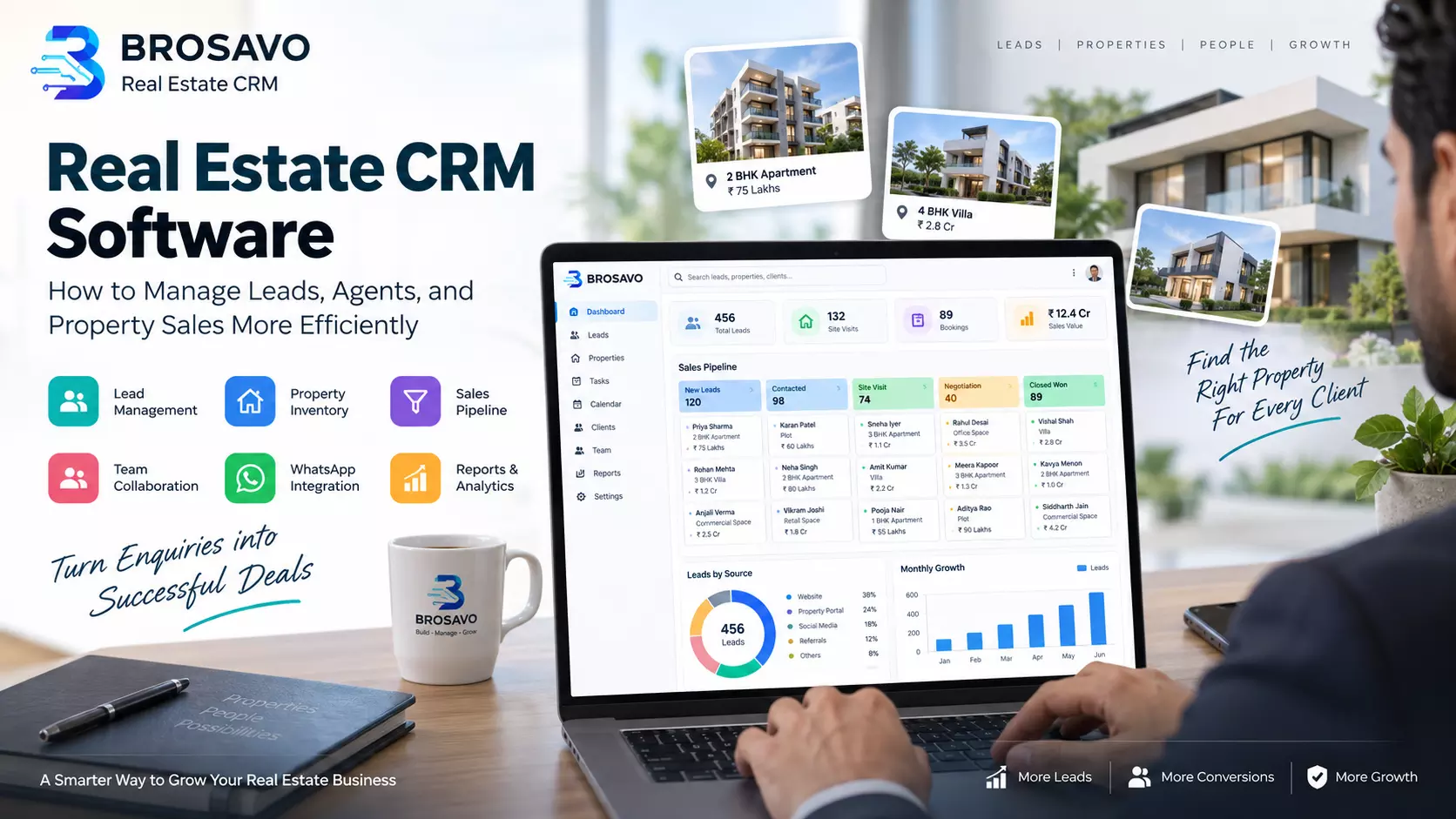
How Real Estate CRM Software Helps Agents Close More Deals
The real estate industry is becoming increasingly competitive. Buyers and investors now expect faster responses, accurate property information, personalized communication, and a smooth experience from their first enquiry to the final transaction.
For real estate agencies and property consultants, managing these expectations while handling multiple leads, properties, agents, and follow-ups can become a significant challenge.
Many businesses still depend on spreadsheets, WhatsApp conversations, notebooks, and separate tools to manage their daily sales activities. While these methods may work for a small number of enquiries, they become difficult to maintain as the business grows.
Real estate CRM software provides a centralized system for managing customer relationships, property enquiries, sales activities, and team performance. Instead of keeping important information scattered across different platforms, businesses can organize their operations in one place.
This guide explains what real estate CRM software is, how it works, which features matter most, how it can improve lead management, and what businesses should consider before choosing a CRM.
What Is Real Estate CRM Software?
Real estate CRM software is a customer relationship management system designed to help property businesses organize and manage interactions with buyers, sellers, investors, tenants, and other prospects.
Unlike a general contact management tool, a real estate CRM can connect customer information with property listings, sales pipelines, agent activities, and follow-up tasks.
For example, when a prospective buyer submits an enquiry for a property, the CRM can store their contact details, budget, preferred location, property requirements, and communication history.
The sales team can then assign the enquiry to an appropriate agent, track the next follow-up, and update the status as the customer moves through the buying journey.
A CRM is not a replacement for the sales team. It is a system that helps the team work with better information and fewer administrative tasks.
Why Real Estate Businesses Need a CRM
1. Lead information is often scattered
Real estate leads can arrive through websites, property portals, social media, phone calls, referrals, and messaging applications. Without a centralized system, different agents may store information in different places.
This creates several problems:
- Duplicate customer records.
- Lost or forgotten enquiries.
- Difficulty identifying the responsible agent.
- Incomplete customer requirements.
- Limited visibility into the sales process.
A CRM provides a structured place to store and update lead information so that the team can work from the same records.
2. Follow-ups are difficult to manage manually
A buyer may need several conversations before making a decision. They may ask for additional property details, request a site visit, compare different projects, or wait until their finances are ready.
Without a follow-up system, agents may forget to contact prospects at the right time. A CRM helps organize follow-up dates, reminders, and customer communication history.
3. Managers need visibility into sales performance
A real estate business needs to know how many enquiries are coming in, which agents are following up, which properties are receiving attention, and how many opportunities are progressing toward a booking.
Spreadsheets can provide some of this information, but maintaining them manually takes time and may not reflect the latest activity. A CRM can provide a more consistent view of sales operations.
How Real Estate CRM Software Works
A real estate CRM generally follows the customer journey from the first enquiry to the final outcome.
Step 1: Capture the lead
A potential customer submits an enquiry through a website, landing page, phone call, property portal, or marketing campaign.
The CRM records available information such as:
- Customer name.
- Phone number or email address.
- Preferred location.
- Budget.
- Property type.
- Source of the enquiry.
- Additional requirements.
Not every customer provides all these details immediately. A useful CRM allows agents to begin with the information available and update the record later.
Step 2: Organize and qualify the enquiry
The sales team reviews the enquiry and identifies whether the prospect is looking for a residential property, commercial property, land, rental accommodation, or another type of real estate.
Agents can record important requirements, such as budget range, preferred area, possession timeline, and financing needs.
Qualification helps the team prioritize enquiries and avoid spending unnecessary time on properties that do not match the customer's requirements.
Step 3: Assign the lead to an agent
The enquiry is assigned to a sales representative or team. Depending on the business process, assignment may be based on location, property type, workload, or the agent responsible for a particular project.
Clear ownership reduces confusion and makes it easier for managers to identify who is responsible for the next action.
Step 4: Track communication and follow-ups
The agent communicates with the customer, records relevant updates, and schedules the next follow-up.
A complete activity history can help the team understand what has already been discussed and prevent repeated questions.
Step 5: Move the opportunity through the sales pipeline
The lead progresses through stages such as new enquiry, contacted, qualified, site visit scheduled, negotiation, booking, and closed.
The exact stages should reflect the actual sales process of the business.
Step 6: Review the outcome
The business records whether the opportunity converted, remained active, or was lost. This information can help managers evaluate sales performance and identify areas for improvement.
Essential Features of Real Estate CRM Software
Not every CRM offers the same capabilities. The following features are particularly useful for property sales teams.
1. Centralized Lead Management
Lead management is one of the most important functions of a real estate CRM.
A centralized lead management system allows businesses to store enquiries from different sources in an organized database. Agents can view customer information, update lead status, and maintain a history of interactions.
A strong lead management workflow should make it easy to:
- Add new enquiries.
- Search and filter customers.
- Record customer requirements.
- Assign leads to team members.
- Update lead status.
- Identify duplicate records.
- Review follow-up history.
The goal is not simply to collect more leads. It is to make sure that valuable enquiries are handled consistently.
2. Property Inventory Management
Real estate businesses often manage multiple projects, buildings, plots, apartments, or commercial spaces. Property inventory management helps keep important listing information organized.
Depending on the system, inventory records may include:
- Project or property name.
- Location.
- Property type.
- Available units.
- Size and configuration.
- Price information.
- Availability status.
- Property images and documents.
Connecting inventory with customer requirements can help agents identify suitable properties more efficiently.
3. Property Matching
Property matching helps agents identify listings that align with a customer's needs.
For example, a customer looking for a three-bedroom apartment in a particular location with a defined budget can be matched with relevant available properties.
Matching does not eliminate the need for agent judgment. Customers may have preferences that are not fully captured in a database, and property availability can change. However, organized inventory and customer information can reduce manual searching.
4. Sales Pipeline Management
A sales pipeline shows where each opportunity stands in the customer journey.
A real estate pipeline might include:
- New Lead.
- Contacted.
- Qualified.
- Site Visit.
- Negotiation.
- Booking.
- Closed Won.
- Closed Lost.
Pipeline stages help managers understand how many opportunities are at each stage and which activities require attention.
A pipeline should reflect actual business processes rather than adding unnecessary stages that make the system harder to use.
5. Automated Follow-Up Reminders
Follow-up reminders can help agents manage their schedules and reduce missed opportunities.
For example, after a customer visits a property, the agent can schedule a follow-up for the next day. If the customer requests more information, the agent can record a reminder to share it.
Automation can also support repeatable activities such as assigning tasks, sending notifications, or creating reminders based on predefined rules.
However, automated messages should be relevant and respectful. A customer should not receive repeated messages simply because the CRM has scheduled them.
6. WhatsApp and Communication Integration
WhatsApp is widely used for property enquiries, sharing brochures, coordinating site visits, and communicating with customers.
A CRM with WhatsApp integration can help connect conversations with customer records and sales activities. Depending on the integration, businesses may be able to send approved templates, receive customer messages, or manage communication through a shared workflow.
For businesses using the official WhatsApp Business Platform, it is important to follow Meta's messaging policies and applicable consent requirements.
A CRM should support communication without turning customer conversations into uncontrolled bulk messaging.
7. Website Lead Capture
A real estate website is often one of the first places where a prospective buyer interacts with a business.
Website lead capture can connect enquiry forms to the CRM so that submitted information becomes available to the sales team.
Useful form fields may include:
- Name.
- Contact information.
- Preferred property.
- Budget.
- Location.
- Message or requirement.
Forms should be designed to collect the information needed for the next sales step without making the enquiry process unnecessarily difficult.
8. Reports and Analytics
Reporting helps managers understand how their sales process is performing.
Useful reports may include:
- Total leads received.
- Leads by source.
- Leads assigned to each agent.
- Follow-up activity.
- Site visits.
- Booking progress.
- Closed opportunities.
- Lost lead reasons.
- Property enquiry trends.
Reports become more useful when the data is accurate and updated consistently. A dashboard cannot fix a process where agents do not record activities or where duplicate leads are common.
Read: Real Estate lead generation in Bangalore
How a CRM Improves Real Estate Lead Management
Lead management is often where a CRM creates the most immediate operational value.
Consider a real estate agency receiving enquiries from a website, property portals, and social media. Each enquiry may have different information and may require a different response.
Without a structured workflow, an agent may need to manually copy information from multiple sources, check whether a lead has already been contacted, and remember the next follow-up.
With a CRM, the agency can organize the process:
- Capture enquiries in a central record.
- Identify the source of each lead.
- Assign the enquiry to a responsible agent.
- Record the customer's requirements.
- Schedule the next action.
- Track the opportunity through the pipeline.
- Review the result.
This can improve consistency and reduce unnecessary administrative work.
Lead Response Time Matters
Responding quickly is important because property buyers may contact several businesses while researching their options. A delayed response can mean that the prospect has already moved to another agent or company.
Real estate organizations should measure their own response time rather than relying only on generic industry claims.
Useful metrics include the average time to first response, the percentage of leads contacted within a defined target, and the time between enquiry and qualification.
Businesses can learn more about the role of follow-up and customer relationship management through Realtor.com's resource on CRM for real estate.
Real Estate CRM vs. Spreadsheets
Spreadsheets remain useful for simple data tracking, but they become difficult to manage when multiple agents and activities are involved.
Feature
Spreadsheet
Real Estate CRM
Contact storage
Yes
Yes
Lead assignment
Manual
Structured workflow
Follow-up reminders
Manual setup
Built-in task management
Sales pipeline
Can be created
Usually integrated
Communication history
Manual entries
Centralized records
Property matching
Manual filtering
May be integrated
Team reporting
Manual updates
Dashboard-based reporting
Automation
Limited or custom
Workflow features may be available
The best choice depends on the size and complexity of the business. A small independent agent may manage a modest number of enquiries with a spreadsheet.
A growing agency with several agents, multiple property projects, and regular marketing campaigns may benefit from a dedicated CRM.
What Makes a Good Real Estate CRM?
A CRM should be evaluated based on how well it supports the actual work of the business.
Ease of Use
If agents find the software difficult to use, they may avoid updating records. A clean interface, simple navigation, and mobile accessibility can improve adoption.
Customizable Sales Process
Different real estate businesses follow different sales journeys. A developer selling new apartments may need stages for site visits and bookings, while a rental agency may need stages for property viewings and lease agreements.
The CRM should allow the business to adapt the workflow to its requirements.
Accurate and Accessible Data
Customer and property information should be easy to find, update, and review. Search, filtering, and structured records are important for day-to-day sales operations.
Team Collaboration
Managers should be able to assign responsibilities and review progress without depending on multiple disconnected spreadsheets.
Integration Capabilities
The ability to connect with websites, communication tools, marketing platforms, or other business systems can reduce repetitive data entry.
Security and Access Control
A CRM contains customer contact details and potentially sensitive business information. Businesses should evaluate user permissions, data security, backups, and the provider's policies before selecting a system.
How BROSAVO Helps Real Estate Businesses
BROSAVO is a real estate CRM and technology platform designed to help property businesses manage customer enquiries, property inventory, sales activities, and online operations.
Its real estate CRM offering brings together tools for lead management, property matching, sales pipeline management, team collaboration, website lead capture, and reports.
You can explore the platform here:
BROSAVO Real Estate CRM:
For real estate businesses, the value of a CRM depends on how well its features fit the team's workflow. BROSAVO provides a platform for organizing customer information and sales operations, helping businesses manage the process from enquiry to follow-up and beyond.
Businesses interested in establishing or improving their online presence can also explore BROSAVO's real estate website development services:
A website and CRM can work together to provide a connected customer journey. The website helps generate enquiries, while the CRM helps the sales team organize and manage them.
How to Choose the Right Real Estate CRM
Before purchasing or implementing a CRM, a business should evaluate its current sales process.
Step 1: Identify the main problem
Is the business losing track of leads, missing follow-ups, struggling with property information, or lacking visibility into sales performance?
The answer will help determine which CRM features are most important.
Step 2: Understand the team's workflow
Map the journey from enquiry to booking. Identify who receives the lead, who contacts the customer, how property information is shared, and how the manager reviews progress.
Step 3: Prioritize essential features
A business should prioritize the capabilities it will actually use. For many agencies, lead management, property inventory, pipeline tracking, and follow-up reminders are a strong starting point.
Step 4: Check integrations
If the business receives leads through a website or WhatsApp, verify whether the CRM can support the required integration and workflow.
Step 5: Review pricing and scalability
Compare the total cost of the CRM with the value it can provide. Consider the number of users, available features, onboarding requirements, and whether the platform can support future growth.
Step 6: Test the software
A trial or demonstration can help the team determine whether the system is intuitive and suitable for daily use.
Common Mistakes When Implementing a Real Estate CRM
Choosing too many features at once
A CRM with dozens of features is not automatically better. Businesses should begin with the workflows that matter most and expand gradually.
Not training agents
Even a well-designed system will not deliver its full value if the team does not understand how to use it.
Failing to maintain data quality
Duplicate records, incorrect phone numbers, and outdated property availability can reduce the usefulness of CRM reports.
Ignoring the customer experience
Automation should support timely, relevant communication. Customers should still receive personalized assistance when making important property decisions.
Expecting the CRM to guarantee sales
A CRM can help organize work, improve visibility, and support follow-ups. It cannot guarantee that every enquiry will convert into a booking. Sales results also depend on property suitability, pricing, market conditions, customer needs, and agent performance.
Frequently Asked Questions
What is a real estate CRM?
A real estate CRM is software that helps property businesses manage leads, customer relationships, property information, sales pipelines, follow-ups, and team activities.
Is real estate CRM software useful for small agencies?
Yes. Small agencies can benefit from a CRM when they need better lead organization, reminders, and visibility into customer enquiries. The right system should match the agency's size and workflow.
Can a real estate CRM manage property listings?
Many real estate CRM platforms include property inventory or listing management features. The exact capabilities depend on the software.
Does a CRM help with real estate lead generation?
A CRM primarily manages and organizes leads. Some platforms also support website lead capture, marketing automation, or integrations with lead-generation channels.
Can real estate CRM software integrate with WhatsApp?
Some CRM platforms support WhatsApp integrations. Businesses should check the specific integration, available features, and compliance requirements before implementation.
How much does real estate CRM software cost?
Pricing varies based on the provider, number of users, features, and subscription plan. Businesses should compare the cost against their requirements and expected operational benefits.
Conclusion
Real estate CRM software has become an important tool for businesses that want to organize customer enquiries, improve sales visibility, and manage growing property operations more efficiently.
The most useful CRM is not necessarily the one with the largest number of features. It is the one that fits the team's workflow, keeps information organized, supports timely follow-ups, and makes it easier for managers and agents to work together.
For real estate agencies, property consultants, and growing property businesses, a structured CRM can provide a foundation for more consistent sales operations and better customer relationship management.
Explore BROSAVO Real Estate CRM to learn how your business can organize leads, property information, and sales activities in one platform.