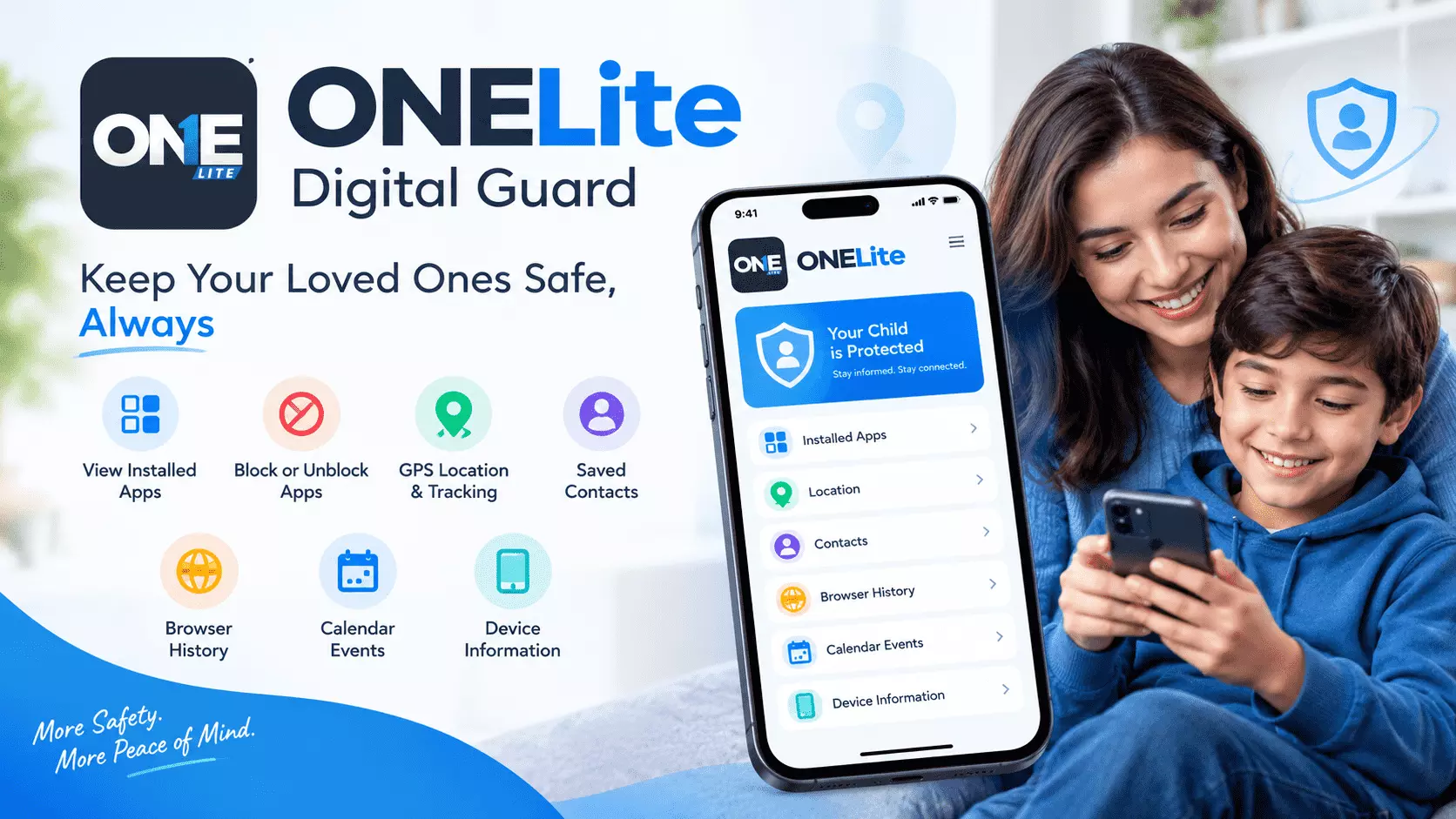
ONELite Phone Monitoring Review: A Practical Solution for Parents.
Mobile devices change fast. Apps emerge, browsing habits change, and everything feels different within a week.
ONELite allows parents to monitor key phone activities of their kid on an Android device, including apps, browsing history, location updates, contacts, calendar events, and information about the device itself.
But what really matters is not access to more data. For parents, phone monitoring can help answer the question: What is going on with my child's phone, and do we need to reconsider our current boundaries?
What Is Phone Monitoring in a Parental Control App?
Phone monitoring implies the ability of parents to monitor certain areas of their child's digital life to get some insights.
Depending on the parental control app and platform, it may include app activity, browsers, screen time, location, and more. Apps like Google Family Link, Qustodio, AirDroid Parental Control, Kids360, Bark, and OurPact implement this idea in different ways.
Some focus on screen time, while others prioritize location, app use, or access to certain websites. ONELite offers a more general, activity-oriented solution for Android phones.
Why Do Parents Need Phone Activity Monitoring?
Knowing only the number of screen-time hours isn't enough to understand what your child is doing.
For instance, one child spends 2 hours on mobile using a combination of educational app, chatting, browsing, and leisure. The second kid spends the same amount of time on one entertainment app.
These two kids' screen-time statistics will be the same, but their situations differ. This is why child phone monitoring works best when combined with screen-time controls. It helps parents see the behind-the-scenes activity and prepare to make appropriate decisions.
Moreover, it makes daily conversations with kids much easier. They will know what to talk about instead of guessing.
ONELite Combines Different Areas of Phone Activities
One of the more practical aspects of ONELite is that phone monitoring is not restricted to only one feature. According to the description on its Google Play page, the following monitoring options are available:
- installed apps
- app blocking/unblocking
- GPS location/phone tracking
- contacts
- calendar events
- device information
- browser-history monitoring.
According to its creators, this parental control app allows parents to learn about kids' phone activity and set boundaries.
This combination is reasonable since kids' digital lives don't happen in one place. App installation can explain what is available. Browsing history can add context about where kids go online. Location can explain where the device is.
Contacts and other information about the device can also be useful to see more context. By connecting these pieces, parents can get a clearer image.
Installed Apps Are an Important Component of Phone Monitoring
Parents cannot always know everything about every app installed on kids' phones. A child may install the application for gaming, communication, entertainment, study, or for another reason. Sometimes the title of the app does not say anything about its use.
With ONELite, parents can check which apps are installed on the Android phone and decide what to do about each one. Parents can block, unblock, and limit app access. This makes this feature useful for monitoring phone activity and managing apps.
This is the difference between checking the app and acting on it right away. If the app causes distraction, you can block it to enforce family rules; later, parents can unblock it based on their choices.
Phone Monitoring and Screen-Time Controls Can Work Better When Combined
Screen-time controls are often considered to be only the ability to limit the number of hours. But parents are mostly interested in what happens behind the scenes during those hours.
For example, Qustodio combines activity monitoring with screen-time controls, app and website control, location monitoring, various reports, and timelines.
Kids360 implements the similar combination of screen-time management and app limits, app blocking, browsing activity, and location tools. ONELite solves the same parental-control problem in a slightly different way.
This app lets parents monitor several areas of Android activity and then limit app access.
This makes phone monitoring more actionable. For example, parents can see how an app becomes a regular distraction and then decide to limit or block this particular app.
What Other Parental Control Apps Offer
Looking at other established parental control apps can clarify why phone monitoring has expanded beyond screen-time controls.
Google Family Link
Google Family Link allows parents to monitor the child's Google account and Android device through app activity, screen-time controls, app management, and location tools. This solution works well for those families that already use Google services.
AirDroid Parental Control
AirDroid focuses on monitoring the overall device activity. Its parental-control features include app management, screen-time information, activity reports, location tools, and other device monitoring tools.
This shows how a phone monitoring app can combine several areas of information instead of focusing on one activity.
Read: Top GMB Management Services in India for Local SEO Succes
Qustodio
Qustodio highlights daily activity and digital wellbeing. Parents can check the activity timelines, record the browsing, screen time limitations, application usage, and filtering on the websites, apps, and time control.
This solution is helpful for the parents who need a more detailed report rather than traditional parental control features.
Bark
Bark takes a different approach, emphasizing security-related monitoring and alerts. The tool helps parents detect the harmful activities and block applications, set screen-time limits, and use location tracking tools.
This makes Bark particularly relevant when discussing the difference between phone activity monitoring and monitoring potential safety risks.
OurPact
OurPact includes app rules, screen-time allowances, location tracking, web filtering, and device controls. This application lets you classify apps as always blocked, always allowed, or blocked by schedule.
Thus, the additional features reflect another parental control approach based on managing app availability and usage.
Kids360
Kids360 is another famous parental control app focused on the screen time, app management, location tracking, and device activity. The approach helps parents see how children use their phone.
Where Does ONELite Fit?
On the whole, ONELite belongs to this larger category of parental control applications. Still, it gives parents advantages by providing complete information about how children use their phones and tools to manage it.
The combination of features is all about installed apps, browsing history, contact location updates, calendar events, and device details, letting parents consider several aspects of the kids' phone activities.
App controls add another useful layer of functionality.
Parents can view the specific app installed on their devices, why they are available, and block or restrict them. This makes monitoring a more valuable choice for parents, helping the make the right decision based on the data.
Browsing History Provides Additional Information
Installed apps are just one aspect of the child's activity in their online space. A child can use the browser details to find information, visit different sites, read, or explore without installing the app.
ONELite includes browser history monitoring, thus allowing parents to collect more information about their child's digital activity. In particular, the app explains that it needs Accessibility permission to monitor the browser history and block the applications.
From the parental point of view, it is helpful because it extends the scope of phone monitoring beyond just checking installed apps.
It allows parents to learn more about the environment the child interacts with and identify possible areas for discussion.
Location Monitoring Is Just Another Part of the Whole Picture
Another aspect of phone monitoring from the parental perspective is being able to track the location of a device when necessary.
Onelite includes GPS location and tracking among its features.
Location tracking is also common in many parental control apps. For instance, Qustodio offers location monitoring and location history, while OurPact provides family location and geofencing features. The key point is that location is just another part of the whole picture.
Parents can use this information together with app activity and other device information instead of using location information as the only indicator of the child's phone use.
Phone Monitoring Allows Detecting Changes
One of the most valuable aspects of phone monitoring is the ability to detect any changes. A new application might appear on a child's device.
An already installed application might suddenly become extremely popular. The browsing activity might change. The timing of the device use might change.
None of the above necessarily indicates any problems. However, it gives parents tangible information to discuss with their child. It results in the following discussion:
- What is this application used for?
- Why you do use it?
- Do you still need it?
- Should we change the rule regarding this app?
Herein lies the added value of parental monitoring over the mere collection of data. The data collection helps parents have the sensible guidelines and a judgment-free conversation to make better-informed decisions.
Phone Monitoring Should Complement Rather Than Replace Parental Control
No parental control application comprehends kids better than the parents. School routines, the projects, stranger communications, or routine cycles influence how kids use cellphones.
That is why monitoring is helpful when parents use the collected information as the context and do not treat every child's activity as something wrong.
ONELite encourages this approach, using collected phone activity and location information as the basis for guidance.
This method is essential fr any parental control tools. It does not intervene in the kids' online routines but helps parents understand the kids' digital habits and set appropriate boundaries.
Why ONELite Can Be Useful for Parents
The key advantage of ONELite is in its combination of features.
Parents can review installed apps and manage access, check browsing history, receive location updates, and view other device details in one parental control environment.
This makes ONELite a useful solution for parents who want more than a screen time tracker. Its primary use is to review different aspects of the child's phone activity and then determine where parental guidance is really needed.
Conclusion: Can ONELite Be Used to Monitor the Phone?
ONELite gives parents access to a lot of new information and lets them see what their child does on their Android phone, including applications, browsing history, location, contacts, etc. Its app controls also help manage access when needed.
Thus, ONELite can help parents who want straightforward phone monitoring with useful parental control features.