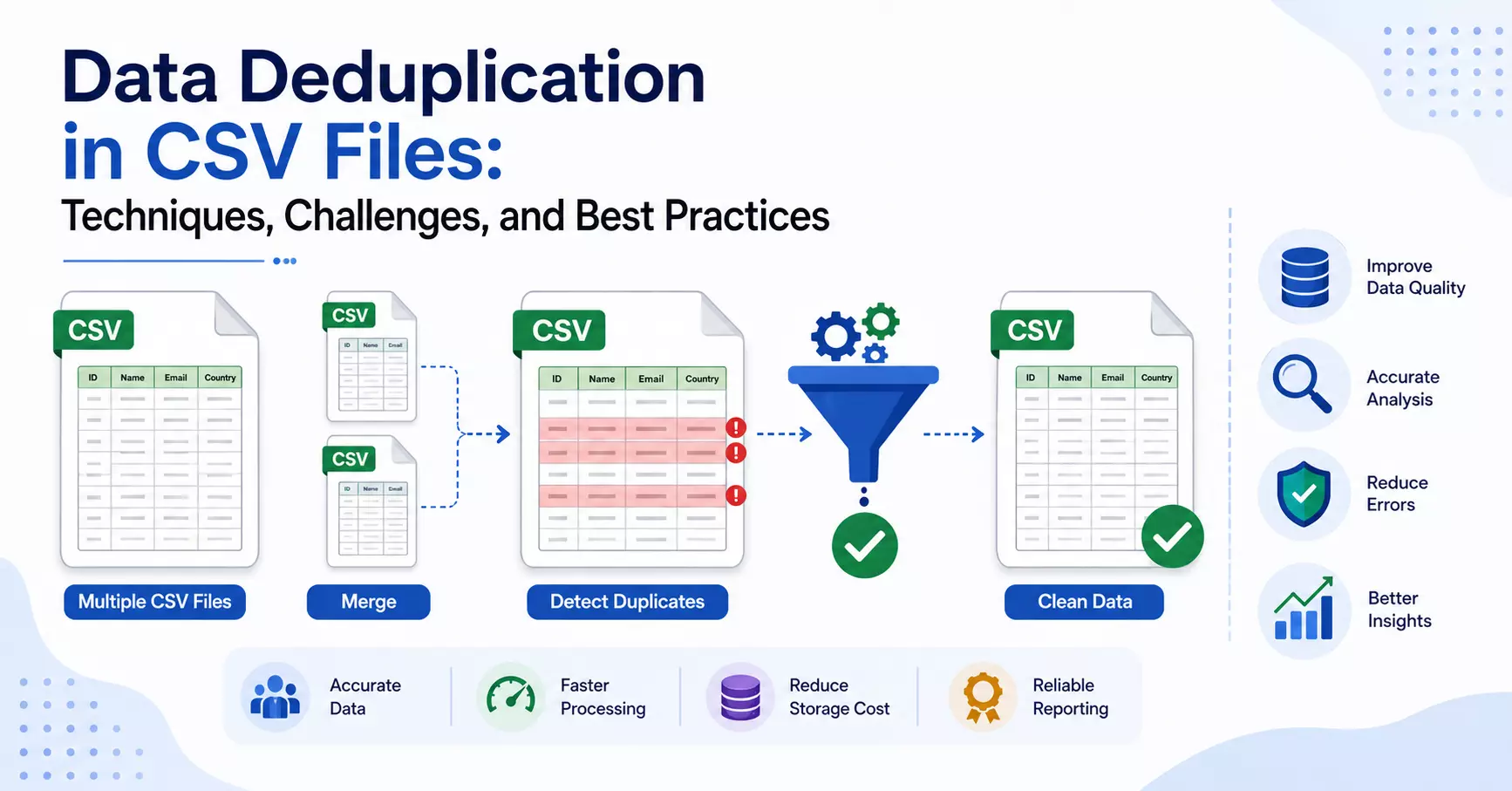
Manual vs Automated CSV Data Cleaning: Which Is Better?
CSV files remain one of the most popular formats for storing and exchanging structured data.
From customer databases and financial reports to inventory records and marketing lists, organizations of every size depend on CSV files for daily operations. However, as these datasets grow, they also accumulate duplicate entries, inconsistent formatting, missing values, and outdated records.
Cleaning this data is essential before using it for reporting, analytics, or migration. The question many professionals ask is whether they should clean CSV files manually or rely on automated tools.
The answer depends on the size of your data, the frequency of your work, and the level of accuracy you need. This guide compares both approaches to help you choose the right method.
What Is CSV Data Cleaning?
CSV data cleaning is the process of improving the quality of a CSV file by identifying and correcting issues that reduce its reliability.
Typical cleaning tasks include:
- Removing duplicate rows
- Correcting inconsistent formatting
- Deleting blank or incomplete records
- Standardizing dates and text
- Validating important fields
- Removing unnecessary spaces
- Correcting invalid values
The cleaner your data is, the more reliable your reports and business decisions become.
Manual CSV Data Cleaning
Manual cleaning involves reviewing and editing CSV files using spreadsheet applications like Microsoft Excel, Google Sheets, or LibreOffice Calc.
For many users, this is the first approach because these applications are already available and easy to understand.
Common Manual Methods
- Excel Remove Duplicates
- Conditional Formatting
- Filters
- Sorting
- Find & Replace
- Text functions
- Formula-based validation
These methods work reasonably well when datasets are relatively small.
Advantages of Manual Cleaning
- No additional software required
- Easy for beginners
- Good for one-time tasks
- Suitable for small CSV files
- Full control over every change
Limitations
Manual cleaning becomes increasingly difficult as datasets grow.
Common problems include:
- Slow processing
- Human errors
- Time-consuming review
- Difficulty comparing multiple CSV files
- Excel freezing with large datasets
- Inconsistent duplicate detection
Imagine reviewing hundreds of thousands of records manually. Even experienced users can accidentally delete valid records or overlook duplicates.
Read: How to Fix CSV File Too Large for Google Sheets Error
Automated CSV Data Cleaning
Automated data cleaning uses dedicated software to analyze, compare, and clean CSV files with minimal user intervention.
Instead of manually searching for duplicate rows or formatting issues, the software performs these tasks automatically based on selected rules.
Automation is especially useful for organizations that regularly receive exported CSV files from CRM systems, accounting software, e-commerce platforms, or business databases.
Benefits of Automated Cleaning
Automated CSV cleaning offers significant advantages over manual methods, especially when working with large or frequently updated datasets.
Instead of spending hours reviewing rows one by one, the software automatically scans the file, detects duplicate records, and applies predefined rules consistently. This not only speeds up the cleaning process but also reduces the chances of overlooking duplicate entries or making accidental edits.
Another major benefit is scalability. While spreadsheet applications often slow down or become unstable with large CSV files, automated tools are designed to process much larger datasets efficiently.
Many solutions also allow users to compare selected columns instead of entire rows, making duplicate detection more accurate for customer databases, product catalogs, or financial records.
In addition to saving time, automated cleaning creates a repeatable workflow. The same cleaning rules can be applied whenever new CSV files are received, ensuring consistent results across every project.
For businesses that regularly manage customer records, sales reports, or transaction data, automation is less about convenience and more about maintaining reliable, high-quality data without the repetitive manual effort.
Practical Comparison
Feature
Manual Cleaning
Automated Cleaning
Easy to start
✔
✔
Suitable for small files
✔
✔
Handles multi-GB CSV files
Limited
✔
Removes duplicates automatically
Limited
✔
Compares selected columns
Limited
✔
Processing speed
Slow
Fast
Human error
Higher
Lower
Repeatable workflow
Limited
✔
Best for business use
Limited
✔
My Personal Experience
Suppose a marketing agency exports customer data from three different CRM systems every month.
After combining the files, the final CSV reaches 5 GB and contains nearly one million records. Many customers appear multiple times because they signed up through different campaigns.
Cleaning this file manually in Excel would likely take several hours, and Excel may struggle to open or process such a large dataset.
Using an automated CSV cleaning tool, the same 5 GB CSV file can often be processed in around 10 minutes (depending on hardware and data complexity), with duplicate records identified and removed automatically based on selected fields such as Email Address or Customer ID.
This approach not only saves time but also reduces the risk of missing duplicate records during manual review.
When Manual Cleaning Is the Better Choice
Manual methods are still useful in certain situations.
Choose manual cleaning when:
- Your CSV contains only a few thousand rows.
- You need to review every record individually.
- Cleaning is an occasional task.
- You only need basic formatting changes.
- Budget constraints prevent purchasing software.
For occasional users, manual methods remain perfectly acceptable.
When Automated Cleaning Makes More Sense
Automation becomes a better investment when:
- You regularly receive CSV exports.
- Files contain hundreds of thousands of rows.
- Multiple CSV files must be merged.
- Duplicate detection is a frequent task.
- Accuracy is critical.
- Time is valuable.
For businesses processing data every week or every month, automated workflows often provide a much better return on investment.
Choosing the Right CSV Cleaning Tool
There are several dedicated CSV cleaning solutions available today. Two options that users often consider are SysTools CSV Duplicates Remover and FreeViewer CSV Duplicate Data Remover Software.
The reason these tools are worth evaluating is that they are designed specifically for handling duplicate records in CSV files instead of relying on general-purpose spreadsheet software.
They allow users to compare selected columns, remove duplicate rows, and process larger datasets more efficiently than manual methods.
If your work primarily involves enterprise datasets or recurring business workflows, SysTools CSV Duplicate Remover is a practical choice because it offers flexible comparison options and is built to handle large CSV files reliably.
On the other hand, users looking to explore an alternative with similar core functionality can also try FreeViewer CSV Duplicate Data Remover Software. Comparing both based on your workflow, file size, and required features can help you decide which one best fits your needs.
Rather than choosing a tool solely because it is popular, it's better to evaluate whether it saves time, maintains data accuracy, and fits the volume of data you process regularly.
Best Practices for CSV Data Cleaning
Regardless of the method you choose, following good data management practices is essential.
Some recommendations include:
- Always create a backup before editing.
- Standardize column names.
- Remove unnecessary blank rows.
- Validate important fields.
- Use unique identifiers whenever possible.
- Clean imported data before merging.
- Schedule regular duplicate checks.
- Document your cleaning process for consistency.
These practices improve long-term data quality and reduce future cleanup efforts.
Final Thoughts
There is no single solution that works for every situation. Manual CSV data cleaning is suitable for small files and occasional tasks where users want complete control over every edit.
However, as datasets become larger and more complex, manual methods quickly become slower, more error-prone, and difficult to manage.
Automated CSV data cleaning offers clear advantages in speed, consistency, and scalability. For professionals who regularly work with customer databases, sales records, financial reports, or inventory data, automation can significantly reduce effort while improving data quality.
The best approach is to choose the method that matches your workload, ensuring that your CSV files remain accurate, organized, and ready for reliable analysis.