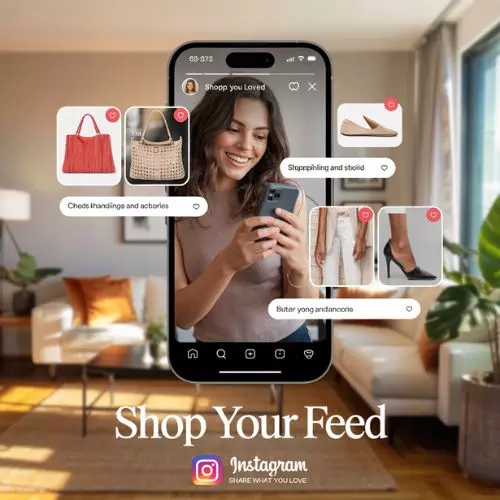
Instagram Shopping Posts: A Complete Guide to Boost Your Sales
Instagram has evolved beyond just being a photo-sharing platform; it's now one of the most powerful tools for businesses in the world of social commerce. Instagram Shopping is a feature that allows businesses to showcase and sell products directly through the platform, turning it into an integrated e-commerce hub.
With the surge of social commerce and mobile shopping, Instagram has embraced the need for businesses to engage their audience in more interactive ways, creating a seamless shopping experience.
Instagram Shopping posts are more than just product promotions. They represent a shift in how businesses connect with their audience. Consumers can now discover, learn about, and purchase products—all within the app. This feature brings the shopping experience directly into the social realm, making it easier for users to make purchasing decisions based on content they love.
Understanding Instagram Shopping Posts
What are Instagram Shopping Posts?
Instagram Shopping posts are posts on Instagram that feature product tags, allowing businesses to tag items directly in their photos or videos. These tags lead users to a product detail page where they can make purchases. It's a seamless shopping experience that makes it possible for users to shop directly from the platform.
The Features of Instagram Shopping Posts
Instagram shoppable posts are packed with features that provide a comprehensive shopping experience:
- Product Tagging: Tag products in your photos and videos for easy access to more details and pricing.
- In-App Checkout: Depending on your region, Instagram offers an in-app checkout feature where users can make purchases without leaving the app.
- Shopping Stickers for Stories: Instagram allows you to add shopping stickers to your Stories, letting users swipe up to see product details.
How to Set Up Instagram Shopping Posts
Step-by-Step Guide for Setting Up Your Instagram Shop
To get started with Instagram Shopping, you’ll need a business profile and a linked product catalog. Here’s how you can set it up:
- Switch to a Business Profile: You must have a business or creator profile to use Instagram Shopping. You can do this by going to your account settings and switching your profile type.
- Link Your Product Catalog: You can either upload your product catalog to Facebook Business Manager or use platforms like Shopify to integrate your products with Instagram.
- Enable Shopping Features: In the Instagram app, go to Settings > Business > Shopping to enable the feature.
Product Tagging: A Quick Overview
Once your shop is set up, you can start tagging products in your posts:
- Create a post.
- Tap “Tag Products” and choose the products from your catalog.
- Position the product tags on your image or video.
Best Practices for Instagram Shopping Posts
Creating Visually Appealing Content
High-quality, engaging content is crucial for driving sales. Product-focused photography is a must, but you should also incorporate lifestyle images to show your products in real-world scenarios. Consumers often make purchasing decisions based on emotions, so your visuals should connect with them.
Use of Product Descriptions and Captions
Your caption is just as important as your image. Craft descriptions that are engaging and relevant. Here are some tips:
- Use clear descriptions of your products (size, color, materials).
- Add compelling calls-to-action like “Shop Now” or “Discover More” to drive urgency.
Leveraging Instagram Stories for Shopping
Instagram Stories are an ideal place to show off products and connect with your audience:
- Add Shopping Stickers: Place a shopping sticker on your Stories to make it easy for users to purchase directly.
- Exclusive Offers: Use Stories to share limited-time discounts or promotions.
Engaging Your Audience with Instagram Shopping Posts
Targeting the Right Audience
Instagram’s targeting options allow you to reach your ideal customers. By analyzing user behavior, you can target your ads to specific demographics, interests, and shopping behaviors. To get the best out of Instagram Shopping, always ensure you’re targeting the right users.
User-Generated Content and Influencer Marketing
One of the most powerful ways to engage your audience is through user-generated content (UGC) and influencer marketing. UGC, such as product reviews, testimonials, and images from your customers, can build trust and authenticity. Collaborating with influencers who align with your brand also gives you access to a wider audience.
6. Analyzing and Measuring Instagram Shopping Post Success
Using Instagram Insights to Track Performance
Instagram Insights is a powerful tool to track how your shopping posts are performing. Key metrics include:
- Impressions: How many people have seen your post?
- Reach: The total number of unique people who have seen your post.
- Engagement: Likes, comments, shares, and saves.
Use these metrics to tweak your strategy and optimize your content.
A/B Testing for Shopping Posts
Experiment with different post formats, captions, and call-to-action strategies. A/B testing allows you to identify which version of a post resonates best with your audience.
7. Challenges of Instagram Shopping Posts
Algorithm and Visibility Issues
Instagram’s algorithm prioritizes engagement, which can sometimes limit the reach of your shopping posts. To combat this, maintain consistency in posting and engage with your followers regularly.
Competition in the Social Commerce Space
As more businesses join Instagram Shopping, standing out becomes harder. Focus on creating unique, engaging content and offering something that differentiates your brand.
Handling Customer Concerns and Queries
Be responsive to customers’ questions about your products. Provide excellent customer service and set up automated responses to handle FAQs more efficiently.
Future Trends of Instagram Shopping Posts
What’s Next for Instagram Shopping?
Instagram is constantly updating its features, and the future of Instagram Shopping looks promising with the integration of Augmented Reality (AR). AR will allow users to try products virtually before buying them, which is a game-changer for industries like fashion and beauty.
The Role of Instagram Shopping in the Rise of Social Commerce
As social commerce grows, Instagram will play a key role in shaping how users discover and purchase products. Shopping on social platforms is here to stay, and Instagram will continue to innovate its shopping experience.
Conclusion
Instagram Shopping posts are not just about showcasing products—they provide a smooth, integrated shopping experience for your customers. If you aren’t already using Instagram Shopping, it’s time to start. The platform offers businesses a valuable opportunity to reach potential customers where they spend most of their time—on social media.