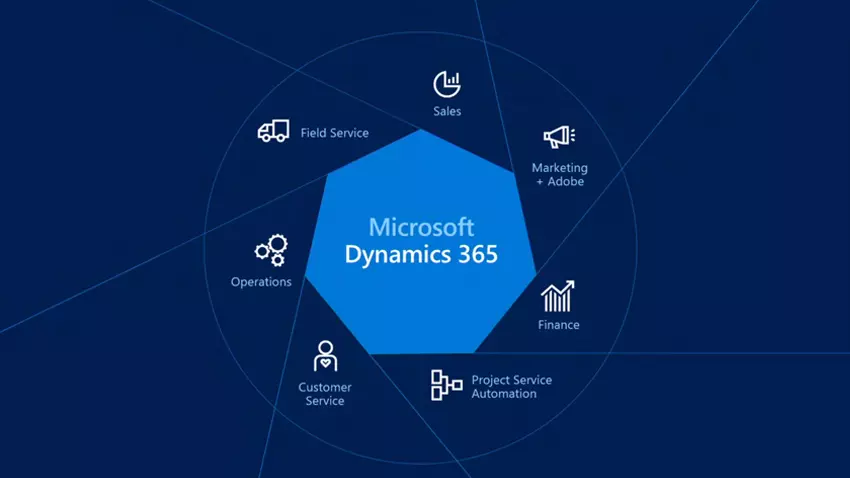
How to Transform Your Microsoft Dynamics 365 Customer Service Using Microsoft Dynamics 365
Introduction to Modern Customer Service Transformation
Customer service isn’t what it used to be—and that’s a good thing. Today’s customers expect fast responses, personalized interactions, and seamless support across every channel they use. If your support team is still juggling emails, spreadsheets, and disconnected tools, you’re already behind.
This is where Microsoft Dynamics 365 Customer Service steps in as a game changer, helping organizations move from reactive support to proactive, experience-driven service.
Think of it like upgrading from a paper map to GPS navigation. You’ll still reach your destination, but the journey becomes faster, smarter, and far less stressful.
Read: Microsoft Dynamics Partners in Dubai: Empowering Businesses
What Is Microsoft Dynamics 365 Customer Service?
At its core, Microsoft Dynamics 365 Customer Service is a cloud-based platform designed to help businesses deliver consistent, intelligent, and personalized support experiences. It brings together case management, AI-driven insights, omnichannel engagement, and automation into one unified solution.
Instead of working in silos, agents get a complete view of the customer, their history, and their needs—right when it matters most.
Why Customer Experience Is the New Competitive Advantage
Products can be copied. Prices can be matched. But customer experience? That’s hard to replicate.
Companies that excel in service don’t just solve problems—they build relationships. With Microsoft Dynamics 365 Customer Service, organizations can turn every interaction into an opportunity to earn trust, loyalty, and long-term value.
Core Features That Redefine Customer Support
Omnichannel Engagement Explained
Customers don’t think in channels. They just want help—now.
Voice, Chat, Email, and Social in One Place
With omnichannel capabilities, agents can manage conversations across chat, email, voice, SMS, and social media from a single interface. No more switching tabs or losing context mid-conversation. Everything flows naturally, like a well-orchestrated conversation.
AI-Powered Case Management
Automated Routing and Prioritization
AI analyzes incoming cases and routes them to the right agent based on skills, workload, and urgency. High-priority issues get immediate attention, while routine requests are handled efficiently. It’s like having a digital traffic controller keeping everything moving smoothly.
Knowledge Base and Self-Service Portals
Customers often prefer solving problems themselves. A smart knowledge base and self-service portal empower users to find answers quickly, reducing ticket volume and freeing agents to focus on complex issues.
How Microsoft Dynamics 365 Improves Agent Productivity
Unified Agent Workspace
Agents work best when distractions are minimized. A unified workspace brings cases, customer data, and knowledge articles together on one screen, cutting down on resolution time and frustration.
Smart Suggestions and Next-Best Actions
AI-driven recommendations guide agents on what to do next, what to say, and which solutions are most effective. It’s like having a seasoned mentor whispering helpful tips during every interaction.
Personalizing Customer Interactions at Scale
Customer 360-Degree View
Every customer has a story. Microsoft Dynamics 365 Customer Service captures the full narrative—past interactions, preferences, purchases, and feedback—so agents never have to ask customers to repeat themselves.
Data-Driven Personalization
Using real-time data and insights, businesses can tailor responses, offers, and support strategies, making customers feel genuinely understood rather than processed.
Leveraging Automation and AI for Faster Resolutions
Power Automate Integration
Routine tasks like follow-ups, escalations, and notifications can be automated, saving hours of manual work each week. Automation ensures nothing falls through the cracks.
Copilot and Predictive Insights
AI copilots assist agents by drafting responses, summarizing cases, and predicting customer needs. Faster resolutions mean happier customers and less burnout for support teams.
Integrating Microsoft Dynamics 365 with Your Existing Systems
ERP, CRM, and Third-Party Tools
Integration is seamless with Microsoft tools like Business Central, Power BI, and Teams, as well as third-party applications. Data flows freely, breaking down organizational silos.
Seamless Data Flow Across Teams
Sales, marketing, and service teams all work from the same source of truth, ensuring consistency and collaboration across the customer lifecycle.
Security, Compliance, and Reliability
Enterprise-Grade Security
Built on Microsoft Azure, the platform offers robust security, role-based access, and data encryption, keeping customer information safe.
Compliance with Global Standards
From GDPR to industry-specific regulations, compliance is built in, giving businesses peace of mind.
Real-World Use Cases Across Industries
Retail and E-commerce
Handle order inquiries, returns, and promotions seamlessly while delivering personalized shopping support.
Healthcare and Financial Services
Provide secure, compliant, and responsive support for sensitive customer needs.
Manufacturing and B2B Services
Manage service contracts, warranties, and technical support with precision and efficiency.
Best Practices for a Successful Implementation
Planning and Change Management
Success starts with clear goals, stakeholder alignment, and a roadmap that prioritizes business outcomes.
Training and Adoption Strategies
Invest in training so agents feel confident and empowered. Adoption isn’t automatic—it’s earned through usability and value.
Measuring Success and Continuous Improvement
Key KPIs and Metrics
Track first-contact resolution, customer satisfaction, response times, and agent productivity to measure impact.
Using Analytics for Optimization
Analytics and dashboards help identify bottlenecks, trends, and opportunities for improvement.
Future Trends in Customer Service with Microsoft Dynamics 365
Expect more AI-driven personalization, predictive support, and deeper automation. The future of service is proactive, not reactive—and Microsoft Dynamics 365 Customer Service is leading the way.
Conclusion
Transforming customer service isn’t about replacing people with technology—it’s about empowering them. With Microsoft Dynamics 365 Customer Service, businesses can deliver faster, smarter, and more human support experiences at scale. When customers feel heard and valued, loyalty follows naturally.
FAQs
1. What makes Microsoft Dynamics 365 Customer Service different from traditional CRM tools?
It combines AI, automation, and omnichannel support into one intelligent platform designed specifically for modern service needs.
2. Can small businesses use Microsoft Dynamics 365 Customer Service?
Yes, it’s scalable and flexible, making it suitable for both small teams and large enterprises.
3. Does it support remote and hybrid support teams?
Absolutely. Cloud-based access enables agents to work effectively from anywhere.
4. How long does implementation usually take?
Implementation timelines vary based on complexity, but phased rollouts help deliver value quickly.
5. Is it customizable for specific industries?
Yes, the platform is highly configurable and can be tailored to industry-specific workflows and compliance needs.