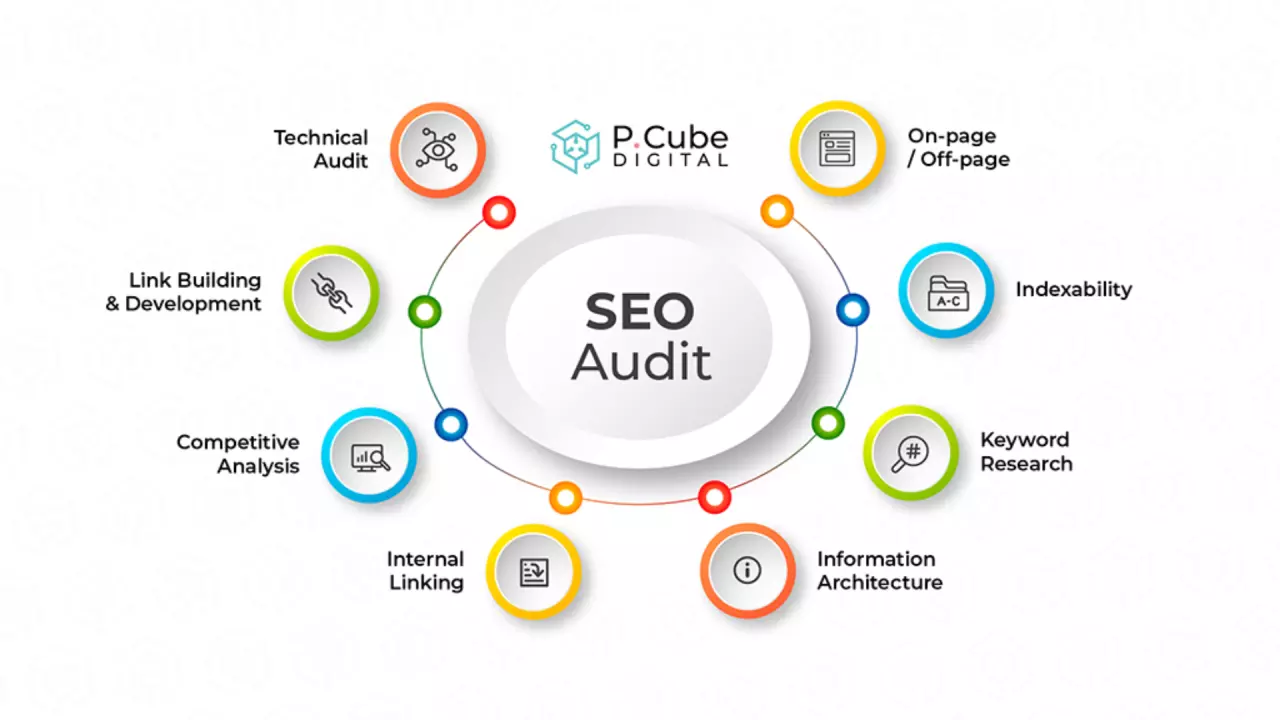
How to Conduct an SEO Audit for Your Small Business Website
Struggling to get your small business website to rank on search engines? An SEO audit is a comprehensive evaluation of your website’s search performance, technical health, on-page optimization, and content quality.
Conducting regular audits helps small business owners discover critical technical errors, identify missing search terms, and fix usability issues that prevent potential customers from finding their site online.
According to research from BrightEdge, organic search drives over 53% of all website traffic. Performing a systematic small business SEO check ensures your site is fully optimized to capture that organic visibility.
What Is an SEO Audit?
An SEO audit is the process of evaluating a website to determine how well it aligns with search engine ranking criteria. It examines technical performance, on-page content relevance, user experience (UX), and external backlink profiles.
The primary goal of an SEO audit is to pinpoint technical flaws and content gaps so you can implement clear, actionable fixes that improve search engine visibility and conversion rates.
1. Check Technical SEO and Crawlability
Technical issues act as invisible barriers that block search engines like Google from indexing your pages properly.
Search Engine Crawlability and Indexation
First, verify that search engines can read and store your web pages correctly.
- Search Console Verification: Log into Google Search Console to check the "Pages" indexation report. Review any flagged indexing errors, such as 404 pages or broken redirects.
- XML Sitemap: Ensure your XML sitemap is up to date and submitted directly to search engines.
- Robots.txt File: Inspect your
robots.txtfile to verify that essential business pages are not accidentally blocked from search engine crawlers.
Page Speed and Core Web Vitals
Site speed directly impacts user retention and search rankings.
- Analyze Performance: Use Google PageSpeed Insights to test mobile and desktop performance.
- Optimize Media Assets: Compress images using modern formats like WebP to reduce overall file sizes.
- Core Web Vitals: Focus on key usability metrics like Largest Contentful Paint (LCP) and Cumulative Layout Shift (CLS) to deliver a seamless user experience.
Technical Note: If technical issues like slow load times or indexation errors persist, partnering with specialized technical SEO services can help resolve complex site architecture problems efficiently.
Read: 5 Proven SEO Strategies to Boost Your Website Traffic
2. Evaluate On-Page Keyword Optimization
On-page SEO ensures search engines and users understand the exact topic and intent behind every page on your site.
Element
Optimization Best Practice
Common Mistake to Avoid
Title Tags
50–60 characters; place primary keywords early.
Duplicate titles across multiple pages.
Meta Descriptions
150–160 characters; include a distinct call-to-action (CTA).
Leaving descriptions blank or keyword stuffing.
Heading Tags
Use H1 for main page title; H2 and H3 for logical subtopics.
Skipping heading hierarchy (e.g., using H3 before H2).
Image Alt Text
Describe images clearly using natural primary search terms.
Using generic filenames like image01.jpg.
Ensure every critical page targets a distinct search intent without overlapping keywords. If you want to dive deeper into structural content optimization, check out our guide on how to avoid common SEO mistakes.
3. Identify and Fill Content Gaps
Content gaps occur when your website fails to address the specific questions or search queries that potential customers are actively typing into search engines.
How to Analyze Competitor Content
- Identify Top Competitors: List 3–5 local or direct industry competitors ranking higher in local search engine results pages (SERPs).
- Use Keyword Research Tools: Enter competitor URLs into tools like Ahrefs or SEMrush to see which keywords drive their organic traffic.
- Find Missing Topics: Identify target keywords where your competitors rank on page one, but your site has no dedicated content.
Expanding Your Content Strategy
- Answer Customer Questions: Build dedicated FAQ sections or helpful blog posts addressing common customer inquiries.
- Update Existing Content: Refresh outdated blog posts with updated facts, new statistics, and clearer formatting to restore lost search rankings.
4. Audit Your Internal and External Link Profile
Links establish trust, pass link equity (authority) across your pages, and guide visitors through your sales funnel.
Internal Link Structure
Internal links help search engines discover new pages and establish site hierarchy.
- Link high-authority pages (such as your homepage) to critical service or product pages.
- Use descriptive, natural anchor text rather than generic phrases like "click here."
Backlink Quality and Authority
Backlinks from external websites act as votes of confidence for search engines.
- Review your total backlink profile using Google Search Console or backlink checkers.
- Disavow or eliminate low-quality, spammy external links that could harm your search domain reputation.
- Reference external insights from established industry standards, such as Google's Search Essentials, to ensure your site adheres to recommended webmaster guidelines.
5. Review Mobile-Friendliness and User Experience (UX)
Google uses mobile-first indexing, meaning it primarily evaluates the mobile version of your content for ranking and indexing.
- Responsive Design: Verify that text, navigation menus, buttons, and contact forms adapt seamlessly across all mobile screen sizes.
- Readability: Keep paragraphs concise (2–4 sentences) to maintain high scannability on small screens.
- Clear Calls-to-Action: Place primary contact options—such as phone numbers and booking buttons—at the top of mobile landing pages for quick conversions.
Summary Checklist for Your Small Business SEO Audit
Performing an SEO audit gives you a clear roadmap to repair technical issues, refine targeting, and capture high-intent search traffic.
- [ ] Fix Technical Issues: Resolve 404 errors, fix sitemap issues, and optimize page speed.
- [ ] Optimize On-Page Elements: Review title tags, meta descriptions, and headings for key target keywords.
- [ ] Address Content Gaps: Target unanswered search queries and publish comprehensive content.
- [ ] Refine Link Architecture: Improve internal linking and audit external backlink profiles.
- [ ] Enhance UX: Verify mobile responsiveness and page navigation.