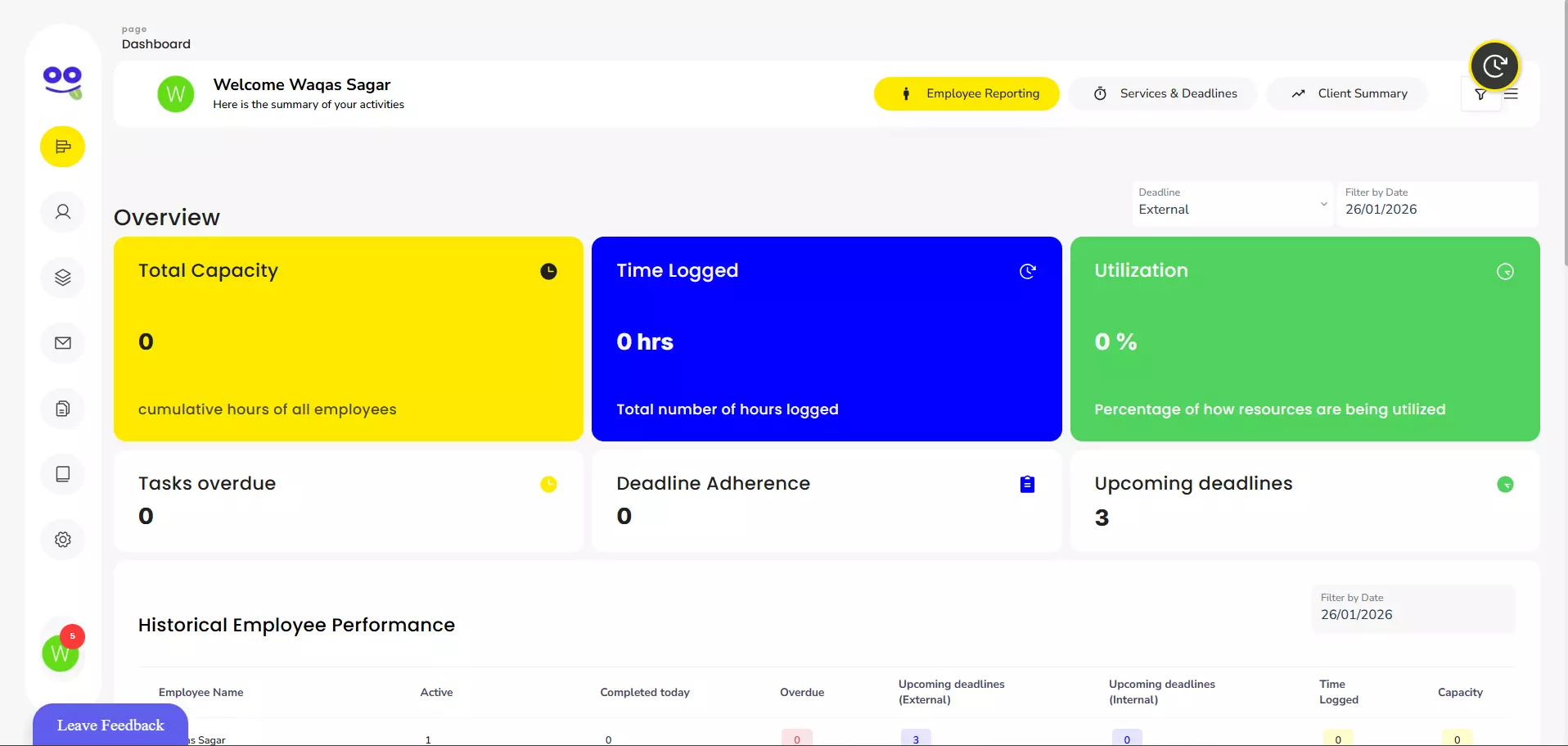
How Task Management Software Improves Accounting Workflows
Accounting firms manage far more than financial records. Every client engagement involves tasks, deadlines, documents, reviews, approvals, follow-ups and recurring responsibilities.
As a practice grows, managing this work through spreadsheets, emails and individual reminders becomes increasingly difficult.
A team may have hundreds of tasks running across different clients, with some waiting for documents, others awaiting review and others approaching statutory deadlines.
This is where task management software for accountants can improve accounting workflows.
A structured task management system gives firms a central place to organise work, assign responsibilities, track progress and manage deadlines. It can also automate recurring activities and standardise processes across clients.
For accounting firms, the objective is not simply to create digital to-do lists. It is to build a more reliable workflow where every task has clear ownership, every deadline is visible and recurring work follows a consistent process.
What Is an Accounting Workflow?
An accounting workflow is the sequence of activities required to complete a particular service or client assignment.
For example, a VAT return workflow may involve:
- Requesting client records
- Receiving documents
- Reviewing transactions
- Completing bookkeeping adjustments
- Preparing the VAT return
- Reviewing the figures
- Making amendments if required
- Submitting the return
- Recording completion
Other common accounting workflows include:
- Monthly bookkeeping
- Payroll processing
- Self Assessment
- Corporation Tax
- Annual accounts
- Management accounts
- VAT returns
- Confirmation statements
- Client onboarding
- Tax planning
- Client document collection
Each workflow can involve different team members and deadlines. A task management system helps turn these processes into structured, trackable work.
How Task Management Software Improves Accounting Workflows
1. Centralises Tasks in One Place
- One of the biggest challenges for accounting firms is fragmented information.
- A team may use one spreadsheet for deadlines, email for client requests, a calendar for meetings and another system for client records. This makes it difficult to understand the firm's overall workload.
- Task management software for accountants brings tasks into a central system.
Team members can see:
- What needs to be completed
- Who is responsible
- Which client the task belongs to
- When it is due
- What stage it has reached
- Whether it is overdue
- What needs to happen next
Centralisation reduces the need to search through different systems and gives managers a clearer view of ongoing work.
2. Improves Deadline Management
- Deadlines are a fundamental part of accounting work.
- A firm may simultaneously manage VAT deadlines, payroll dates, tax return deadlines, Companies House filings and internal client delivery dates.
- When these are tracked manually, important dates can be overlooked.
- With structured task management for accountants, deadlines can be attached directly to individual tasks and workflows.
For example:
Client: ABC Limited
Service: Corporation Tax
Internal deadline: 15 September
Review deadline: 20 September
Filing deadline: 30 September
Responsible accountant: Assigned team member
This gives the team more control over the entire process rather than focusing only on the final statutory deadline.
3. Automates Recurring Accounting Work
Much of an accounting firm's workload is repetitive.
Payroll may run every month. VAT returns may be quarterly. Bookkeeping may happen monthly. Accounts and tax work may follow annual cycles.
Creating these tasks manually for every client takes time and creates opportunities for errors.
Modern task management systems can automate recurring work. Remindoo, for example, allows firms to configure recurring tasks on daily, weekly, fortnightly, monthly, quarterly and yearly schedules.
This means a firm can establish a workflow once and allow future task cycles to be generated automatically.
The result is less manual administration and more consistent delivery.
4. Standardises Accounting Processes
Different employees may complete the same service in different ways if there is no defined process.
This can create inconsistent results and make it harder for managers to monitor work.
Task management software allows firms to create standard workflows.
For example, a year-end accounts workflow might contain:
- Request accounting records
- Review bank statements
- Reconcile accounts
- Review debtors and creditors
- Check expenses
- Review fixed assets
- Prepare accounts
- Manager review
- Client approval
- Finalise and file
The same structure can then be applied across appropriate clients.
This helps create consistency without requiring employees to remember every step themselves.
Read: Exploring the best Project Management Software to
5. Makes Task Ownership Clear
- A task without a clear owner can easily become delayed.
- For example, if three people assume that someone else is responsible for requesting client documents, the request may never be sent.
- A task management system assigns responsibility clearly.
- Managers can allocate work to specific team members and reassign it when workloads change.
- This creates accountability because employees can see exactly which tasks are assigned to them.
- For managers, it also becomes easier to identify where work is sitting and who needs support.
6. Breaks Complex Assignments Into Subtasks
Many accounting assignments contain multiple stages.
Treating an entire assignment as one task does not provide enough visibility.
For example:
Annual Accounts
Main task: Prepare annual accounts
Subtasks:
- Request records
- Check bank reconciliations
- Review debtors
- Review creditors
- Check expenses
- Review fixed assets
- Prepare accounts
- Complete manager review
- Send to client
- Finalise filing
Subtasks and checklists allow team members to see exactly what has been completed and what remains outstanding.
This is particularly useful for complex client work where several employees are involved.
7. Improves Team Collaboration
- Accounting work often moves between team members.
- A junior accountant may prepare the work, a senior accountant may review it and a partner may provide final approval.
- If communication takes place through separate email threads, it can be difficult to understand the latest status.
- A central task system can keep comments, notes, updates and task activity connected to the relevant work.
- This gives team members greater context and reduces unnecessary internal messages asking for updates.
8. Gives Managers Better Workload Visibility
Managers need to know whether their teams have enough capacity to complete upcoming work.
A spreadsheet may show assigned tasks, but it does not always provide an efficient real-time picture of workloads.
A dedicated system can help managers see:
- Assigned tasks
- Upcoming deadlines
- Overdue tasks
- Completed work
- Recurring workloads
- Team responsibilities
- Work requiring attention
Remindoo, for example, provides workload visibility to help managers identify capacity issues and redistribute tasks when required.
This can be particularly valuable during busy periods such as Self Assessment season or year-end accounts.
9. Reduces Manual Administration
Accounting professionals can spend significant time maintaining task lists rather than completing client work.
Examples include:
- Creating the same tasks repeatedly
- Updating spreadsheets
- Sending manual reminders
- Checking whether work is complete
- Chasing team members for updates
- Rebuilding checklists
Automation reduces some of this administrative workload.
For example, recurring tasks can be generated automatically instead of being recreated every month or quarter.
This allows teams to spend more time on accounting work and client service.
10. Helps Identify Bottlenecks Earlier
A workflow is only effective if managers can identify where work is getting delayed.
Suppose several client accounts are waiting for manager review. Without a central system, this backlog may not become obvious until deadlines are close.
With task tracking, managers can identify:
- Tasks waiting for review
- Jobs waiting for client information
- Overdue assignments
- Unassigned tasks
- Incomplete subtasks
- Repeated workflow delays
This creates an opportunity to resolve bottlenecks before they affect client deadlines.
How Task Tracking Software Helps Accountants
Task tracking software for accountants provides visibility into the progress of individual assignments.
Instead of simply seeing that a task exists, an accountant or manager can understand its current status.
For example:
Not started → In progress → Waiting for client → Under review → Completed
This is especially useful when an assignment depends on information from the client.
If an accountant is waiting for bank statements, the task can reflect that status instead of appearing as unexplained incomplete work.
Better task tracking also helps managers distinguish between genuine workload problems and tasks that are simply waiting for external information.
How Accounting Task Management Software Supports Recurring Services
Accounting task management software is particularly useful for services that follow predictable schedules.
Consider a monthly bookkeeping workflow.
Without automation, an employee may have to create the task, assign it, add deadlines and recreate the same checklist every month.
A structured recurring workflow can automate much of this process.
For example:
Monthly Bookkeeping Workflow
- Request records
- Receive documents
- Reconcile transactions
- Review bookkeeping
- Resolve queries
- Complete work
- Manager review
- Mark service complete
Once configured, the workflow can repeat according to the firm's schedule.
Remindoo recurring task functionality is designed for this type of cyclical accounting work, including bookkeeping, VAT, payroll and annual accounts.
Task Management Software and Client Deadlines
Accounting firms need to manage more than statutory deadlines.
Internal deadlines are equally important.
For example:
- Client documents required: 1 December
- Preparation deadline: 10 December
- Manager review: 15 December
- Client approval: 20 December
- Final submission: 31 December
Creating internal milestones gives the team time to deal with queries, corrections and client delays.
This is more effective than waiting until the statutory deadline is approaching before checking the status of the work.
Some systems can also use trigger dates and linked deadlines to automate task scheduling. Remindoo states that changes to linked client dates can dynamically update related deadlines and workflows.
How Task Management Improves Client Service
Task management is not only an internal productivity tool.
It can also improve the client experience.
When work is properly organised, firms can:
- Respond to client requests faster
- Reduce missed commitments
- Follow up on missing documents
- Provide more consistent service
- Complete recurring work on time
- Reduce last-minute requests
Clients may not see the task management system itself, but they experience the results through more reliable service.
How Task Management Helps During Busy Accounting Periods
Certain periods place additional pressure on accounting teams.
Examples include:
- Self Assessment season
- VAT filing periods
- Payroll deadlines
- Corporation Tax deadlines
- Year-end accounts
- Confirmation statement periods
During these periods, firms may have hundreds of tasks competing for attention.
A structured system helps managers prioritise work and identify approaching deadlines.
Instead of asking each employee for a manual update, managers can review task statuses and workload information centrally.
This provides a stronger foundation for resource planning during busy periods.
Using Task Templates to Improve Accounting Workflows
Task templates allow firms to create repeatable processes.
For example, a firm could create templates for:
- VAT returns
- Payroll
- Self Assessment
- Corporation Tax
- Annual accounts
- Bookkeeping
- Client onboarding
- Management accounts
A template can include standard tasks, subtasks, responsibilities and deadlines.
This reduces the need to build each workflow from scratch.
Remindoo supports reusable service templates designed to standardise recurring accounting tasks across clients.
What Features Should Accounting Firms Look For?
When evaluating task management software for accountants, firms should consider whether the platform supports their actual workflows.
Important features include:
Recurring Tasks
Useful for bookkeeping, payroll, VAT and other repeat services.
Deadline Tracking
Helps teams monitor upcoming and overdue work.
Task Assignment
Makes ownership and accountability clear.
Subtasks and Checklists
Useful for complex, multi-stage assignments.
Workflow Templates
Helps standardise repeatable accounting processes.
Task Statuses
Provides visibility into work progress.
Team Collaboration
Keeps comments and updates connected to the relevant task.
Time Recording
Can help firms understand how team time is allocated.
Workload Visibility
Helps managers identify capacity problems and redistribute work.
Client-Based Organisation
Connects tasks with the relevant client and service.
These features should be evaluated based on the firm's actual workflow rather than simply the number of features advertised by a software provider. Remindoo published feature set includes recurring tasks, task assignment, filters, task views, subtasks and task details.
Task Management Software vs Spreadsheets
Many accounting firms start with spreadsheets because they are inexpensive and familiar.
However, spreadsheets become harder to manage as the number of clients, tasks and team members increases.
Area
Spreadsheets
Task Management Software
Task assignment
Manual
Structured
Recurring tasks
Manual setup
Can be automated
Deadline tracking
Manual
Centralised
Progress tracking
Manual updates
Task statuses
Workload visibility
Limited
Centralised
Workflow templates
Basic
Purpose-built
Team collaboration
Limited
Built into workflows
Subtasks
Possible
Structured
Notifications
Limited
Automated options
The difference is that a spreadsheet primarily stores information, while task management software is designed to manage work.
How to Implement Task Management Software Successfully
Software alone will not fix an inefficient workflow.
Accounting firms should first understand how their work is currently delivered.
Map Existing Processes
Identify the steps involved in your most common services.
Identify Bottlenecks
Find out where work is regularly delayed.
Standardise Repeatable Processes
Create consistent workflows for recurring services.
Define Responsibilities
Make sure every stage has a clear owner.
Create Internal Deadlines
Give teams sufficient time before the final client or statutory deadline.
Build Templates
Turn repeatable processes into reusable task templates.
Train the Team
Ensure employees understand how tasks should be created, updated and completed.
Review Performance
Monitor overdue tasks, workload distribution and recurring bottlenecks.
Remindoo for Accounting Workflow Management
For accounting firms looking for a dedicated platform, Remindoo combines task management with broader practice management functionality.
Its task management features are designed around accounting workflows, including recurring work, deadlines, client-linked tasks, team assignments and workflow visibility.
Firms can use recurring tasks for services such as payroll, VAT returns and annual accounts, while task and subtask structures can help standardise multi-stage work.
Remindoo also brings tasks, clients, workflows, team communication and reporting into a central practice management environment, rather than treating task management as an isolated to-do list.
For firms that are moving away from spreadsheets and manual deadline tracking, this type of centralised workflow can provide greater visibility over client work and team capacity.
Signs Your Accounting Workflow Needs Improvement
Your firm may benefit from a more structured task management system if:
- Staff regularly miss internal deadlines.
- Tasks are mainly tracked in spreadsheets.
- Managers constantly chase employees for updates.
- Recurring tasks are created manually.
- Team members are unclear about task ownership.
- Client requests are buried in email threads.
- Workloads are difficult to compare.
- Different employees follow different processes.
- Managers discover overdue work too late.
- The same workflows are repeatedly rebuilt from scratch.
These problems often become more noticeable as the client base and team grow.
Conclusion
Task management software for accountants can improve accounting workflows by bringing tasks, deadlines, responsibilities and recurring work into a structured system.
The biggest benefits come from centralised task tracking, automated recurring work, standardised processes, clear task ownership and better workload visibility.
For accounting firms, effective task management for accountants is not simply about replacing a spreadsheet. It is about creating repeatable workflows that help teams know what needs to be done, who is responsible and when it needs to be completed.
When evaluating accounting task management software, focus on the features that support your firm's actual processes. Recurring tasks, deadline management, templates, checklists, subtasks, task tracking and workload visibility can all contribute to a more efficient practice.
The right system should make accounting workflows easier to manage, not add another layer of administration.