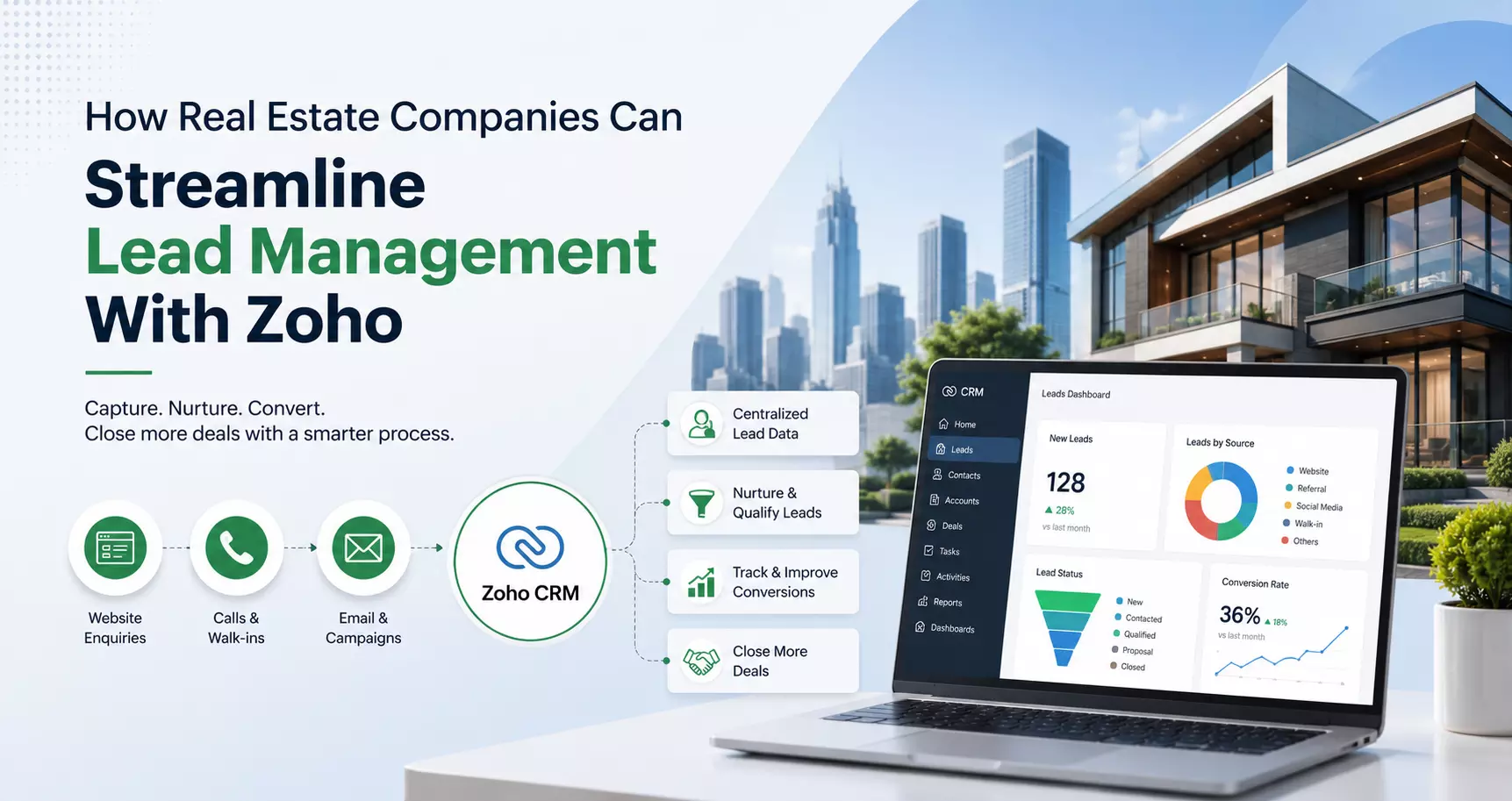
How Real Estate Companies Can Streamline Lead Management With Zoho
Real estate lead management is rarely as simple as receiving an inquiry and assigning it to a sales representative.
A single prospect may enter through a property portal, website form, social media campaign, email, phone call, or a referral. Each inquiry carries different information, follows a different buying timeline, and requires a different type of follow-up.
The challenge begins when these leads are handled across spreadsheets, inboxes, messaging applications, and disconnected sales tools.
Important conversations become difficult to trace, follow-ups are missed, duplicate records appear, and sales teams spend more time organizing information than engaging prospects.
A structured CRM can bring order to this process. Zoho CRM, particularly when configured around the way a real estate business actually operates, can help companies centralize lead information, automate repetitive activities, establish consistent qualification processes, and give sales managers better visibility into the pipeline.
The objective is not simply to put real estate leads into a CRM. The real value comes from designing a lead management process that helps teams identify promising prospects, respond at the right time, and move qualified leads toward property visits, negotiations, and closure.
Why Lead Management Is Critical for Real Estate Companies
Real estate sales cycles can vary considerably. Some prospects may be actively searching for a property and expect an immediate response, while others may still be comparing locations, budgets, property types, or financing options.
Without a defined lead management process, sales teams often treat every inquiry in the same way.
That creates several problems:
- Leads are not prioritized according to their actual level of interest.
- Sales representatives may forget scheduled follow-ups.
- Multiple employees may contact the same prospect.
- Marketing and sales teams may work with different versions of customer information.
- Managers have limited visibility into lead status.
- Old or inactive leads remain mixed with active opportunities.
- Management cannot easily determine which channels generate qualified inquiries.
Zoho can address these issues by providing a centralized environment in which lead information, activities, communication history, qualification details, and sales progression can be connected.
1. Building a Centralized Real Estate Lead Database
The first step toward better lead management is creating a reliable source of customer information.
Zoho CRM allows businesses to define the information they need to capture when a lead enters the system. For real estate companies, the standard contact details are only part of the picture.
Capture Property-Specific Lead Information
A real estate CRM can be configured to collect information such as:
- Preferred property type
- Preferred location
- Budget range
- Purchase or rental requirement
- Expected purchase timeline
- Number of bedrooms or units required
- Preferred property size
- Financing status
- Purpose of the purchase
- Preferred communication channel
- Source of the inquiry
- Assigned sales representative
This information makes the lead record more useful to the sales team.
Instead of opening a generic record containing only a name and phone number, a representative can immediately understand what the prospect is looking for and determine the appropriate next action.
2. Automating Lead Capture From Multiple Sources
Real estate companies rarely depend on one source for inquiries. Website forms, property listing platforms, digital campaigns, landing pages, email, and other channels can all contribute leads.
Manually transferring this information into a CRM creates delays and increases the likelihood of errors.
Connect Lead Sources With Zoho CRM
Zoho CRM can be integrated with relevant lead-generation channels so that incoming inquiries can enter the CRM with less manual intervention.
The exact integration approach depends on the source and technical setup, but the goal remains the same: reduce the distance between lead generation and sales action.
When a lead enters the system, predefined workflows can help initiate the next steps automatically.
For example, a newly captured lead can be:
- Added to the appropriate CRM module.
- Checked for required information.
- Assigned to a sales representative.
- Categorized according to predefined criteria.
- Given an initial follow-up task.
- Moved through the qualification process.
This creates a more consistent response process without requiring sales representatives to perform every administrative step manually.
Read: Best Real Estate Projects in Dehradun You Should Know
3. Automating Lead Assignment
Lead distribution becomes complicated when a real estate organization has multiple sales representatives, locations, property categories, or teams. A lead should not simply be assigned to whichever employee happens to notice it first.
Use Assignment Rules
Zoho CRM provides assignment rules that can be configured around business requirements.
A real estate company could structure assignment around factors such as:
- Geographic territory
- Property category
- Lead source
- Sales team
- Language requirement
- Lead priority
- Customer segment
This helps establish accountability from the moment a lead enters the CRM.
It also reduces the possibility of leads sitting unassigned while sales representatives assume someone else is handling them.
4. Creating a Real Estate Lead Qualification Process
Not every inquiry represents the same sales opportunity. Treating all leads equally can consume valuable sales capacity. A qualification framework gives representatives a consistent method for deciding which leads require immediate attention.
Define Qualification Criteria
A real estate company can create its own qualification model based on factors such as budget, location preference, purchase intent, timeline, financing readiness, and property requirements.
For example, a lead could progress through stages such as:
New → Contacted → Qualified → Property Requirement Confirmed → Property Visit Scheduled → Negotiation → Converted
The exact stages should reflect the company's actual sales process rather than being copied from a generic CRM template.
Use Lead Scoring to Prioritize Follow-Up
Lead scoring can add another layer of prioritization. A prospect who has provided detailed property requirements and has a short purchase timeline may warrant faster attention than someone who has only requested general information.
Zoho CRM can be configured to assign scores based on selected lead characteristics and activities.
The purpose of scoring is not to replace the salesperson's judgment. It is to help the team decide where limited follow-up time should be concentrated.
5. Managing Property Interests Alongside Leads
One limitation of a basic lead database is that it can treat the customer as the only important record.
Real estate sales involve another critical dimension: the property. A more effective Zoho implementation can connect customer requirements with property-related information, depending on the organization's processes and chosen Zoho applications.
Create a Structured Property Requirement Process
Instead of storing property preferences as unstructured notes, companies can define dedicated fields and related records.
This makes it easier to identify whether a prospect's requirements align with available inventory.
A structured setup can include details such as:
- Property category
- Location
- Price range
- Availability
- Property status
- Required features
- Preferred possession timeline
The more structured the information, the easier it becomes to filter, report on, and act upon.
6. Connecting Marketing and Sales Data
Lead management becomes significantly more effective when marketing and sales operate from the same information.
Marketing teams need to understand which campaigns generate inquiries, while sales teams need to know where those inquiries originated and how they progressed.
Track Lead Sources
Zoho CRM can store lead-source information so businesses can analyze the performance of different acquisition channels.
Instead of measuring marketing success only by the number of inquiries generated, management can examine what happens after those inquiries enter the CRM.
Useful questions include:
- Which sources generate the most qualified leads?
- Which sources generate property visits?
- Which channels produce the highest conversion rates?
- Where are leads dropping out of the sales process?
- How long does each source take to produce conversions?
This shifts lead management from simple lead collection toward measurable sales performance.
7. Using Zoho Analytics for Lead Management Insights
CRM data becomes considerably more useful when it can be converted into meaningful management reports. Zoho Analytics can help businesses analyze CRM information and create dashboards around lead and sales performance.
Monitor the Metrics That Matter
A real estate company may want to monitor:
- Total leads received
- Qualified lead percentage
- Lead response time
- Leads by source
- Leads by location
- Leads by sales representative
- Follow-up completion rate
- Property visit conversion
- Opportunity conversion
- Average sales cycle
- Lost-lead reasons
These metrics can reveal operational issues that are difficult to identify from individual CRM records.
For example, a large volume of leads combined with a low qualification rate may indicate a targeting problem, while a strong qualification rate but poor conversion after property visits may point toward a different part of the sales process.
8. Integrating Zoho With the Wider Business Process
Lead management does not exist in isolation. Once a lead becomes a serious opportunity, other departments and systems may become involved.
Depending on the organization's requirements, Zoho applications can be connected to support areas such as customer communication, document management, finance, marketing, project management, and customer service.
Build an Integrated Zoho Ecosystem
For businesses using multiple Zoho applications, integration can reduce repetitive data entry and improve information continuity.
The objective should not be to connect every application simply because an integration is technically possible.
Instead, businesses should identify where information needs to move between departments and automate those specific processes.
A well-designed ecosystem can help create a more connected journey from initial inquiry through sales and subsequent customer interactions.
9. Improving Lead Management Through CRM Governance
Technology alone does not create an effective lead management process. A CRM can contain sophisticated workflows and dashboards, but poor data practices and inconsistent user adoption can quickly reduce its value.
Establish Clear CRM Rules
Real estate companies should define:
- Who can create and edit leads
- Which fields are mandatory
- How leads are qualified
- When a lead should be converted
- How inactive leads are handled
- How duplicates are resolved
- Who owns each stage of the process
- Which reports managers should review
These rules should be documented and communicated to users.
Review the CRM Process Regularly
Lead management requirements change as businesses expand, add new property categories, enter new markets, or change their sales structure.
Zoho CRM should therefore be treated as an evolving business system rather than a one-time implementation. Regular reviews can identify unnecessary fields, outdated workflows, inefficient approval steps, and gaps in reporting.
How to Get More Value From a Zoho Implementation
The most effective Zoho implementations begin with the business process—not the software.
Before configuring modules and automation, a real estate company should map its existing lead journey and identify where delays, duplication, manual work, and information gaps occur.
The implementation can then be designed around those findings.
A practical approach is to:
- Map the complete lead journey.
- Define lead stages and qualification criteria.
- Standardize the information captured from prospects.
- Identify lead sources and integration requirements.
- Configure assignment and follow-up workflows.
- Establish reporting requirements.
- Test the process with actual business scenarios.
- Train users according to their roles.
- Monitor adoption after deployment.
- Refine the system as business requirements evolve.
This approach prevents the CRM from becoming another administrative layer for the sales team.
Conclusion
For real estate companies, effective lead management is about much more than storing contact information.
It requires a structured process for capturing inquiries, understanding customer requirements, prioritizing prospects, assigning responsibility, maintaining timely follow-ups, and measuring what happens throughout the sales journey.
Zoho can support these requirements through CRM automation, lead assignment, qualification, workflow management, integrations, analytics, and broader business applications.
However, the quality of the outcome depends heavily on how the platform is configured around the organization's actual sales process.
A well-planned Zoho implementation can turn scattered lead information into a structured sales workflow where representatives know what to do next, managers can see where opportunities are moving, and the business can make decisions based on reliable data.
For real estate companies looking to improve lead management, the most important question is not simply “What can Zoho CRM do?” It is “How should Zoho be configured to support the way our business actually manages leads?” That distinction is what turns a CRM from a database into a practical lead management system.