How Mobile Phone Detection Helps Stop Screen Photography Data Leaks
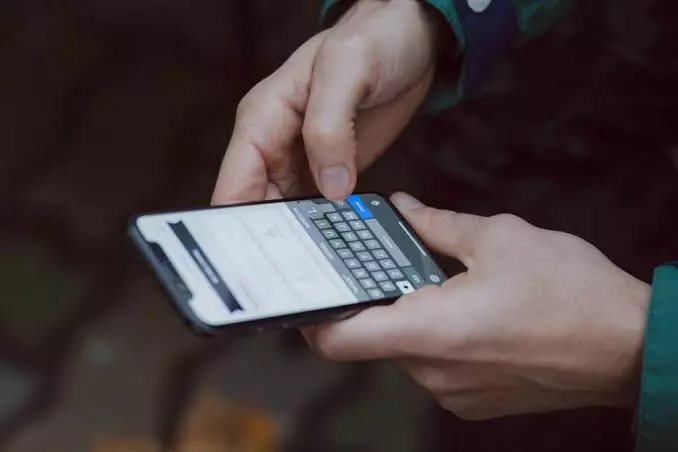
Most data breach prevention focuses on firewalls, email filters and file controls. Yet one of the simplest leaks needs none of those: an employee points a phone at the screen and takes a photo. No file is copied, no network alert fires, and no log records it.
For BPOs, call centers, banks and healthcare teams that handle personal, payment and health data, this is a real gap. Employee mobile phone detection is built to close it.
Why a phone photo is so hard to catch
Traditional DLP tools watch what happens to files, emails and networks. They cannot see a phone held up to a monitor. That blind spot is well documented.
A Ponemon Institute study for 3M found that a white-hat tester captured sensitive information in 88% of visual hacking attempts. In 70% of cases no employee stopped them, even when a phone was used. The research dates from the mid-2010s, but the lesson still holds.
Remote and hybrid work make it harder. At a home desk there are no colleagues nearby and no security guard, so a quiet photo can go unnoticed for months.
What is employee mobile phone detection?
Employee mobile phone detection is software that uses AI to spot mobile phones at an employee’s workstation in real time.
When a phone appears, the system flags it, alerts the manager and, if configured, locks the screen. Platforms such as wAnywhere apply this to in-office, hybrid and remote seats under one policy.
How does it work in practice?
A typical flow has four steps:
- Detect: The AI checks the workstation for a mobile phone during work hours.
- Alert: Managers receive an email or notification straight away.
- Act: The screen can be blocked immediately and unlocked only by a manager, using an OTP or password.
- Record: Each incident goes into an audit trail, so security teams can see patterns and predict risk.
The blocking step matters most. It limits how long sensitive data stays on screen while a phone is present.
Where does it matter most?
Any team that handles regulated or confidential data benefits, but four settings stand out:
- BPOs and call centers: Agents see customer identities, account numbers and payment details all day.
- BFSI: A photographed screen can expose financial records and trigger regulatory trouble.
- Healthcare: Patient information needs strict protection, and mobile-free zones help keep it that way.
- IT services: Source code, client data and project details are valuable intellectual property.
How does it support compliance?
Auditors want evidence, not promises. Because every detection is logged with time and user details, compliance teams can show how a clean desk and mobile-free policy is enforced in practice.
wAnywhere states that its approach aligns with SOC 2 Type 2, ISO 27001, HIPAA and GDPR requirements. Software supports compliance, but it does not replace a written policy, so pair the two.
Read: Best Mobile Phones Under 23000 in India (May 2026)
Is it only about security?
No. Heavy personal phone use also drains attention, so many teams see a side benefit in focus during work hours. Keep the framing fair, though: the aim is to protect data, not to police every glance.
What to look for in a solution
- Real-time detection with instant manager alerts
- Configurable screen blocking with a controlled unlock
- Coverage across office, hybrid and remote seats
- An audit trail with time and user details
- Quick deployment across your existing devices
Best practices for rolling it out
- Write a clear mobile-free policy. Define where phones are banned and who is exempt.
- Be transparent. Tell employees what is detected, who sees it and how long it is kept. Check local privacy and employment laws before launch.
- Decide the response in advance. Agree when a detection means a warning, a screen block or an escalation.
- Layer your controls. Combine phone detection with unknown person detection, PII masking and copy-paste restriction, so one gap does not undo the rest.
- Review the audit trail regularly. Repeated incidents point to training needs or process problems.