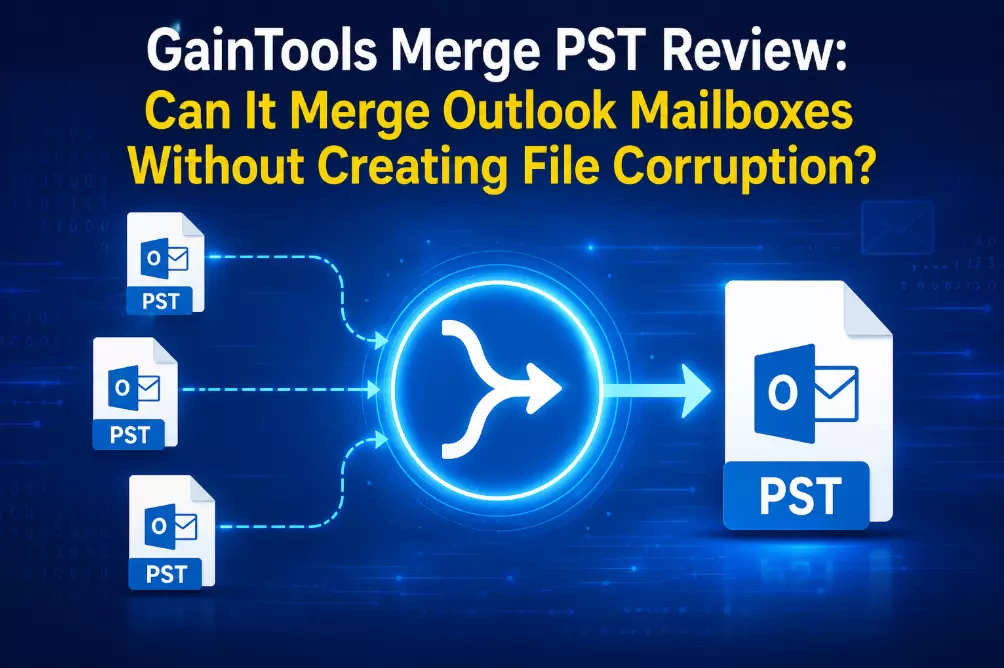
GainTools Merge PST Review: Can It Merge Outlook Mailboxes Without Creating File Corruption?
As email archives continue to expand, managing numerous Outlook PST files gets challenging. Many users save distinct PST files for various departments, years, backup uses, or Outlook profiles.
Although this method initially maintains data organization, it frequently complicates email searching, contact management and Outlook performance.
The purpose of this evaluation is to determine whether GainTools Merge PST can merge several Outlook mailbox files without corrupting the data. In order to help users determine whether the software is appropriate for their Outlook data management needs, it covers PST file fundamentals, manual merging techniques, their limitations, an evaluation scenario, software workflow, pricing, advantages, disadvantages, frequently asked questions and an overall assessment.
What is a PST File?
Outlook data files that keep emails, contacts, calendars, notes, journals, tasks and other mailbox information locally are called PST (Personal Storage Table) files. For POP3 accounts, archived mailboxes and exported Outlook data, Outlook generates PST files.
PST Merging: What is it?
Combining two or more Outlook data files into a single, larger mailbox while keeping folders, emails, attachments and metadata is known as PST merging.
PST Merging: Where Is It Used?
PST consolidation is frequently necessary for:
- Companies that oversee employee mailboxes
- IT managers during the migration of Outlook
- Legal institutions maintaining email correspondence
- Academic establishments
- Individuals keeping their own Outlook archives
What Makes PST Merging Crucial?
Email retrieval is slowed down and mailbox complexity is increased when numerous PST files are kept. Combining them into a single, well-organized inbox enhances Outlook administration, streamlines backup processes and lessens the work needed to find old emails.
Available Methods
Manual Approach
Users of Microsoft Outlook can manually copy mailbox folders into another Outlook profile or import PST files one at a time.
Manual Merging's Drawbacks
- Takes a lot of time for large mailboxes
- Several import procedures are necessary.
- A higher likelihood of duplicate emails
- Managing dozens of PST files is challenging.
- Constant user supervision is required.
- Folder organization may be impacted by human error.
Manual Results
Manual merging might be sufficient for people managing just two or three small PST files. However, the procedure is much slower and more challenging to handle as the quantity and size of PST files rise.
Tool-Based Approach
GainTools Merge PST was utilized in a typical office migration scenario including several Outlook archive files in order to assess an automated method.
The program preserved folder hierarchy, email attributes, attachments and metadata while combining a subset of PST files into a single Outlook mailbox.
The procedure decreased the possibility of unintentional duplication and needed far less user engagement than manual importation.
Why the Tool-Based Approach Works Better
When compared to manual methods, an automated solution reduces repetitious administrative labor, maintains mailbox structure, streamlines large-scale mailbox consolidation and processes many PST files in a single workflow.
Evaluation Scenario
Consider a medium-sized accounting business that archived employee mailboxes at the conclusion of each fiscal year to see its practical utility. Each employee eventually accumulated many Outlook data files, which made managing backups and conducting email searches more challenging.
On a Windows computer running Outlook, 12 PST files totaling about 38 GB were combined into a single Outlook mailbox for assessment. Including the certification of the combined mailbox, the procedure took about 55 minutes to finish.
Outlook opened the combined mailbox without any noticeable problems during regular use and the folder hierarchy, attachments, calendar entries and email attributes remained available after completion.
Advantages noted throughout the assessment
- Quicker Consolidation of Mailboxes: When compared to manual importing, processing several Outlook data files in a single workflow reduced the amount of time needed.
- Maintains the Folder Structure: After the merger, the old mailbox structure persisted, making navigating comfortable.
- Preserves Email Properties: Timestamps, read or unread status, sender details and recipients were all kept.
- Safeguards Attachments: During verification, email attachments were still accessible and showed no signs of tampering.
- Handles Large PST Files: Nearly 38 GB of Outlook data were evaluated without the need for manual separation.
- Easy to Use Interface: Even individuals with little technological expertise can utilize it due to its simple workflow.
- Minimizes Administrative Work: The program simplifies mailbox consolidation into a single procedure rather than importing PST files one at a time.
Read: Top Software Companies in 2026: Industry Leaders Driving
Drawbacks
- Utility Based on Windows: The program is not meant for native macOS use; rather, it is made for Windows environments.
- Dependency on Outlook: Before starting the merge process, users should confirm the Outlook compatibility criteria.
- Trial Version Restrictions: A license is needed for unrestricted use of the demo edition, which only combines a certain number of emails per chosen folder.
Frequently Asked Questions
Is it possible for the program to combine several PST files at once?
It is possible to pick and process several Outlook PST files in a single procedure.
Does it maintain attachments?
Yes, during the merge process, emails and attachments are kept.
Is Outlook necessary?
To ensure that Outlook is compatible with their environment, users should review the program requirements.
Can I test the program before buying it?
Indeed. There is a limited-functionality free demo version available for assessment.
Is Outlook compatible with the combined PST?
The result is intended to be viewed as a regular PST file in Outlook.
Conclusion
As mailbox sizes increase, it becomes more challenging to manually combine several Outlook data files.
Although Outlook offers basic import features, handling a large number of PST files frequently takes a lot of time and raises the risk of redundant information or organizational mistakes.
The automated method streamlined mailbox consolidation while preserving folder hierarchy, attachments, email attributes and overall mailbox organization, according to the evaluation scenario provided in this review. Businesses, IT administrators, attorneys, accountants and ordinary Outlook users that frequently handle archived messages will find the program especially useful.
The overall experience suggests that it provides a workable solution for Outlook mailbox consolidation, despite the trial version's limitations and the need for users to verify compatibility with their Outlook environment.