Diagramming Tool for Modern Visual Communication and System Design
What Is a Diagramming Tool and Why It Matters
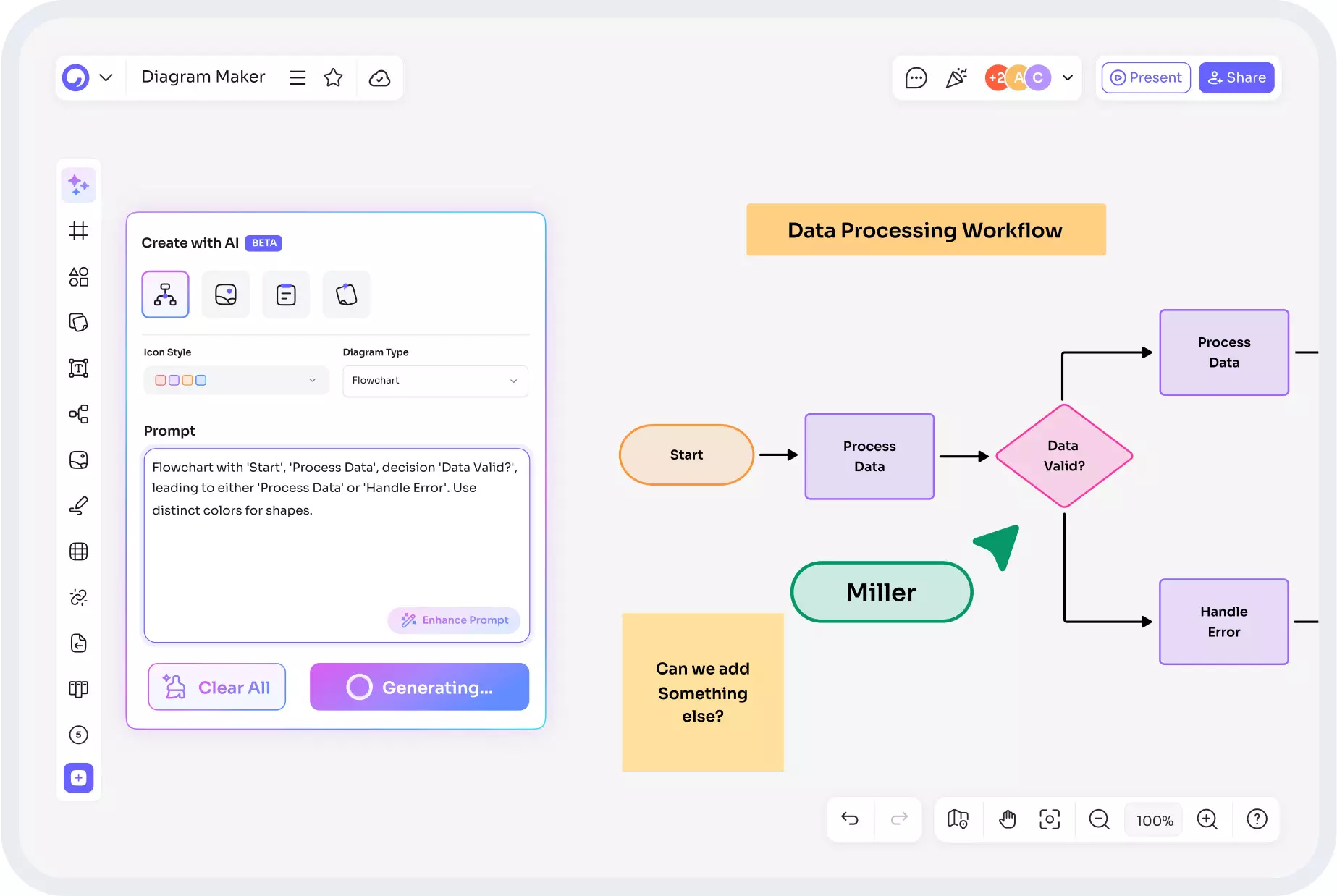
All these features including architecture diagram generator, sequence diagram AI, tree diagram maker, and wiring diagram maker are available in one platform by Cloudairy.
A Diagramming Tool is a digital aid that allows the users to depict ideas, systems, and processes in a clear visual manner. It utilizes smart features to improve the accuracy, speed, and collaboration in drawing rather than manual drawing. A dependable diagramming tool can create simple workflows and translate the technical system designs into easy-to-understand visuals.
In the current digital-first world, visual communication is strictly a necessity. IT, engineering, education, and business teams communicate faster by using diagrams to plan, explain, and execute ideas. The proper tool minimizes misunderstandings, cuts down on time, and enhances decision-making throughout the entire project.
Key Types of Diagrams You Can Create
Architecture Diagram Generator
The creation of an architecture diagram can be done with the help of a tool, which allows groups to represent the system organization visually in terms of the various aspects like cloud resources, application layers, data flow, and security. Instead of drawing everything out by hand, the users can simply and quickly show all the links between servers, databases, APIs, and end-users.
Such diagrams are very useful in numerous processes including software development, DevOps planning, cloud migration, and security audits. Therefore, a good generator would be the one that allows system design to be done in a consistent, correct, and large-volume way.
Sequence Diagram AI
Sequence diagram AI automatically generates interaction flows between users, services, and systems. It depicts processes one by one, thus easing the understanding of system behavior and communication logic. AI-enabled users can create diagrams with just a few inputs or text prompts, which means less technical work and time savings. The resulting diagrams are common in software development, API design, and testing workflows.
Tree Diagram Maker
A tree diagram maker helps users structure hierarchical data in a clear and logical format. It is ideal for showing organizational structures, decision paths, file systems, classification models, and mind maps. This type of diagram improves clarity when working with layered information and complex dependencies. Educators, data analysts, and project managers use tree diagrams to explain relationships in a simple visual form.
Wiring Diagram Maker
A wiring diagram maker is an indispensable tool for the electrical and electronic design process. It represents the interconnection of components with standardized symbols. Such diagrams find applications in construction, manufacturing, automotive design, and maintenance planning. A digital wiring tool not only eliminates mistakes but also facilitates revisions and increases safety by providing exact connection layouts.
Core Features of a Powerful Diagramming Tool
A modern Diagramming Tool offers much more than basic shapes and lines. It combines smart design, automation, and collaboration into one platform. Common essential features include:
• Drag-and-drop interface for quick design
• Pre-built templates for faster project setup
• Smart connectors and auto-alignment tools
• Real-time collaboration and sharing
• Cloud storage and version control
• Export options in multiple formats
• Integration with other project management and development tools
These features help both technical and non-technical users create professional diagrams without steep learning curves.
Benefits of Using a Diagramming Tool for Business and IT Teams
Using a Diagramming Tool implies a considerable increase in productivity, fewer mistakes, and clearer communication. The main advantages are as follows:
- Faster Planning: The application of graphics speeds up the process of brainstorming and planning sessions.
- Better Communication: Graphics allow the teams to comprehend the systems and workflows at a glance.
- Higher Precision: Manual errors are considerably reduced through smart rules and automated alignment.
- Improved Teamwork: Real-time collaboration among teams that are located in different parts of the world is made possible when they work on the same diagram.
- Rapid Changes: It takes just a few seconds to edit, share, and keep track of digital diagrams.
- Cost Savings: The money spent on operations is less due to reduced reworking and faster execution.
How a Diagramming Tool Supports Different Industries
A single Diagramming Tool can cater to several industries with its various visual requirements. Software development, for instance, allows the creation of system architecture, UML, and sequence diagrams among others. Education is visually supported by the tool in the case of theories, processes, and hierarchies. In the engineering field, it becomes an indispensable assistant in wiring, mechanical layouts, and technical sketches.
Read: Architecture Diagram Generator Simplify Your Design
Project management has benefited from it for mapping workflows, figuring out dependencies, and scheduling. In marketing and business strategy, the tool makes possible the drawing of funnel diagrams, organizational charts, and customer journey maps as well. The diagramming tool's versatility is one of the reasons it is considered a rch productivity tool not just in one but in multiple departments.
Choosing the Right Diagramming Tool for Your Needs
Selecting the right Diagramming Tool depends on your use case, team size, and technical skill level. Consider the following factors before choosing:
- Ease of use: The interface should be simple for beginners and advanced users alike.
- Template variety: Built-in templates for architecture, process flow, and wiring save time.
- Collaboration options: Look for real-time editing and comment features.
- AI support: Tools with sequence diagram AI and smart generation features boost speed.
- Export and compatibility: Make sure the tool supports the formats you need.
- Security and access control: Essential for enterprise and cloud-based projects.
- Scalability: The tool should grow with your business or technical requirements.
Role of AI in Modern Diagramming Tools
AI is revolutionizing the process of diagram creation. Users can make use of AI to create diagrams through inputs that are in the form of natural language. The tool immediately understands the text and constructs the drawing automatically instead of making a new design from nothing.
Specifically, sequence diagram AI has greatly minimized the duration for the depiction of difficult interactions. Moreover, AI has been supporting in layout optimization, error detection, and auto-suggestions thus making diagram creation more accurate and quicker than ever before.
Best Practices for Creating Effective Diagrams
Even with a powerful Diagramming Tool, following best practices ensures clear and useful diagrams. Keep designs simple and uncluttered. Use consistent symbols and naming conventions. Label all key elements clearly. Avoid crossing lines where possible. Group related components logically. Review and validate diagrams with all stakeholders. These steps improve usability and reduce misinterpretation.
Conclusion
A Diagramming Tool is not just a drawing application anymore but has played an important role in almost every industry as the means for planning, communicating, and executing strategies.
It doesn't matter if you are an architect using an architecture diagram generator for system design, a process engineer with sequence diagram AI for automation, a data analyst with a tree diagram maker for structured data, or an electrician with a wiring diagram maker for electrical planning; the appropriate tool helps to visualize hard concepts easily.
A modern Diagramming Tool brings about better decision making and project outcomes through its accuracy, speed, and collaboration features. When you pick the right platform and follow the best practices, your diagrams will be not only clean, scalable, and powerful but also a part of your long-term victory.
Frequently Asked Questions
What is the main purpose of a Diagramming Tool?
The main purpose of a Diagramming Tool is to create visual representations of systems, processes, and ideas to improve clarity, communication, and planning accuracy.
Can a single Diagramming Tool handle multiple diagram types?
Yes, most modern tools support architecture diagrams, sequence diagrams, tree diagrams, wiring diagrams, and many more in one platform.
Is AI-based diagram generation reliable?
Yes, sequence diagram AI and other AI-driven features are reliable for creating initial structures quickly. Users can then refine and customize as needed.
Are Diagramming Tools suitable for non-technical users?
Absolutely. With drag-and-drop interfaces and templates, even beginners can create professional diagrams without technical expertise.
Do Diagramming Tools support team collaboration?
Most advanced tools offer real-time collaboration, version control, comments, and sharing features for seamless teamwork.