Client Portal Software for Accountants: Improving Client Communication and Practice Efficiency
Effective communication is essential for building strong relationships between accountants and their clients.
However, managing emails, requesting financial documents, following up on missing information and responding to routine enquiries can consume a significant amount of time. When communication takes place across multiple channels, important information can also become difficult to track.
Client portal software for accountants provides a central place where accounting firms and their clients can exchange information, share documents and manage routine interactions.
By bringing communication and administrative activities together, client portals can help practices organise their work and deliver a more consistent client experience.
What Is Client Portal Software for Accountants?
Client portal software is a digital platform that allows accounting firms to communicate and collaborate with clients through a central online environment.
Instead of relying entirely on email attachments and separate communication channels, accountants can use a portal to manage client information, share documents, request details and keep track of outstanding tasks.
Depending on the software, features may include:
- Secure document sharing
- Client communication and messaging
- Document request management
- Task and deadline tracking
- Client information management
- Notifications and reminders
- Access to important financial information
The purpose is to make routine interactions more organised while giving clients a convenient way to access relevant information.
Why Do Accounting Firms Need a Centralised Client Portal?
Many accounting firms work with clients who have different reporting requirements, financial deadlines and document needs. Managing these relationships through individual email conversations can create unnecessary administrative work.
A centralised portal provides a more structured approach.
Reduce Email Communication
Email remains an important communication tool, but long conversations can make it difficult to locate previous messages, attachments and outstanding requests.
A client portal gives firms another channel for organising client interactions. Accountants can use it to share relevant information and manage requests without depending entirely on separate email threads.
This can make communication easier to follow for both the practice and its clients.
Make Document Collection Easier
Accountants regularly request documents such as invoices, receipts, bank statements, payroll information and tax records.
Without an organised process, clients may send information in different formats or forget to provide important documents.
A client portal can provide a central location for submitting and accessing relevant files. Clear document requests and reminders can also help clients understand what information is required and when it should be provided.
Improve Client Response Times
Delayed responses can affect accounting workflows, particularly when firms are working towards VAT, payroll or tax deadlines.
A structured communication process helps accountants identify outstanding requests and follow up when necessary.
Notifications and reminders can reduce the need for repeated manual follow-ups, although firms should still review important requests and deadlines themselves.
Essential Features to Look for in Client Portal Software
Not every client portal offers the same capabilities. Accounting firms should evaluate features based on their practice size, client requirements and existing processes.
1. Secure Document Sharing
Document sharing is one of the most important functions of a client portal.
Accounting firms handle financial and personal information that requires appropriate protection. A suitable platform should provide access controls and security measures that help prevent unauthorised access.
Look for features such as controlled user permissions, secure file transfers and clear access management.
2. Client Communication Management
A useful portal should make it easier to manage conversations and client enquiries.
Accountants should be able to organise communication, identify outstanding queries and maintain relevant information for future reference.
Centralised communication can also reduce the risk of important requests being overlooked.
3. Automated Notifications and Reminders
Accounting firms manage recurring deadlines and information requests throughout the year.
Automated reminders can help clients remember to submit documents, respond to requests or complete outstanding tasks.
For example, a practice may use reminders to request payroll information before a monthly payroll run or collect financial records ahead of accounts preparation.
4. Task and Workflow Management
A client portal becomes more useful when it connects with wider practice management processes.
Task management features can help accountants assign responsibilities, monitor progress and identify work that requires attention.
This is particularly valuable for practices handling multiple clients and accounting services simultaneously.
5. Easy Client Access
The portal should be straightforward for clients to use, regardless of their technical experience.
A complicated interface can discourage clients from using the platform and create additional support requests.
Clear navigation, simple document uploads and accessible communication features can encourage regular adoption.
How Client Portals Support Making Tax Digital
Digital record-keeping is becoming increasingly important for UK accounting practices and their clients.
HMRC's Making Tax Digital for Income Tax requirements introduce digital record-keeping and reporting obligations for qualifying individuals. The first phase applies from April 2026 to relevant sole traders and landlords with qualifying income above £50,000.
Accountants need suitable processes to collect financial information, maintain records and support clients with their reporting responsibilities.
Client portal software can support communication and document collection as part of this process. However, a client portal alone does not automatically meet Making Tax Digital requirements. Firms must ensure that the accounting and record-keeping software they use meets the relevant HMRC requirements.
For official guidance, accountants can refer to HMRC's information about creating digital records under Making Tax Digital for Income Tax.
How Remindoo Helps Accounting Firms Organise Client Management
Managing client relationships involves more than exchanging documents. Accounting practices also need to organise tasks, monitor communication, manage deadlines and coordinate work across their teams.
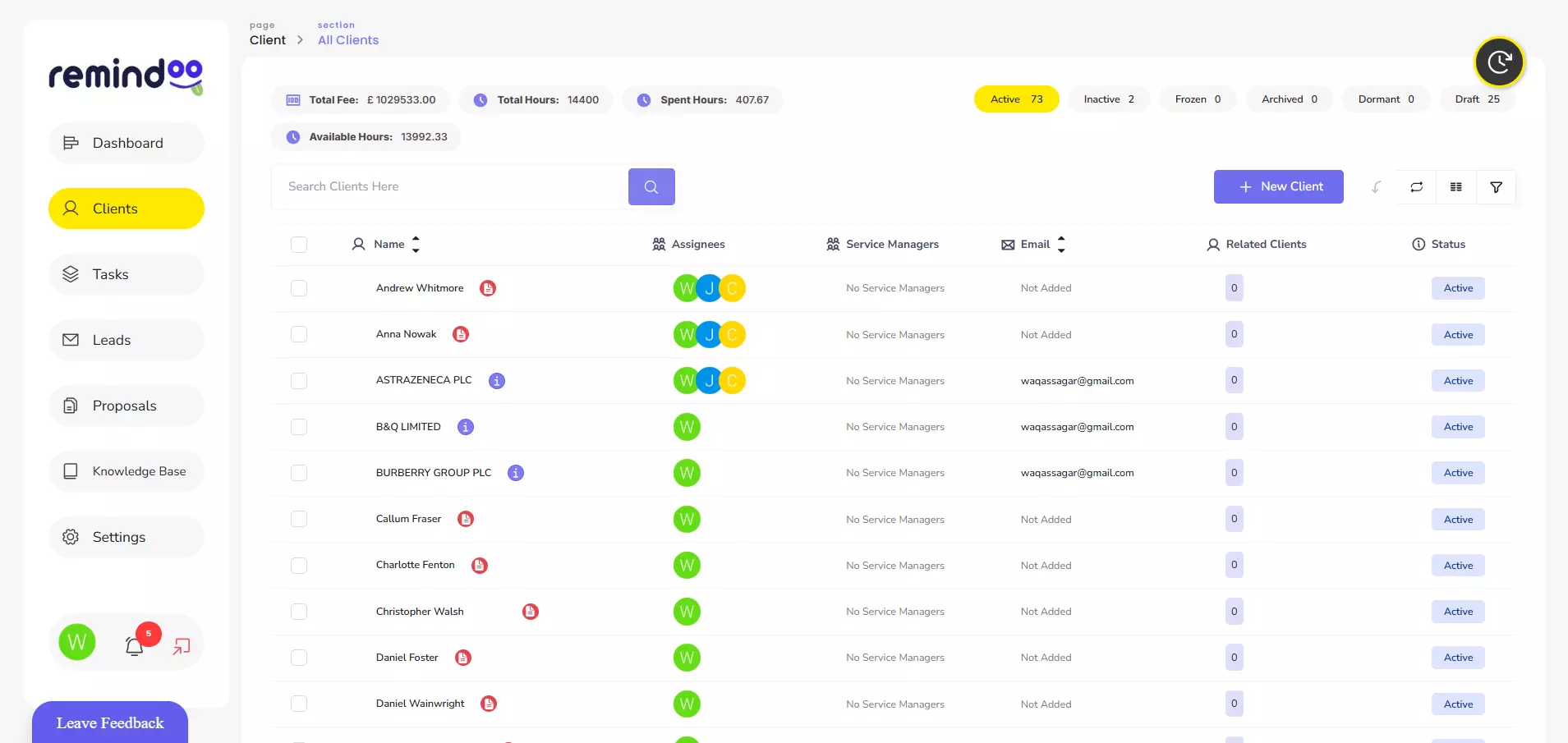
Remindoo is an AI-powered practice management platform for UK accountants and bookkeepers. Its client management and portal capabilities form part of a wider set of tools for organising accounting practice operations.
Rather than treating client communication as an isolated activity, practices can use connected management features to support their wider workflows.
Relevant capabilities include:
- Client Management: Organise client information and manage client-related activities.
- Client Portal: Provide a central digital environment for client interactions and information sharing.
- Email Triage: Help organise incoming emails and identify messages requiring attention.
- Workflow Management: Structure recurring accounting activities and monitor task progress.
- Automated Reminders: Help teams keep track of important tasks and upcoming deadlines.
- Analytics: Give practice managers visibility into relevant operational information.
- AI Summaries: Help teams review information and manage administrative communication more efficiently.
Bringing these capabilities together can help accounting practices reduce fragmented processes and establish a more organised approach to client management.
Best Practices for Introducing a Client Portal
Purchasing software is only one part of improving client communication. Accounting firms also need a practical implementation process.
Start With Your Most Common Client Requests
Identify the information your team regularly requests from clients. This might include invoices, bank statements, payroll details or supporting documents for tax returns.
Prioritising these common activities can help firms identify which portal features will provide the greatest operational benefit.
Establish Clear Communication Procedures
Clients should understand how and when to use the portal.
Accounting firms can explain where to upload documents, how to submit queries and where to find important updates.
Clear procedures reduce confusion and encourage clients to use the platform consistently.
Train Employees and Clients
Both employees and clients need to understand how the portal works.
Staff training should cover document management, communication procedures, access permissions and task management.
Clients may benefit from a short introduction explaining how to log in, upload files and respond to requests.
Review Security and Access Permissions
Accounting firms should carefully assess how client information is stored, accessed and shared.
Important considerations include user authentication, permission settings, data protection responsibilities, backup arrangements and procedures for managing access when employees or clients leave.
Firms should also consider their obligations under the UK GDPR and relevant data protection legislation.
Monitor Adoption and Performance
After implementation, practices should review whether clients and employees are using the portal effectively.
Useful measures may include document submission times, outstanding client requests, response times and the number of routine follow-ups required.
These indicators can help identify opportunities to improve the process.
How to Choose the Right Client Portal Software
Before selecting a platform, accounting firms should consider their existing systems and operational requirements.
Some important questions include:
- Does the platform support the firm's client communication requirements?
- Can clients upload and access documents easily?
- Does it offer suitable security and access controls?
- Can it connect with existing accounting and practice management systems?
- Does it support task management and automated reminders?
- Is the platform suitable for the firm's expected growth?
- Is the pricing structure appropriate for the number of clients and users?
The best solution is not necessarily the one with the largest number of features. It is the one that fits the firm's working processes and makes routine client interactions easier to manage.
Conclusion
Client communication plays an important role in the efficiency and reputation of an accounting practice. Managing documents, enquiries and outstanding requests through disconnected channels can create unnecessary administrative pressure.
Client portal software for accountants offers a more organised way to manage these interactions by bringing document sharing, communication and client-related activities into a central environment.
Platforms such as Remindoo extend this approach through client management, workflow management, email triage and other practice management capabilities.
By selecting appropriate software and establishing clear communication procedures, accounting firms can improve collaboration, organise client information and create more efficient working processes.