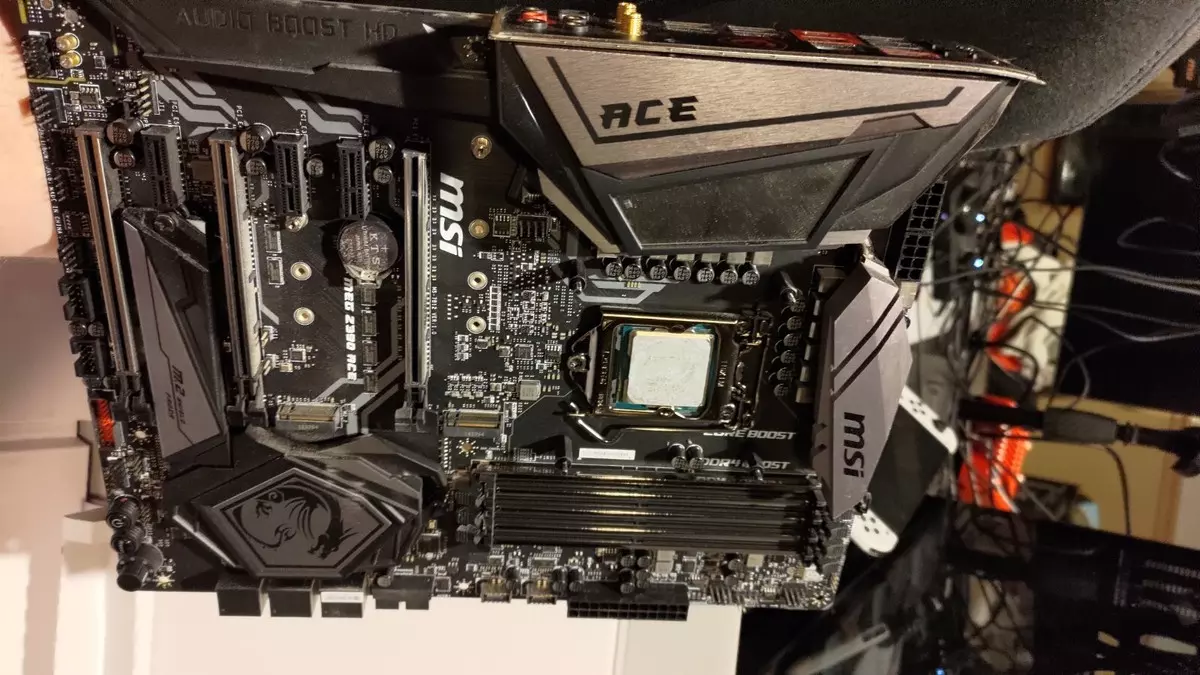
Best Motherboard For i9 9900K 2026: Ultimate Guide To Choosing The Perfect Z390 Board
When it comes to building a powerhouse desktop PC around the iconic Intel Core i9‑9900K, choosing the right motherboard is one of the most important decisions you will make.
Released in late 2018, the i9‑9900K remains a highly capable CPU for gaming, streaming, and productivity even in 2026. But to unlock its full potential, especially for overclocking and future‑proof build quality, you need a compatible and feature‑packed motherboard.
In this comprehensive guide, we’ll explore the Best Motherboard For i9 9900K 2026, break down what features to consider, and highlight top board picks that suit different budgets and use cases.
Why Choosing The Right Motherboard Still Matters in 2026
Some PC builders might wonder: “The i9‑9900K is aging does the motherboard really matter?”
The answer is a confident yes.
Even with older CPUs like the 9th‑gen Intel chips, the motherboard plays a fundamental role in:
- Power delivery and stable overclocking
- Expansion options (PCIe slots, M.2 SSDs)
- Connectivity (USB, Ethernet, Wi‑Fi)
- Cooling and thermal management
- Longevity of the build
Since the i9‑9900K is an unlocked “K” series processor, it thrives on robust VRM (Voltage Regulator Module) designs and high‑end chipsets like the Intel Z390 which is still the go‑to platform for this CPU in 2026. Z390 boards support full overclocking and deliver the best performance for gaming and creative workloads.
Key Features To Look For In A Z390 Motherboard
Before we dive into specific models, let’s look at essential features you should prioritize for the Best Motherboard For i9 9900K 2026:
1. Robust VRM and Power Delivery
The i9‑9900K can draw a lot of power, especially when overclocked. A strong VRM setup (ideally 10‑phase or higher) ensures:
- Stable performance under heavy loads
- Cooler operation during gaming and rendering
- Better overclocking headroom
Boards with premium VRM designs like those found on enthusiast‑grade ATX motherboards remain popular choices.
2. Cooling Support
Good heat sinks, fan headers, and sometimes active cooling solutions for VRMs are essential because the i9‑9900K can produce substantial heat during sustained workloads.
3. Expansion and Connectivity
Today’s PC builds often include multiple M.2 SSDs, powerful graphics cards, and peripherals such as high‑speed USB devices.
Make sure your motherboard offers:
- Multiple PCIe x16 slots
- Dual or triple M.2 slots
- Plenty of USB 3.1 Gen2 / Type‑C ports
- Ethernet and optional Wi‑Fi
4. BIOS and Compatibility
Since Z390 is the native chipset for Intel’s 9th‑gen CPUs, BIOS compatibility is usually straightforward but always confirm you have the latest firmware to ensure full stability.
Top Picks: Best Motherboards For i9 9900K in 2026
Here are some of the best Z390 motherboards that continue to shine in 2026. Each choice caters to a specific budget or use case, from premium overclocking to budget‑friendly performance.
1. ASUS ROG Maximus XI Hero Best Premium Pick
For enthusiasts who want the absolute best in performance and tuning, the ASUS ROG Maximus XI Hero consistently tops lists as one of the best boards for the i9‑9900K.
Why it’s great:
- Excellent VRM design optimized for overclocking
- Dual M.2 slots with heatsinks
- Advanced cooling headers and ASUS Fan Xpert support
- Premium networking and audio solutions
- Easy and intuitive UEFI BIOS
This motherboard is ideal for serious gamers and content creators who want top‑tier performance and future‑proof expansion possibilities.
2. Gigabyte Z390 AORUS Master Best Balanced Performance
If you want a blend of premium features without extreme overpricing, the Gigabyte Z390 AORUS Master is among the most well‑rounded boards for the i9‑9900K.
Standout features:
- High‑end 12‑phase digital VRM
- Triple M.2 slots with thermal guards
- Strong connectivity including multiple USB ports
- Great build quality and thermal performance
Gamers and professional users will appreciate the balance of raw performance and long‑term reliability.
3. ASRock Z390 Taichi Ultimate Best All Rounder
For users who want a stylish, feature‑rich board with solid performance, the ASRock Z390 Taichi Ultimate ticks all the boxes.
What makes it amazing:
- Stable power delivery with a 10‑phase VRM
- Lots of USB and SATA ports
- Customizable RGB if aesthetic is important
- Good overclocking support
This board strikes a great harmony between performance, aesthetics, and price ideal for both builders and gamers.
4. MSI MPG Z390 Gaming Pro Carbon AC Best Gaming‑Focused Choice
For those focused on gaming performance, the MSI MPG Z390 Gaming Pro Carbon AC delivers a powerful board with excellent thermal and wireless connectivity.
Benefits include:
- Dedicated heatsinks for VRMs and storage
- Integrated Wi‑Fi and Bluetooth
- Reinforced PCIe slots for heavy GPUs
- Great BIOS support for easy tuning
It’s a well‑rounded choice for gamers who want responsive performance without spending too much.
5. ASUS Prime Z390‑A Best Budget‑Friendly Option
Not everyone needs high‑end features. If you're building on a budget but still want reliable performance with your i9‑9900K, the ASUS Prime Z390‑A is an excellent choice.
Key points:
- Solid core features with DDR4 support
- Intel Gigabit LAN and multiple USB ports
- Easy‑to‑use BIOS
While not as overclocking‑centric as premium boards, it’s a dependable option for everyday builds.
Choosing Between ATX, Micro‑ATX, and ITX
The Best Motherboard For i9 9900K 2026 doesn’t only depend on performance it also depends on the case size and build preferences.
Here’s a quick breakdown:
- ATX Best overall choice with the most expansion slots and connectivity.
- Micro‑ATX Great for smaller towers without compromising too much on features.
- Mini‑ITX Perfect for compact systems, though expansion and cooling options are limited.
Choose based on your needs: high‑end gaming PC, compact build, or workstation.
Read: Best Server Motherboards for Small Business in the US
Motherboard Myths Debunked (2026 Edition)
Before we wrap up, here are common myths you might encounter:
Myth: More RGB = better performance
RGB lighting has no impact on performance — it’s purely cosmetic.
Myth: Any motherboard with the right socket will overclock well
Only Z‑series chipsets like Z390 support full overclocking. Lower chipsets (e.g., B360) won’t unlock the i9‑9900K’s potential.
Myth: Newer motherboards outperform older Z390 boards for the 9900K
Even though newer boards exist, they often use different sockets that aren’t compatible with 9th‑gen CPUs. For the i9‑9900K, a dedicated Z390 board remains the best option.
Final Thoughts
Selecting the Best Motherboard For i9 9900K 2026 can transform your PC build from good to great. Whether you’re a hardcore gamer, a creative professional, or a performance enthusiast, an optimized motherboard ensures your i9‑9900K runs cool, stable, and fast.