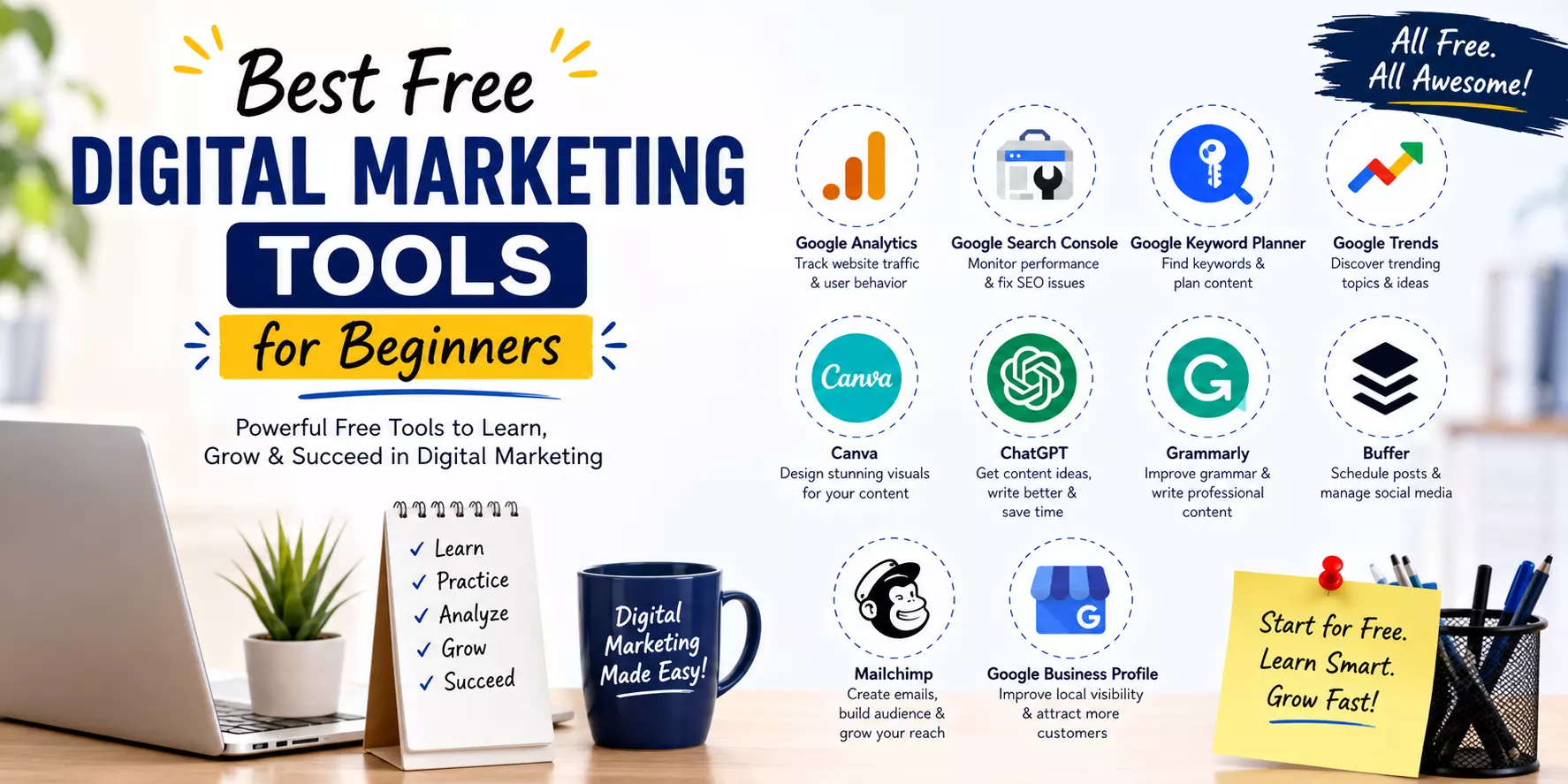
Best Free Digital Marketing Tools for Beginners
Jumping into a digital marketing career can feel a bit hard, especially once you notice how many tools exist. But the good news is you don’t actually need pricey software right away, to start learning or practising.
There are lots of free tools out there, with legit capabilities that can back you up in SEO work, creating content, managing social media, checking website performance, and basically speaking with your audience in a more direct, personal way.
So, whether you’re a student, working as a freelancer, running a small business, or you just want to grow a career in digital marketing, these free resources can help you build real, practical skills, without spending any money.
Why Beginners Should Use Free Digital Marketing Tools
Digital marketing is kind of a bundle of activities, like keyword research, content creation, website optimisation, social media management, analytics and email marketing . For new folks , free tools can be a good way to get real experience first before they put money into premium platforms.
There are a few key wins people usually notice:
- Learn through practical, hands-on exposure.
- Boost productivity.
- Get a feel for professional workflows.
- Grow job-ready abilities.
- Save money while you’re learning too.
1. Google Analytics 4 (GA4)
Google Analytics 4 kind of helps marketers figure out how visitors actually move around a website. It also gives useful findings about user behaviour, where the traffic comes from, conversions and engagement, basically the whole picture.
Key Features
- Website traffic analysis
- User behaviour tracking
- Campaign performance reporting
- Audience insights
- Conversion tracking
Learning GA4, even for beginners, can help you make better marketing decisions based on real data, not guesswork.
2. Google Search Console
Google Search Console , kind of this essential SEO tool it helps website owners watch and tweak how their site shows up in search.
By using it you can, at least in practice,
- Check keyword rankings or better said query positions
- Monitor website indexing, see what pages get picked up
- Submit XML sitemaps when you need to point things out
- Identify technical SEO issues , the weird crawl and coverage stuff
- Improve website visibility overall , make search results more reachable
So if you are into SEO in general you should get acquainted with Google Search Console, sooner rather than later.
3. Google Keyword Planner
Keyword research is honestly one of the most important pieces in digital marketing. Google Keyword Planner kind helps people uncover keywords that are connected to their business or the content they are publishing, without too much hassle.
In practice, it usually shows stuff like:
- Keyword ideas
- Monthly search volume
- Competition level
- Related keyword suggestions
So overall it’s useful for both SEO campaigns and Google Ads too, like the whole search journey, you know.
4. Google Trends
Google Trends helps marketers spot what people are searching for lately, and it can show the seasonal vibe too, sort of. You can use it to:
- Find trending topics, yeah
- Compare search interest
- Discover content ideas, in a way
- Understand audience interests
It is pretty handy for bloggers and content creators, especially when you want to aim your topics before the moment.
Read: Best Digital Marketing Company in India: How to Choose
5. Canvas
Canvas is this beginner friendly kind of graphic design platform, where you can make professional looking visuals even if you don’t have advanced design skills. It’s kind of easy and you’ll get the hang of it fast, at least most people do.
- With Canvas you can create
- Social media graphics, blog featured images, presentations
- posters and infographics too
And honestly the visual content helps with engagement it also makes digital marketing campaigns feel more solid, like it strengthens the whole thing, rather quickly.
6. Chat GPT
Chat GPT has kind of become one of the most popular AI tools for digital marketers, honestly. It helps with brainstorming, content creation, and research, and even general day to day productivity, in a way that feels pretty rapid, too.
Beginners can use Chat GPT to…
- Generate content ideas
- Create blog outlines
- Write social media captions
- Draft email campaigns
- Understand marketing concepts better
Still, AI should be used as a support resource, while making sure every piece is reviewed, edited, and personalised.
7. Grammarly
Good communication is essential in digital marketing, like, really. Grammarly sort of helps improve your writing by scanning grammar, spelling, punctuation, and sentence clarity, overall it makes things more readable.
It is useful for all sorts of things such as, composing content, polishing ads copy, fixing emails , or even just tightening up social media captions.
- Blog writing
- Website content
- Emails
- Social media posts
- Business communication
When you produce professional writing, you build trust with readers as well as clients, so it tends to work better.
8. Buffer
Buffer is a free social media scheduling tool that helps marketers publish stuff reliably across several platforms. It does the whole thing , so you don’t have to constantly think about it.
Among its features you get post scheduling and content planning, plus multi platform publishing, and then some basic analytics.
When you schedule posts you end up saving time and the consistency actually shows.
9. Mailchimp
Mailchimp has this free plan thing, and it kind of helps beginners get the hang of email marketing. You’re able to, basically:
- Design newsletters, or at least make them look good
- Build email lists , little by little
- Send campaigns when you are ready
- Track how your emails perform, and what not
Even with all the options out there, email marketing is still one of the biggest high return digital marketing channels.
10. Google Business Profile
Google Business Profile is kind important for businesses that want to reach local customers. It kind lets you be seen in Google Search and Maps, and it also helps you show the business info , like hours and address.
Plus it makes it easy to gather customer reviews. In the same way, it can support local SEO, and over time it helps build customer trust, without you really having to think too much about it.
Tips for Beginners
If you’re just kicking off your digital marketing journey, don’t try to master every single tool, all at once. It can get a little weirdly overwhelming, too fast, kind of. Better to do it like this, step by step, like actually:
First learn one tool, then move to the next, easy.
Then test it on real work, not only those “practice tasks”. Make your own portfolio website, so you can display the outcomes and not just talk about them.
Also keep an eye on new features and updates. Stay in motion with regular practice, even if it seems tiny , or boring.
In the end , consistency matters way more than grabbing dozens of tools and never using them, for real.
Frequently Asked Questions (FAQs)
1. For a beginner, which free digital marketing tool should you learn first, like really first?
I’d say Google Analytics 4 , and Google Search Console, they’re a great starting spot because they show how your site is actually doing, plus the basic SEO stuff becomes clearer day by day.
2. Do free digital marketing tools really be enough for beginners?
Yes. In most cases, free tools are more than enough to grasp the fundamentals , get real hands on practice, and even handle personal projects or small business work.
3. Can I learn digital marketing without paying for software at all?
Yes, absolutely. Lots of the industry’s most trusted tools, like Google Analytics, Google Search Console, Canvas, and Google Trends, all have free versions that work really well for beginners.
4. How do AI tools help digital marketers, practically speaking?
AI tools can support concept generation, content scheduling , writing help, research, and overall productivity. Still, you should double-check and personalise anything AI generated before you publish, because it might miss context.
Conclusion
Learning digital marketing doesn’t need a huge budget, honestly. With the proper free tools , beginners can slowly build real skills in SEO, crafting content, managing social media, checking analytics, running email marketing, and even some simple design.
Tools like Google Analytics 4, Google Search Console, Canvas, Chat GPT, Buffer, Mailchimp, and Google Business Profile—they can give you a solid base so you actually see how digital marketing works out there in the real world.
The most important thing is practice, but consistently not just once in a while. Pick a few tools, make a couple of personal projects, look carefully at what your numbers say, then keep going.
As digital marketing moves forward, so should you. Over time these free resources will help you feel more confident, polish your portfolio a bit , and get you ready for internships , freelance work , or just a real career path in digital marketing.