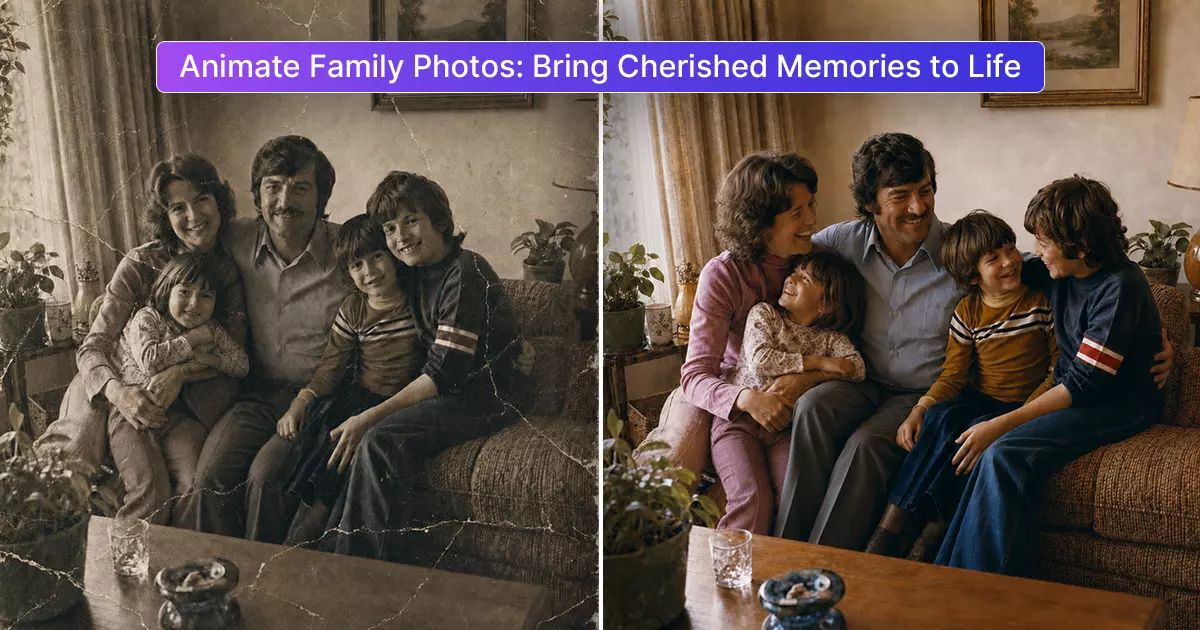
Animate Family Photos: Bring Your Cherished Memories to Life with AI
Family photos capture moments that we never want to forget. A birthday, wedding, holiday, family gathering, or simple afternoon together can become a treasured memory through a single photograph. But what if you could make those still moments feel alive again?
With modern AI technology, you can now Animate Family Photos and turn ordinary pictures into short, engaging moving memories. Instead of simply looking at an old photograph, you can add subtle movement to faces and create a more dynamic way to experience your favorite family moments.
Whether you have recently taken a family picture or have a collection of photographs from decades ago, AI photo animation provides a simple way to give those memories a new visual life.
What Does It Mean to Animate Family Photos?
To Animate Family Photos means using artificial intelligence to transform a still photograph into a moving image. AI-powered animation technology analyzes visual elements such as faces, expressions, and positioning before generating natural-looking movement.
Depending on the tool and photo, the animation may include subtle facial expressions, eye movements, head movements, or other realistic motion.
The process does not require professional video editing skills.
Instead of manually creating keyframes or learning complicated editing software, users can upload a photo and allow AI technology to create the animation.
This makes photo animation accessible to families, beginners, creators, and anyone who wants to experience their old pictures in a different way.
Why Should You Animate Family Photos?
A family photograph already has emotional value, but animation can make the experience even more engaging. Seeing familiar faces move can create a stronger connection with a moment that may have happened many years ago.
Here are some reasons people choose to animate their family pictures.
1. Give Old Memories a New Life
Old photographs can become faded, damaged, or simply feel distant with time. Animating an old family picture can provide a fresh way to experience it.
A photograph from the 1970s, 1980s, or 1990s can become a short moving memory that feels more personal and interactive.
2. Make Family Pictures More Engaging
Traditional photos are static. Animated family photos introduce movement, making them interesting to watch and share.
You can turn a favorite family picture into a short video and use it for personal projects, digital albums, presentations, or social media.
3. Preserve Family Moments Digitally
Many families have boxes or albums filled with photographs from previous generations. These pictures can contain important memories that are difficult to recreate.
By digitizing and animating selected photographs, you can create modern versions of those memories while keeping the original photographs safe.
4. Reconnect With the Past
One of the most meaningful benefits of photo animation is the emotional connection it can create.
A photograph of parents, grandparents, siblings, or children can represent an important chapter of family history. Adding subtle motion can make that moment feel more immediate and memorable.
How AI Photo Animation Works
The technology behind AI photo animation may seem complicated, but the user experience can be surprisingly simple.
Generally, the process involves several steps:
Step 1: Choose a Family Photo
Start with a photograph that you want to animate. A clear image with visible faces generally provides useful visual information for AI animation.
You can choose a recent family photo or an older picture that has sentimental value.
Step 2: Upload the Image
Upload your selected photograph to an AI photo animation platform. The system processes the image and identifies important visual details.
Step 3: AI Analyzes the Photo
Artificial intelligence examines elements within the image, particularly facial features and other areas that may be suitable for movement.
The AI uses this information to determine how the photograph can be animated.
Step 4: Generate the Animation
After analyzing the photo, the AI generates movement based on the available visual information.
Depending on the image and tool, this can create subtle changes in facial expressions, eye direction, head position, or other movements.
Step 5: Save and Share
Once the animation is generated, you can save the result and share it with family members or keep it as part of your digital memory collection.
Best Photos for Family Photo Animation
Not every photograph will produce the same animation quality. Choosing the right image can make a noticeable difference.
For the best results, consider photographs that have:
- Clear and recognizable faces
- Good lighting
- Reasonably sharp details
- Minimal blur
- Faces that are not heavily covered
- A straightforward camera angle
- Sufficient image resolution
However, this does not mean you can only animate perfect photographs. Old and imperfect pictures can also be meaningful candidates for AI photo animation.
For historical family photos, you may first consider restoring the image to improve clarity before creating an animation.
Animate Old Family Photos With AI
- Some of the most interesting uses of AI photo animation involve photographs from the past.
- Many people have family pictures from previous decades stored in albums, drawers, or boxes. These photographs may show parents when they were young, grandparents at family gatherings, or childhood moments that have not been seen for years.
- When you Animate Family Photos from these collections, you can create a new way to interact with your family's visual history.
- For example, imagine finding a photograph of your grandparents from several decades ago. Instead of viewing it only as a static image, you can use AI technology to create a short animation that adds subtle movement.
- The original photograph remains an important historical record, while the animated version becomes a creative digital interpretation of that memory.
Tips for Better Animated Family Photos
If you want to create high-quality animations, start with the photograph itself.
Use Higher-Quality Images
A clearer image gives AI more visual information to work with. If you have multiple versions of the same photograph, choose the sharpest one.
Avoid Excessive Cropping
Make sure important facial features are visible. Extreme cropping can limit the information available for animation.
Restore Damaged Photos First
If an old picture contains heavy scratches, stains, fading, or blur, photo restoration may improve the image before animation.
Keep Expectations Natural
AI animation works best when the goal is subtle, believable movement. The purpose is not necessarily to turn a photograph into a full movie but to give a still image a gentle sense of life.
Creative Ways to Use Animated Family Photos
Once you create an animated family picture, there are many ways to use it.
Digital Family Albums
Add animated photographs to a digital family album to create a more interactive collection of memories.
Family Celebrations
Animated pictures can be included in birthday slideshows, anniversary videos, weddings, reunions, or other family events.
Social Media
A short animated family photo can make an engaging social media post, particularly when it tells a meaningful story.
Memory Projects
You can combine multiple animated family pictures into a video that documents different generations or important moments in your family's history.
Gifts for Family Members
An animated photograph can also become a thoughtful digital gift for parents, grandparents, siblings, or other relatives.
AI Photo Animation vs. Traditional Video Editing
- Traditional video editing requires footage. You generally need to record video first and then edit it using software.
- AI photo animation takes a different approach. It starts with an existing photograph and uses artificial intelligence to generate movement.
- This can be especially useful when there is no original video recording of a particular family moment.
- For example, you may have dozens of photographs from a family celebration but no video footage. AI animation can give selected images a moving quality without requiring the original event to be recreated.
Preserve the Original Photograph
- When working with meaningful family pictures, always keep the original image.
- Think of AI animation as a creative version of your photograph rather than a replacement for it. Your original photo may have historical or sentimental value, so maintaining an untouched copy is important.
- You can keep the original safely stored while using a duplicate for restoration, enhancement, or animation.
Bring Your Family Memories to Life
- Technology continues to change how we preserve and experience memories. Animate Family Photos is one example of how artificial intelligence can give traditional photographs a new digital format.
- A still photograph can tell a powerful story, but adding carefully generated movement can create a different emotional experience. From childhood pictures to photographs of parents and grandparents, AI photo animation provides a creative way to revisit meaningful moments.
- You do not need to be a professional editor or filmmaker to explore this technology. With a suitable photograph and an easy-to-use AI animation tool, you can transform a simple family picture into a short moving memory.
- Your family photographs represent moments that cannot be recreated. By combining those timeless images with modern AI technology, you can preserve, share, and experience them in a completely new way.
- Bring your cherished memories to life today with AI and turn your favorite family photos into unforgettable moving moments.