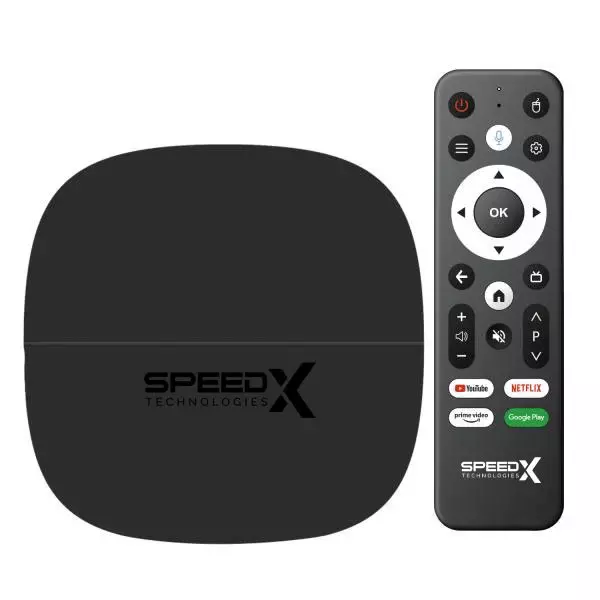
Android TV Box with Air Mouse: Enjoy Convenient Smart Entertainment
An Android TV Box with Air Mouse is a convenient entertainment solution for people who want to enjoy smart features on their television with easier navigation and control.
By connecting an Android TV box to a compatible TV, users can access supported streaming apps, browse online content, play media, and explore various entertainment options.
An air mouse adds another level of convenience by allowing users to control the on-screen interface through simple hand movements.
Whether you want to upgrade an older television or improve your existing home entertainment setup, an Android TV box with an air mouse can offer a practical combination of smart functionality and flexible navigation.
What Is an Android TV Box with Air Mouse?
An Android TV box is a compact device that connects to a television, usually through an HDMI port, and provides access to an Android-based entertainment interface.
Depending on the device and its specifications, users can install compatible applications, stream online videos, browse supported services, and play locally stored media.
An air mouse is a wireless remote control that uses motion sensors to move an on-screen pointer. Instead of relying entirely on traditional directional buttons, users can point the remote toward the screen and move the cursor with their hand.
Combining these two devices makes it easier to navigate menus, search for content, enter text, and interact with compatible applications.
Benefits of Using an Android TV Box with Air Mouse
An Android TV box with an air mouse offers several advantages for everyday entertainment.
- Easy Navigation: The air mouse allows users to move an on-screen cursor naturally, making it convenient to navigate applications and menus.
- Smart Entertainment: Compatible Android TV boxes provide access to supported streaming platforms, media players, and other applications.
- Wireless Control: Many air mouse remotes connect wirelessly, reducing the need to operate the device directly.
- Convenient Searching: A remote with a keyboard or voice-control features, where supported, can make searching for content easier.
- Flexible Media Playback: Depending on the box's hardware and software compatibility, users may play videos, music, and other supported media files.
These features can make a television setup more versatile and user-friendly.
Important Features to Consider Before Buying
Choosing the right Android TV box requires checking its specifications and compatibility with your entertainment needs.
- Processor and RAM: These components influence how smoothly the device handles applications and multitasking. Consider your expected usage before choosing a configuration.
- Storage Capacity: Internal storage determines how much space is available for applications and files. Some models may also support external storage.
- Android Version: Check the operating system version and whether the device receives software updates.
- Connectivity: Wi-Fi, Bluetooth, USB ports, and HDMI compatibility can affect how easily the box connects to your existing devices.
- Air Mouse Features: Check whether the remote includes a keyboard, rechargeable battery, voice control, or other functions you may find useful.
- Video Support: Review supported resolutions and formats to ensure compatibility with your television and preferred content.
Read: Will a Haier TV Service Center provide doorstep repair if my TV
How to Set Up Your Android TV Box
Setting up an Android TV box is generally straightforward. First, connect the device to your television using an HDMI cable. Attach its power supply and select the correct HDMI input on your TV.
Next, follow the on-screen instructions to connect to your Wi-Fi network and complete the initial configuration. Pair the air mouse according to the manufacturer's instructions, then install compatible applications from trusted sources.
For the best experience, keep the device's software updated and use secure internet connections when accessing online services.
Find an Android TV Box with Air Mouse at Computer Zone
An Android TV box with an air mouse can make home entertainment more convenient by combining smart functionality with easy wireless navigation.
By comparing hardware specifications, connectivity options, remote features, and software compatibility, you can select a device that suits your television and viewing preferences.
Explore the Android TV Box with Air Mouse collection at Computer Zone to review available models and product specifications. Choose an option that matches your requirements and enjoy a more flexible smart entertainment experience.